
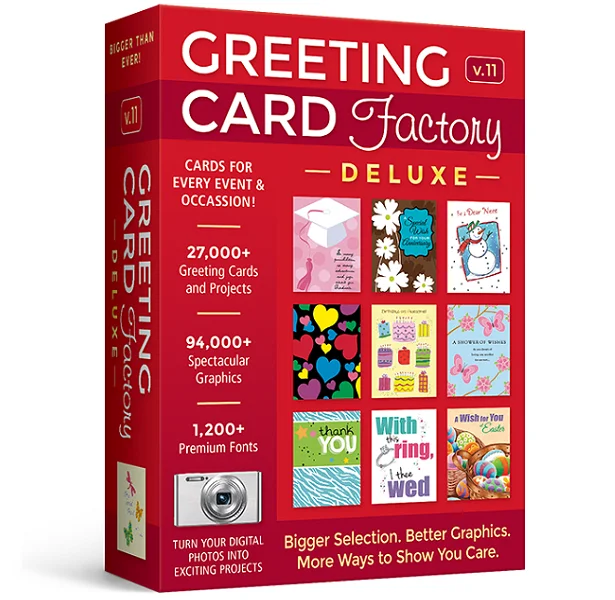
Creating Personalized Wishes Tickets: A Step-by-step Guide
Are you looking for a unique way to celebrate your best friend’s birthday? Instead of the usual gift, why not create personalized wishes tickets that reflect their personality and interests? In this article, we will guide you through various programs and services that can help you achieve this.
Why Create Personalized Wishes Tickets?
Personalized wishes tickets are a thoughtful way to show your friends and loved ones how much you care. They can be customized with photos, names, and messages, making them a one-of-a-kind gift. Whether it’s for a birthday, anniversary, or any other special occasion, personalized wishes tickets are sure to bring a smile to their face.
Microsoft Word And Publisher: A Great Starting Point
If you’re not tech-savvy, don’t worry! Microsoft Word and Publisher are two user-friendly programs that can help you create personalized wishes tickets. Both programs are part of the Microsoft 365 suite and offer a wide range of templates and design tools.
- Microsoft Word: This popular word processing software is perfect for creating customized texts and messages.
- Microsoft Publisher: This graphic design software allows you to create visually appealing cards, brochures, and tickets.
To get started, download and install Microsoft Word or Publisher on your computer. Then, follow these simple steps:
- Open the program and click on the “New” option.
- Search for a template by typing “ticket of wishes” in the search bar.
- Select a design that suits your taste and interests.
- Customize the text, images, and other elements to make it personal.
Libreoffice: A Free Alternative
If you’re looking for a free alternative to Microsoft Word and Publisher, consider using LibreOffice. This open-source productivity suite offers a range of tools, including a drawing program called “Draw” that can help you create personalized wishes tickets from scratch.
To use LibreOffice, follow these steps:
- Download and install the software on your computer.
- Open the program and select the “Draw” option.
- Choose a template or start from scratch to design your ticket.
- Add text, images, and other elements to make it personal.
Other Programs For Personalized Wishes Tickets
If you’re looking for more options, consider using these programs:
- Gimp: A free graphic processing software that offers advanced design tools.
- Pages: A mobile app for iOS devices that allows you to create customized cards and tickets.
- Scribus: A solid alternative to Microsoft Publisher that offers a user-friendly interface.
Online Services For Personalized Wishes Tickets
In addition to these programs, there are also online services that can help you create personalized wishes tickets. Some popular options include:
- Canva: A well-known graphic design platform that offers a wide range of templates and design tools.
- Fotor: An online service that allows you to choose from numerous templates and create customized cards.
- Greetings Island: A free service that enables you to create personalized wishes tickets with hundreds of layout options.
Apps For Personalized Wishes Tickets
If you’re always on-the-go, consider using mobile apps like Canva, JustWink Greetings Cards, or Pages to create personalized wishes tickets. These apps are designed to be user-friendly and offer a range of features that can help you achieve your goal.
Tips And Tricks
To get the most out of these programs and services, here are some tips and tricks to keep in mind:
- Experiment With Different Templates: Try out various designs and layouts to find one that suits your taste.
- Use High-quality Images: Choose photos that are clear and well-lit to ensure they look great on your ticket.
- Keep it Simple: Don’t overdo it with too many elements – sometimes less is more.
Conclusion
Creating personalized wishes tickets can be a fun and creative way to show your friends and loved ones how much you care. With these programs, services, and apps, you have a wide range of options to choose from. Remember to experiment with different templates, use high-quality images, and keep it simple to ensure your ticket turns out amazing.
Faqs
- Q: What Are The Benefits of Creating Personalized Wishes Tickets?
A: Personalized wishes tickets show thought and effort, making them a unique gift. - Q: Which Programs Can I Use to Create Personalized Wishes Tickets?
A: Microsoft Word, Publisher, LibreOffice, GIMP, Pages, Scribus, Canva, Fotor, Greetings Island, JustWink Greetings Cards, and the mobile apps of the same name are some options. - Q: How do I Get Started With Creating Personalized Wishes Tickets?
A: Start by choosing a program or service that suits your needs, then follow the steps provided in each section.


