
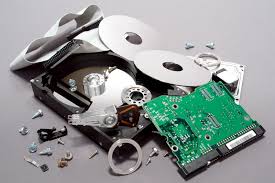
Recovering Data From a Hard Disk: A Comprehensive Guide
Are you worried about losing important files or data due to accidental deletion, formatting, or hardware failure? Do you want to learn how to recover data from a hard disk without breaking the bank? Look no further! In this article, we will explore the best solutions for recovering data from a hard disk, including free and paid software options.
Why is Data Recovery Important?
Data recovery is essential in today’s digital age. With more people relying on their computers and devices to store valuable information, losing data can be catastrophic. Whether it’s due to human error, hardware failure, or malware infection, data loss can have serious consequences. That’s why knowing how to recover data from a hard disk is crucial.
Easeus Data Recovery Wizard: A Top-notch Solution
One of the best solutions for recovering data from a hard disk is EaseUS Data Recovery Wizard. This powerful software supports all types of files, including documents, photos, videos, and more. It’s compatible with both Windows and macOS operating systems and can recover data from various storage devices, such as internal and external hard drives, USB drives, memory cards, and more.
Key Features:
- Supports recovery of all file types
- Compatible with Windows and macOS
- Can recover data from internal and external hard drives, USB drives, memory cards, and more
- Offers two versions: Free (for recovering up to 500MB) and Pro (no limitations)
- Easy-to-use interface
How to Use Easeus Data Recovery Wizard
Using EaseUS Data Recovery Wizard is a straightforward process. Here’s a step-by-step guide:
- Download and install the software.
- Launch the program and select the drive or device you want to recover data from.
- Choose the scan type (quick or deep) and start the scanning process.
- Once the scan is complete, browse through the recovered files and select those you want to recover.
- Choose a destination folder to save the recovered files.
Disk Drill: A User-friendly Alternative
Another excellent solution for recovering data from a hard disk is Disk Drill. This software offers an easy-to-use interface and supports recovery of various file types, including documents, photos, videos, and more.
Key Features:
- Supports recovery of all file types
- Compatible with Windows and macOS
- Offers two versions: Free (for recovering up to 500MB) and Pro (no limitations)
- Easy-to-use interface
How to Use Disk Drill
Using Disk Drill is a simple process. Here’s a step-by-step guide:
- Download and install the software.
- Launch the program and select the drive or device you want to recover data from.
- Choose the scan type (quick or deep) and start the scanning process.
- Once the scan is complete, browse through the recovered files and select those you want to recover.
- Choose a destination folder to save the recovered files.
Other Useful Tools
If the above solutions don’t meet your needs, there are other tools available that can help with data recovery. Some of these include:
- DMDE (Windows/Linux)
- Recuva (Windows)
- Wise Data Recovery (Windows)
Conclusion
Recovering data from a hard disk doesn’t have to be a daunting task. With the right software and knowledge, you can retrieve your valuable files and data. EaseUS Data Recovery Wizard and Disk Drill are top-notch solutions that offer ease of use and powerful features. Remember to always backup your important data to prevent future losses.
Frequently Asked Questions (FAQs)
- What is Data Recovery?
Data recovery is the process of retrieving lost or deleted files from a storage device, such as a hard disk. - Why is Data Recovery Important?
Data recovery is essential in today’s digital age to prevent loss of valuable information due to human error, hardware failure, or malware infection. - What Are Some Top-notch Solutions For Data Recovery?
EaseUS Data Recovery Wizard and Disk Drill are two excellent software options that offer ease of use and powerful features. - How do I Choose The Best Solution For my Needs?
Consider factors such as compatibility with your operating system, file types supported, and limitations on free versions. - What if I Have a Damaged Hard Disk?
If your hard disk is damaged, consider using data recovery software specifically designed for recovering data from damaged disks, such as EaseUS Data Recovery Wizard or Disk Drill. - Can I Recover Deleted Files?
Yes, most data recovery software can recover deleted files, but the success rate may depend on various factors, such as file type and time elapsed since deletion.
Bolded Heading: Other Useful Tools
- DMDE (Windows/Linux)
- Recuva (Windows)
- Wise Data Recovery (Windows)


