
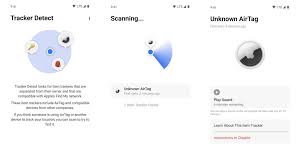
Understanding Airtag: The Smart Tracker From Apple
Are you tired of searching high and low for misplaced objects? Do you find yourself wasting precious time trying to locate your belongings? Look no further than the AirTag, a revolutionary smart tracker from Apple that can help you keep track of your favorite items.
What is an Airtag?
An AirTag is a small, coin-shaped device produced by Apple. It’s designed to be attached to objects like keys, wallets, or bags, and uses Bluetooth technology to communicate with your iPhone, iPad, or Mac. With the AirTag app on your device, you can locate your belongings in real-time.
How Does an Airtag Work?
The AirTag works by emitting a signal that is picked up by nearby Apple devices. When you’re unable to find an object with an AirTag attached, you can open the Find My app on your device and see its location on a map. The AirTag also emits a sound when it’s close, making it easier to locate.
What Are The Benefits of Using an Airtag?
Using an AirTag offers several benefits, including:
- Reduced Stress: No longer will you have to worry about losing your belongings or spending time searching for them.
- Increased Efficiency: With the ability to locate objects quickly and easily, you’ll be able to get on with your day without interruptions.
- Improved Organization: The AirTag app allows you to track multiple objects at once, making it easier to keep your belongings organized.
What Are The Features of an Airtag?
The AirTag has several features that make it a valuable tool for anyone looking to simplify their life:
- Waterproof And Durable: The AirTag is designed to withstand everyday use and can even be submerged in water.
- Long Battery Life: The AirTag’s battery lasts for up to 12 months, ensuring that your device stays connected for an extended period.
- Easy Setup: Setting up the AirTag is straightforward, with a simple connection process that gets you started quickly.
How Do I Set Up My Airtag?
Setting up your AirTag is easy and straightforward. Here’s what you need to do:
- Enable Bluetooth on Your Device: Make sure Bluetooth is enabled on your iPhone, iPad, or Mac.
- Open The Find My App: Open the Find My app on your device and select the object you want to attach an AirTag to.
- Connect Your Airtag: Hold your AirTag close to your device and wait for it to connect.
What Accessories Are Available For The Airtag?
There are several accessories available for the AirTag, including:
- Airtag Wallet Holder: A convenient holder that attaches to your wallet or bag.
- Airtag Keychain: A small keyring that makes it easy to attach your AirTag to your keys.
- Airtag Lanyard: A sturdy lanyard that lets you carry your AirTag around with you.
Tips And Tricks For Using an Airtag
Here are some tips and tricks to help you get the most out of your AirTag:
- Use The Airtag App Regularly: Make sure to check in on your AirTag-attached objects regularly to keep track of their location.
- Update Your Airtag Firmware Regularly: Regular updates ensure that your AirTag stays compatible with your device and provides optimal performance.
- Consider Sharing Your Airtag With Family or Friends: If you have multiple devices, consider sharing your AirTag with loved ones for added convenience.
What Are The System Requirements For Using an Airtag?
To use an AirTag, you’ll need:
- An iPhone (iPhone 11 or later), iPad (iPad Pro, iPad Air, or iPad mini), or Mac.
- Ios 14.5 Or Later: Make sure your device is running the latest version of iOS to ensure optimal performance.
- A stable internet connection: Ensure you have a stable internet connection for seamless operation.
How Do I Troubleshoot Issues With My Airtag?
If you’re experiencing issues with your AirTag, here are some troubleshooting steps:
- Check Your Device’s Software: Make sure your device is running the latest version of iOS.
- Restart Your Device: Sometimes, a simple restart can resolve connectivity issues.
- Reset Your Airtag: If you’re experiencing problems with your AirTag, try resetting it by pressing and holding the button until the light flashes.
Conclusion
The AirTag is a game-changing tool that simplifies your life by keeping track of your belongings. With its sleek design, user-friendly interface, and seamless connectivity, this smart tracker from Apple is an indispensable companion for anyone looking to reduce stress and increase efficiency in their daily lives.
Faqs
- Q: What is The Purpose of an Airtag?
A: The primary function of an AirTag is to track your belongings using Bluetooth technology and the Find My app on your device. - Q: How Does an Airtag Work?
A: An AirTag works by emitting a signal that is picked up by nearby Apple devices, allowing you to locate it in real-time using the Find My app. - Q: What Are The Benefits of Using an Airtag?
A: Using an AirTag offers several benefits, including reduced stress, increased efficiency, and improved organization. - Q: How do I Set up my Airtag?
A: Setting up your AirTag is easy – simply enable Bluetooth on your device, open the Find My app, and connect your AirTag. - Q: What Accessories Are Available For The Airtag?
A: There are several accessories available for the AirTag, including a wallet holder, keychain, and lanyard.
The Bottom Line
An AirTag is an innovative solution that streamlines your daily life by making it easier to locate misplaced objects. With its user-friendly interface, seamless connectivity, and robust features, this smart tracker from Apple has become an indispensable companion for many users.
Call-to-action
Get started with the AirTag today and discover a more organized, stress-free you!


