
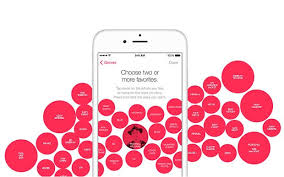
Apple Music: The Ultimate Guide
Are you a music enthusiast looking for a service that allows you to access your favorite tunes anywhere, anytime? Look no further than Apple Music! In this comprehensive guide, we’ll delve into the world of Apple Music, exploring its features, pricing, and how to use it on various devices.
What is Apple Music?
Apple Music is a music streaming service provided by Apple Inc. It offers access to a vast library of over 90 million songs, including albums, playlists, and radio stations. With Apple Music, you can listen to your favorite music online or offline, depending on the plan you choose.
How Does Apple Music Work?
Apple Music works seamlessly across various devices, including iPhones, iPads, Macs, Apple Watches, and even smart TVs. To get started, simply download the Apple Music app on your device, sign in with your Apple ID, and start exploring!
Pricing And Plans
Apple Music offers three pricing plans:
- Individual: $10.99/Month (or $109/year) – perfect for individual users.
- Family: $16.99/Month (or $159/year) – ideal for families with up to 6 members.
- Student: $5.99/Month – exclusively designed for students, including access to Apple TV+.
How to Use Apple Music on Various Devices
Using Apple Music on Iphone And Ipad
To use Apple Music on your iPhone or iPad:
- Tap the Apple Music icon on your home screen.
- Sign in with your Apple ID.
- Choose a subscription plan (if you haven’t already).
- Explore the various sections, including Listen Now, Discover, Radio, and Bookshop.
Using Apple Music on Mac
To use Apple Music on your Mac:
- Open the Apple Music app.
- Sign in with your Apple ID.
- Select a subscription plan (if you haven’t already).
- Access the various sections, including Listen Now, Discover, Radio, and Bookshop.
Using Apple Music on Android Devices
To use Apple Music on your Android device:
- Download the Apple Music app from the Google Play Store.
- Sign in with your Apple ID.
- Choose a subscription plan (if you haven’t already).
- Explore the various sections, including Listen Now, Discover, Radio, and Bookshop.
Using Apple Music on Other Devices
Apple Music is compatible with a range of devices, including smart TVs, gaming consoles, and streaming boxes. To use Apple Music on these devices:
- Check if the device supports Apple Music.
- Download the Apple Music app from the respective store (e.G., App Store, Google Play Store).
- Sign in with your Apple ID.
- Choose a subscription plan (if you haven’t already).
Tips And Tricks
- Use Siri to control Apple Music on compatible devices.
- Create custom playlists and share them with friends.
- Discover new music through recommendations and radio stations.
- Download songs for offline listening.
Managing Your Subscription
Need to cancel or modify your subscription? No problem! Follow these steps:
- Go to the Settings app on your device.
- Tap on “Apple ID” > “Subscriptions”.
- Select Apple Music and choose “Cancel Subscription” or “Modify Plan”.
That’s it! With this comprehensive guide, you’re now ready to dive into the world of Apple Music. Happy listening!
Faqs
- Q: What is Apple Music?
A: Apple Music is a music streaming service that offers access to over 90 million songs. - Q: How Much Does Apple Music Cost?
A: The pricing plans are Individual ($10.99/Month), Family ($16.99/Month), and Student ($5.99/Month). - Q: Can I Use Apple Music on Multiple Devices?
A: Yes, you can use Apple Music on various devices, including iPhones, iPads, Macs, Apple Watches, and smart TVs. - Q: How do I Cancel or Modify my Subscription?
A: Go to the Settings app, tap on “Apple ID” > “Subscriptions”, and select Apple Music. - Q: Can I Download Songs For Offline Listening?
A: Yes, you can download songs for offline listening with certain plans. - Q: Is Apple Music Available in my Country?
A: Check if Apple Music is available in your region by visiting the Apple Music website. - Q: Can I Use Siri to Control Apple Music?
A: Yes, you can use Siri to control Apple Music on compatible devices.
Conclusion
Apple Music is an incredible music streaming service that offers a vast library of songs, playlists, and radio stations. With this guide, you’re now equipped to navigate the world of Apple Music with ease. Whether you’re a casual listener or a music enthusiast, Apple Music has something for everyone. Happy listening!


