
Understanding Badoo: A Comprehensive Guide
Are you curious about how Badoo works? Want to know the ins and outs of this popular dating app? Look no further! In this article, we’ll delve into the world of Badoo and explore its features, benefits, and more.
What is Badoo?
Badoo is a social networking app that allows users to connect with people in their area. It’s designed for those looking to meet new friends, possibly even romantic partners. With millions of users worldwide, Badoo has become one of the most popular dating apps out there.
How Does Badoo Work?
So, how does it work? Here’s a step-by-step guide:
- Download And Install: First, you need to download and install the Badoo app on your smartphone or tablet.
- Registration: Once installed, create an account by providing basic information like name, email, and password.
- Profile Creation: Complete your profile by adding a photo, bio, and interests. This will help others get to know you better!
- Searching For Matches: Browse through profiles of people in your area or with shared interests.
- Messaging: If you find someone interesting, send them a message to start a conversation!
Features And Benefits
Badoo offers several features that make it stand out from other dating apps:
- Location-based Matching: Find people nearby or with similar interests.
- Real-time Chat: Engage in live conversations with potential matches.
- Profile Customization: Personalize your profile to showcase your personality, hobbies, and more!
- Safety Features: Report any suspicious behavior or block users if needed.
Using Badoo on PC
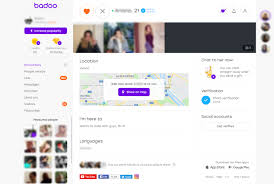
Did you know that you can also use Badoo on your computer? Yes! Simply visit the official website and follow these steps:
- Create an Account: Sign up for a new account or log in to your existing one.
- Profile Creation: Complete your profile, adding photos, bio, and interests as desired.
- Searching For Matches: Browse through profiles of people in your area or with shared interests.
- Messaging: Send messages to potential matches and start conversations!
Tips And Tricks
Here are some helpful tips to enhance your Badoo experience:
- Be Authentic: Be yourself, and don’t be afraid to showcase your personality!
- Use Good Photos: Add clear, recent photos that accurately represent you.
- Engage in Conversations: Respond promptly to messages, and show genuine interest in others!
- Stay Safe: Report any suspicious behavior or block users if needed.
Conclusion
Badoo is an excellent platform for those looking to meet new people, potentially even romantic partners. With its user-friendly interface, location-based matching, and real-time chat features, it’s no wonder why millions of users trust Badoo. Remember to be authentic, use good photos, engage in conversations, and stay safe!
Frequently Asked Questions
- What is Badoo?
Badoo is a social networking app that allows users to connect with people in their area. - How do I Create an Account on Badoo?
Download the app, register for a new account, and complete your profile! - Can I Use Badoo on my Pc?
Yes! Visit the official website and follow the same steps as on mobile devices. - What Features Does Badoo Offer?
Location-based matching, real-time chat, profile customization, and safety features! - How do I Report Suspicious Behavior or Block Users?
Use the built-in reporting system to report any issues or block users if needed. - Can I Delete my Account on Badoo?
Yes! Follow these steps: Click on your name, go to settings, select “Delete account,” and confirm! - Is Badoo Free?
Yes! The app is free to download and use. However, some premium features require a subscription. - How do I Know if Someone is Genuine or Not?
Trust your instincts! If you feel uncomfortable or sense something off, report it or block the user.
Stay Connected With Badoo!
Remember, Badoo is just one of many social networking platforms out there. Be safe, be authentic, and have fun exploring this vast world of online connections!
How to Cancel Your Badoo Account: A Step-by-step Guide
Are you tired of using Badoo or want to cancel your account? Don’t worry! Here’s a step-by-step guide on how to delete your Badoo account:
- Open The App: Launch the Badoo app and navigate to the “Settings” menu.
- Select “Account”: Click on “Account” from the drop-down menu.
- Choose “Delete Account”: Select the option to delete your account.
- Confirm Deletion: Enter your password and confirm that you want to delete your account.
Important: Be aware that deleting your Badoo account will also remove any data associated with it, including photos and messages!
What You Need to Know About Badoo
- Badoo is a location-based social networking app designed for meeting new people.
- It offers features like real-time chat, profile customization, and safety measures.
- Users can create an account on both mobile devices (iOS and Android) and PC using the official website.
- Premium features require a subscription.
- Be authentic, use good photos, engage in conversations, and stay safe!
Get Ready to Explore Badoo!
With these tips and guides, you’re now ready to dive into the world of Badoo! Remember to be yourself, have fun exploring, and always prioritize your safety online. Happy connecting!


