
The Ultimate Guide to Bereal: A Social Media Platform That Encourages Authenticity
Are you tired of social media platforms that showcase only the highlight reel of people’s lives? Do you want to experience a more authentic and genuine connection with others online? Look no further than BeReal, a revolutionary new platform that encourages users to share their real selves, without filters or pretenses.
What is Bereal?
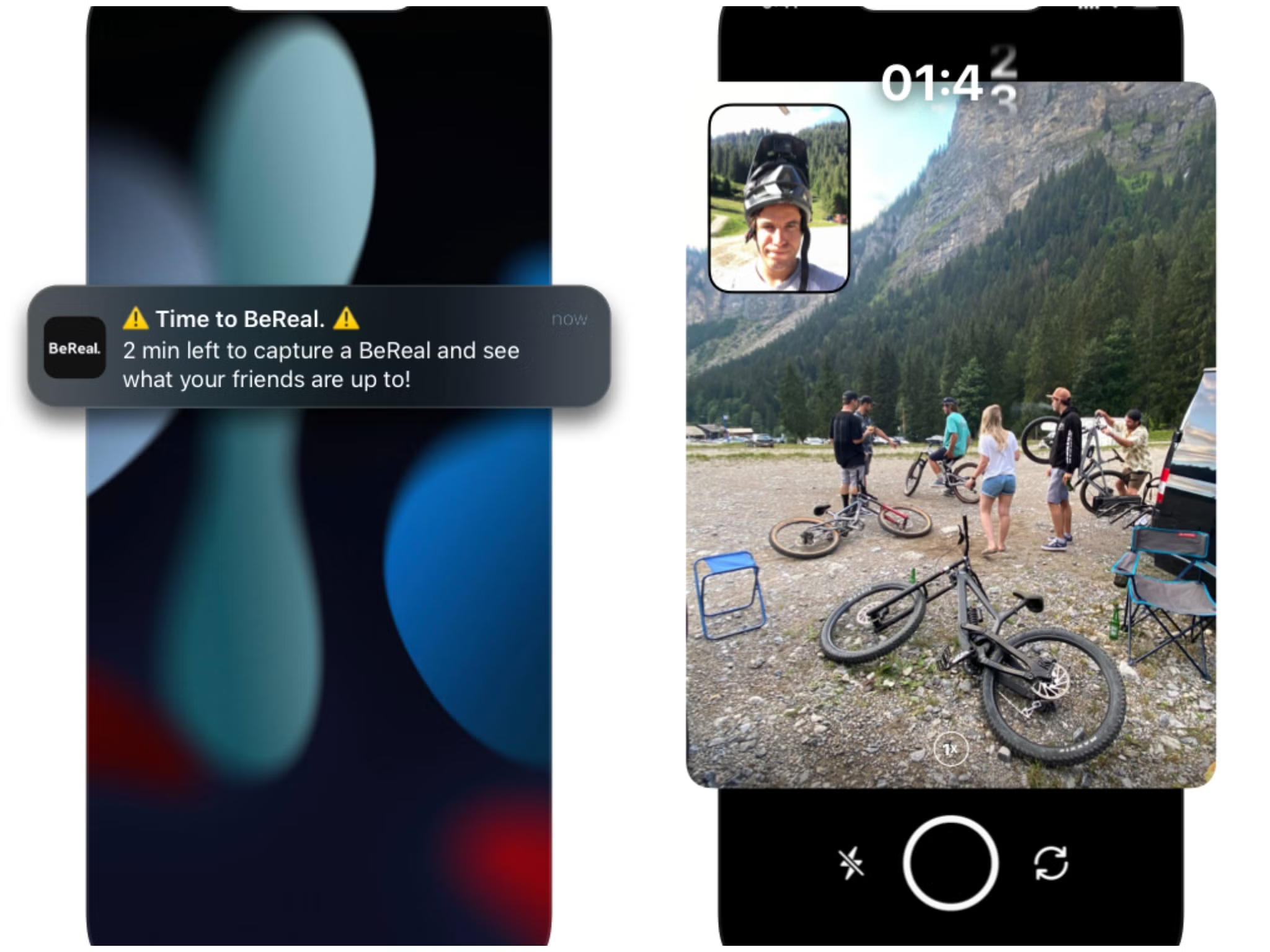
BeReal is a social media app that was born in France in 2020. The name “BeReal” itself is an invitation to be true to oneself and to share one’s experiences with others in a completely unfiltered way. When you download the app, you’ll receive notifications to post a photo within two minutes of receiving the alert. This encourages users to capture moments as they happen, without worrying about editing or perfecting them.
How Does Bereal Work?
Using BeReal is incredibly simple. Once you’ve downloaded the app and created an account, you’ll start receiving notifications to post a photo. When you get a notification, simply tap on it to open the app and take your first BeReal photo. This will be visible only to your friends, who can then interact with your post by adding emojis or comments.
Creating a Bereal Account
To create a BeReal account, follow these easy steps:
- Download the BeReal app from the Play Store (for Android) or App Store (for iPhone).
- Open the app and tap on the “Continuous” button three times to start the process.
- Tap on the “Start” button to begin creating your account.
- Answer a few simple questions, including your name, date of birth, phone number, and verification code sent via SMS.
- Choose your username and accept the necessary permissions for the app to function properly.
Posting on Bereal
When you receive a notification from BeReal, tap on it to open the app and take your first BeReal photo. This can be a snapshot of anything – a moment, a place, or simply yourself. The twist is that you have only two minutes to post the photo before it’s too late.
Interacting With Posts on Bereal
To interact with posts from others, navigate to the “My Friends” tab or scroll through the “Discovery” feed to find interesting content. When you come across a post you want to engage with, tap on the smiling face icon and select an emoji to react with. You can also comment on posts by tapping on the comment section.
Personalizing Your Bereal Account
To add more personality to your account, tap on the three dots in the top-right corner of the screen and select “Edit Profile.” From here, you can add a bio, location, and even upload a profile picture. You can also customize your notifications and other settings as desired.
The Benefits of Bereal
So why choose BeReal over other social media platforms? Here are just a few benefits:
- Authenticity: BeReal encourages users to share their true selves, without filters or pretenses.
- Spontaneity: The app’s time-limited posting feature ensures that users capture moments as they happen.
- Community: BeReal fosters a sense of community among users, who can interact with each other’s posts and engage in meaningful conversations.
Conclusion
BeReal is a game-changing social media platform that encourages users to be true to themselves and share their experiences in a completely unfiltered way. With its simple interface, time-limited posting feature, and focus on authenticity, BeReal is an ideal choice for anyone looking for a more genuine online experience. So why not give it a try?
Frequently Asked Questions
-
What is The Purpose of Bereal?
BeReal aims to create a social media platform where users can share their authentic selves, without filters or pretenses. -
How Does Bereal Work?
Users receive notifications to post a photo within two minutes of receiving the alert. They can then interact with posts from others by adding emojis or comments. -
Can I Customize my Bereal Account?
Yes, users can add a bio, location, and profile picture to their account, as well as customize their notifications and other settings. -
Is Bereal Available on Both Android And Iphone?
Yes, BeReal is available for download on both the Play Store (for Android) and App Store (for iPhone). -
What Are The Benefits of Using Bereal?
BeReal encourages authenticity, spontaneity, and community among users, making it an ideal choice for those looking for a more genuine online experience.


