
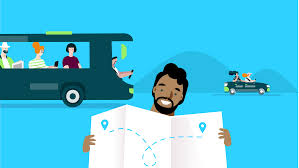
How to Use Blablacar: A Comprehensive Guide
Are you tired of breaking the bank on transportation costs? Do you want to explore new destinations without sacrificing comfort? Look no further than BlaBlaCar, a revolutionary carpooling platform that’s changing the way we travel. In this article, we’ll take you through the ins and outs of using BlaBlaCar, from downloading the app to issuing an announcement for your next adventure.
What is Blablacar?
BlaBlaCar is a French-based carpooling service that connects drivers with riders traveling in the same direction. By sharing a ride, users can split fuel costs and enjoy a more affordable, eco-friendly way of exploring new territories. With over 10 million members across Europe, Asia, and Latin America, BlaBlaCar has become a popular choice for those seeking an alternative to public transportation or renting a car.
How to Download The Blablacar App
Getting started with BlaBlaCar is easy peasy! Simply follow these steps:
- Download The App: Head over to the Google Play Store (for Android devices) or the Apple App Store (for iPhone and iPad users). Search for “BlaBlaCar” and download the app.
- Create an Account: Fill in the required information, including your name, email address, phone number, and password.
How to Reserve a Seat on Blablacar
Once you’ve downloaded the app and created an account, it’s time to find your next ride!
- Choose Your Route: Select your starting point and destination from the map.
- Select Your Seat: Choose from available seats on the chosen route.
- Book Your Seat: Pay for your ticket online or via the mobile app.
How to Issue an Announcement For Your Next Adventure
Are you a driver looking to share the cost of fuel with fellow travelers? Look no further than BlaBlaCar’s announcement feature!
- Head Over to Public: Click on “Public” from the main menu.
- Enter Your Details: Fill in the required information, including your starting point and destination.
- Choose Your Vehicle Type: Select the type of car you’ll be driving (e.G., Sedan, van).
- Set a Price: Determine how much each passenger will contribute towards fuel costs.
- Post Your Announcement: Your ride is now live on BlaBlaCar!
Benefits of Using Blablacar
- Save Money: Split fuel costs with fellow travelers and enjoy a more affordable way to explore new destinations.
- Reduce Carbon Emissions: By sharing rides, you’re contributing to a more eco-friendly mode of transportation.
- Meet New People: Connect with fellow travelers and make friends along the way!
- Enjoy a Unique Experience: Experience different cultures and ways of life by traveling with locals.
Tips For Using Blablacar
- Be Clear About Your Requirements: When issuing an announcement, specify your needs (e.G., Number of passengers, vehicle type).
- Check Reviews: Before booking a seat, read reviews from previous riders to ensure you’re getting the best experience.
- Respect Fellow Travelers: Be considerate and respectful towards other drivers and riders.
Conclusion
BlaBlaCar has revolutionized the way we travel, offering an affordable, eco-friendly alternative to traditional modes of transportation. With its user-friendly app and vast network of drivers and riders, BlaBlaCar is the perfect solution for those seeking a unique experience while exploring new destinations. Whether you’re a driver looking to share fuel costs or a rider searching for an affordable way to travel, BlaBlaCar has got you covered!
Frequently Asked Questions (FAQs)
- Q: How do I Download The Blablacar App?
A: You can download the BlaBlaCar app from the Google Play Store or Apple App Store. - Q: Can I Use Blablacar For Long-distance Travel?
A: Yes, you can use BlaBlaCar for both short and long-distance travel. - Q: What is The Minimum Age to Become a Driver on Blablacar?
A: The minimum age to become a driver on BlaBlaCar is 18 years old. - Q: Can I Cancel my Booking if I Need to Change Plans?
A: Yes, you can cancel your booking in case of unforeseen circumstances. - Q: How do I Report an Issue or Concern With a Ride?
A: You can report any issues or concerns through the BlaBlaCar app or by contacting customer support directly. - Q: Can I Pay For my Seat Using Multiple Payment Methods?
A: Yes, you can use multiple payment methods to book your seat on BlaBlaCar. - Q: What is The Policy Regarding Animals in Cars on Blablacar?
A: Animals are allowed in cars on BlaBlaCar, but ensure they are properly secured and do not disturb other passengers. - Q: How Can I Get Help With Using The Blablacar App?
A: You can contact customer support through the app or by reaching out to our dedicated team for assistance.


