
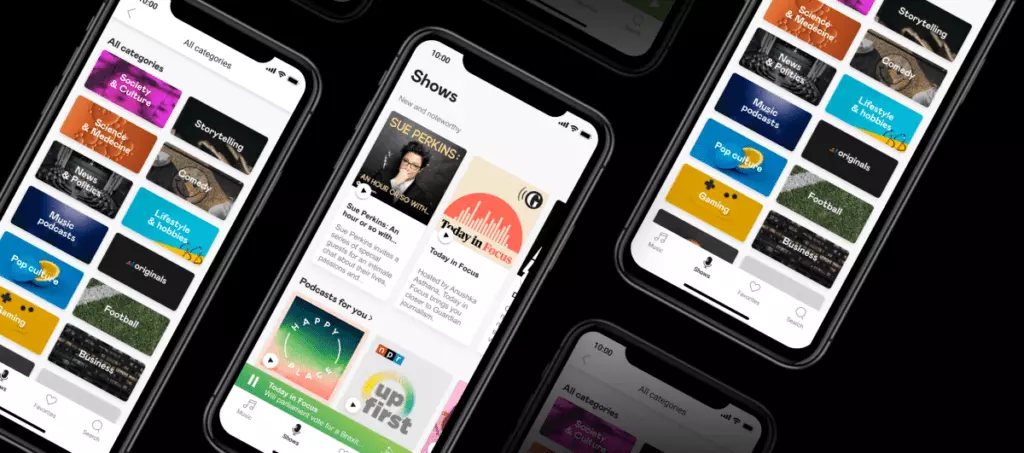
The Ultimate Guide to Deezer: Unleashing Music’s Full Potential
As a music enthusiast, have you ever wondered how to unlock the full potential of your favorite tunes? Look no further than Deezer, the pioneering music streaming service that has revolutionized the way we experience music. In this comprehensive guide, we’ll delve into the world of Deezer, exploring its features, functionalities, and the various ways to enjoy it on different devices.
Why Choose Deezer?
With over 120 million pieces in its vast library, Deezer offers an unparalleled music streaming experience. From classical to hip-hop, jazz to pop, and everything in between, this platform has something for every taste bud. The service is free to use, with optional subscription plans that offer ad-free listening, offline playback, and high-fidelity audio.
How Does Deezer Work?
Deezer’s user-friendly interface makes it easy to navigate, even for those new to music streaming. Here’s a step-by-step guide:
- Registration: Sign up using your email address or social media accounts.
- Choose Your Plan: Select from the free plan, which includes ads and limited features, or opt for the premium subscription, which offers ad-free listening, offline playback, and high-fidelity audio.
- Discover New Music: Browse through curated playlists, explore artist profiles, and search for specific tracks to discover new music.
Using Deezer on Your Smartphone
Deezer’s mobile app is available for both iOS and Android devices. Here’s how to get started:
- Download The App: Find Deezer in your device’s app store.
- Register or Login: Sign up or login using your existing account.
- Start Listening: Browse through playlists, search for artists or tracks, and start listening to your favorite music.
How to Use Deezer on Your PC
Deezer is also available as a desktop client for Windows and Mac users:
- Download The Client: Visit the Deezer website and download the installer.
- Install And Run: Follow the installation prompts and launch the app.
- Get Started: Browse through playlists, search for artists or tracks, and start listening to your favorite music.
Using Deezer on Your Smart TV
Deezer’s Smart TV app allows you to enjoy high-quality audio and visuals:
- Download The App: Find Deezer in your smart TV’s app store.
- Register or Login: Sign up or login using your existing account.
- Start Listening: Browse through playlists, search for artists or tracks, and start listening to your favorite music.
Other Devices And Platforms
Deezer is also available on various other devices and platforms, including:
- Intelligent Speakers: Use Deezer’s skill with Amazon Alexa to control playback and access features.
- Car Systems: Enjoy Deezer in the car using Android Auto and Apple CarPlay.
- Gaming Consoles: Stream your favorite music on PlayStation and Xbox.
Tips And Tricks
Here are some expert tips to enhance your Deezer experience:
- Create Playlists: Organize your favorite tracks into personalized playlists.
- Use The Search Bar: Quickly find artists, tracks, or albums using the search bar.
- Explore New Music: Browse through curated playlists and discover new music.
Conclusion
Deezer is a game-changer in the world of music streaming. With its vast library, user-friendly interface, and optional premium subscription plans, this platform has something for everyone. Whether you’re a casual listener or an avid music enthusiast, Deezer offers an unparalleled music streaming experience that’s sure to delight.
Frequently Asked Questions
- What is The Free Version of Deezer?
The free version includes ads and limited features. - How do I Get Rid of Ads on Deezer?
Upgrade to the premium subscription plan for ad-free listening. - Can I Download Music From Deezer?
Yes, with a premium subscription, you can download music for offline playback. - Is Deezer Available on my Device?
Check your device’s app store or visit the Deezer website to see if it’s compatible. - How do I Cancel my Deezer Subscription?
Visit the Deezer website and follow the cancellation instructions. - Can I Use Deezer With my Amazon Alexa?
Yes, use Deezer’s skill with Amazon Alexa to control playback and access features. - Is Deezer Available on Playstation And Xbox?
Yes, you can stream your favorite music on these gaming consoles. - How do I Create a Playlist on Deezer?
Browse through curated playlists or search for artists or tracks to create personalized playlists.


