
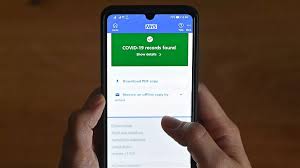
The Ultimate Guide to Downloading The Immune App
Are you looking to download the Immune app on your device? Look no further! In this article, we will guide you through the process of downloading the Immune app on both Android and iOS devices.
What is The Immune App?
Before we dive into the instructions, let’s talk about what the Immune app is. The Immune app is a free instrument designed to help contain the spread of coronavirus by tracking contacts and notifying users if they have been in close proximity with someone who has tested positive for COVID-19.
Why Download The Immune App?
There are several reasons why you should download the Immune app on your device. Firstly, it’s a free tool that can help keep you and those around you safe from the virus. Secondly, it’s designed to be user-friendly and doesn’t consume too much battery power. Finally, it’s an open-source app, which means that its code is freely accessible and transparent.
Requirements For Downloading The Immune App
Before downloading the Immune app on your device, make sure that you meet the necessary requirements. For Android devices, you’ll need:
- A smartphone updated to Android 6 or later versions
- Google Play Services integrated and updated
For iOS devices, you’ll need:
- An iPhone with iOS 13.5 Or later versions installed
Downloading The Immune App on Android
To download the Immune app on your Android device, follow these steps:
- Open the Google Play Store on your device.
- Tap on the search icon and type “Immune” in the search bar.
- Find the Immune app icon and tap on it to open its page.
- Tap the “Install” button to begin the download process.
- Wait for the app to download and install on your device.
Downloading The Immune App on Ios
To download the Immune app on your iOS device, follow these steps:
- Open the App Store on your iPhone.
- Tap on the search icon and type “Immune” in the search bar.
- Find the Immune app icon and tap on it to open its page.
- Tap the “Get” button to begin the download process.
- Wait for the app to download and install on your device.
Using The Immune App
Once you have downloaded and installed the Immune app, you’ll need to set it up before using it. This includes:
- Indicating your region and province
- Conceding necessary authorizations for its operation
Tips And Reminders
Before concluding this article, here are some additional tips and reminders:
- Make sure that you have updated your device’s operating system to the latest version.
- Check if your device meets the necessary requirements before downloading the Immune app.
- If you’re unsure about any aspect of the process, consult the official Immune website or seek help from a qualified professional.
Conclusion
In conclusion, downloading and using the Immune app is a simple process that can help keep you and those around you safe from the virus. By following these steps, you’ll be able to download and install the Immune app on both Android and iOS devices.
Additional Resources
For more information on the Immune app, please visit its official website or consult the following resources:
- Our tutorial on how to use the Immune app
- The official Immune website


