
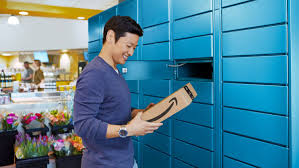
Amazon Locker: Your Convenient Solution For Package Retrieval
Are you tired of missing your Amazon deliveries or having to wait in line at the post office? Look no further than Amazon Locker, a convenient service that allows you to pick up your packages at a time and location that suits you best.
What is Amazon Locker?
Amazon Locker is a self-service kiosk where you can pick up your Amazon packages. With over 10,000 locations across the US, it’s easy to find one near you. Simply choose an address for delivery during checkout on Amazon.Com or through the Amazon mobile app. When your package arrives at the chosen location, you’ll receive an email with a unique code that you can use to retrieve your package.
How Does Amazon Locker Work?
Here’s a step-by-step guide:
- Choose Your Location: Select an Amazon Locker location during checkout on Amazon.Com or through the Amazon mobile app.
- Receive Your Email: When your package arrives at the chosen location, you’ll receive an email with a unique code and instructions for retrieval.
- Pick Up Your Package: Visit the Amazon Locker location within three days of receiving your email. Enter your unique code and follow the prompts to retrieve your package.
Benefits of Amazon Locker
Amazon Locker offers several benefits, including:
- Convenience: Pick up your packages at a time that suits you best.
- Flexibility: Choose from over 10,000 locations across the US.
- Security: Packages are stored in a secure location until you’re ready to pick them up.
Costs And Conditions of Amazon Locker
Amazon Locker is a free service for all Amazon customers. There are no activation costs or fees associated with using this service. However, please note that packages acquired on Amazon.Com but sold and shipped by third-party sellers may not be eligible for delivery through Amazon Locker.
How to Find an Amazon Locker Near You
To find an Amazon Locker near you:
- Visit Amazon.Com: Log in to your account and click on the “Account & Lists” tab.
- Select Addresses: Choose “Addresses” from the dropdown menu.
- Add a New Address: Click on the “Add address” button and select “Amazon Locker”.
- Search For a Location: Enter your city, state, or zip code to find an Amazon Locker near you.
Using Amazon Locker
To use Amazon Locker:
- Place Your Order: Place your order as usual on Amazon.Com or through the Amazon mobile app.
- Choose Amazon Locker: Select “Amazon Locker” as your delivery option during checkout.
- Pick Up Your Package: Visit the Amazon Locker location within three days of receiving your email to pick up your package.
Carrying Out a Return With Amazon Locker
To carry out a return using Amazon Locker:
- Visit Amazon.Com: Log in to your account and click on the “Your Orders” tab.
- Select Your Order: Choose the order you’d like to return.
- Choose Return or Replacement: Select “Return or replacement” as your reason for returning the item.
- Follow The Prompts: Follow the prompts to initiate the return process.
Tips And Reminders
- Check Availability: Before visiting an Amazon Locker, check its availability and schedule.
- Be Aware of Security Restrictions: Some locations may have security restrictions that require you to provide identification or proof of delivery.
- Keep Track of Your Schedule: Keep track of your schedule and make sure to pick up your package within the allotted time frame.
Frequently Asked Questions (FAQs)
- What is Amazon Locker?
Amazon Locker is a self-service kiosk where you can pick up your Amazon packages at a location near you. - How Does Amazon Locker Work?
When you choose an Amazon Locker address during checkout, your package will be delivered to the designated location within three days of receiving your email. You’ll receive a unique code that allows you to retrieve your package by entering it on the locker’s touchscreen display. - Is Amazon Locker Free?
Yes, Amazon Locker is a free service for all Amazon customers. - Can I Use Amazon Locker With my Amazon Prime Membership?
Yes, if you have an Amazon Prime membership, you can choose Amazon Locker as your delivery option and receive free one-day shipping. - How Long do I Have to Pick up my Package at an Amazon Locker?
You have three days from the date of receiving your email to pick up your package at the designated Amazon Locker location. - Can I Return a Product Using Amazon Locker?
Yes, you can return a product by visiting the Amazon website and following the prompts to initiate the return process.
Conclusion
Amazon Locker is a convenient solution for retrieving your Amazon packages at a time and location that suits you best. With over 10,000 locations across the US, it’s easy to find an Amazon Locker near you. Remember to choose this option during checkout on Amazon.Com or through the Amazon mobile app, and follow the prompts to retrieve your package within three days of receiving your email. If you have any questions or concerns about using Amazon Locker, refer to the FAQs section above for answers.
Conclusion
Amazon Locker offers a convenient solution for retrieving packages at a time and location that suits you best. With over 10,000 locations across the US, it’s easy to find an Amazon Locker near you.


