
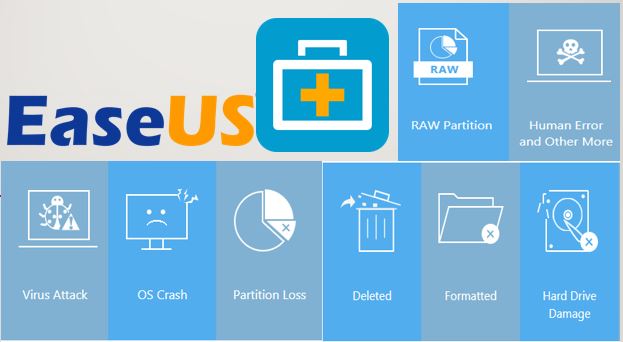
How to Recover Deleted Files With Easeus Data Recovery Wizard
Are you feeling desperate because you’ve accidentally deleted some important files from your computer? Or perhaps you’ve tried connecting an external hard drive or SD card to your PC, but it’s not readable? Don’t worry! In this article, we’ll guide you through the process of recovering deleted files using EaseUS Data Recovery Wizard.
What is Easeus Data Recovery Wizard?
EaseUS Data Recovery Wizard is a powerful software that can recover various types of files from different devices. It supports recovery from internal and external hard drives, solid-state drives (SSDs), USB drives, SD cards, multimedia readers, and more. This program is compatible with both Windows and macOS operating systems.
Features And Benefits
EaseUS Data Recovery Wizard offers a wide range of features that make it an ideal choice for recovering deleted files:
- Easy to Use: The software has a user-friendly interface that makes it easy to navigate and recover files.
- Supports Various File Types: EaseUS Data Recovery Wizard supports recovery of documents, photos, videos, emails, compressed files, and more.
- Recovery From Various Devices: This program can recover data from internal and external hard drives, SSDs, USB drives, SD cards, multimedia readers, and other devices.
- Compatible With Windows And Macos: EaseUS Data Recovery Wizard supports both Windows and macOS operating systems.
- Free Version Available: A free version of the software is available for download, which allows you to recover up to 2 GB of data.
System Requirements
Before using EaseUS Data Recovery Wizard, make sure your computer meets the following system requirements:
- Windows: Windows 11/10/8/7 or Windows Server 2022/2019/2016/2012/2008/2003
- Ram: At least 1 GB of RAM
- Processor: At least 1 GHz processor (32-bit or 64-bit)
- Disk Space: At least 32 MB of free space on the disk
How to Download And Install Easeus Data Recovery Wizard
To download and install EaseUS Data Recovery Wizard, follow these steps:
- Go to The Official Website: Visit the official website of EaseUS Data Recovery Wizard.
- Click on The “Free Proof” Button: Click on the “Free Proof” button to download the free version of the software.
- Follow The Installation Instructions: Follow the installation instructions to install the software on your computer.
How to Recover Deleted Files With Easeus Data Recovery Wizard
To recover deleted files with EaseUS Data Recovery Wizard, follow these steps:
- Launch The Software: Launch the software and select the drive or device from which you want to recover data.
- Scan For Lost Files: The software will scan the selected drive or device for lost files.
- Filter Results: Filter the results to view only the files you’re interested in recovering.
- Select Files to Recover: Select the files you want to recover and click on the “Recover” button.
Conclusion
EaseUS Data Recovery Wizard is a powerful software that can help you recover deleted files from various devices. With its user-friendly interface and wide range of features, it’s an ideal choice for recovering lost data. Make sure your computer meets the system requirements before using this software, and follow the installation instructions to get started.
Frequently Asked Questions
Here are some frequently asked questions about EaseUS Data Recovery Wizard:
- Q: What Types of Files Can I Recover With Easeus Data Recovery Wizard?
A: You can recover various types of files, including documents, photos, videos, emails, compressed files, and more. - Q: Is Easeus Data Recovery Wizard Compatible With Windows And Macos?
A: Yes, this software is compatible with both Windows and macOS operating systems. - Q: Do I Need to Purchase a License to Use Easeus Data Recovery Wizard?
A: No, you can download the free version of the software, which allows you to recover up to 2 GB of data. - Q: How do I Install Easeus Data Recovery Wizard on my Computer?
A: To install the software, follow the installation instructions provided on the official website. - Q: Can I Recover Files From an External Hard Drive or SD Card With Easeus Data Recovery Wizard?
A: Yes, this software can recover data from internal and external hard drives, SSDs, USB drives, SD cards, multimedia readers, and other devices.


