
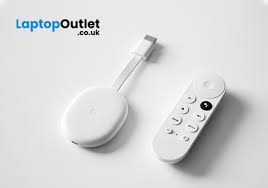
The Ultimate Guide to Google Cast: How it Works And Its Features
Are you tired of watching your favorite TV shows and movies on a small smartphone screen? Do you want to experience the thrill of watching your favorite content on a bigger display, but don’t have a smart TV or a streaming device? Look no further than Google Cast! In this article, we’ll explore what Google Cast is, how it works, and its features.
What is Google Cast?
Google Cast is a protocol developed by Google to enable the transmission of audio and video content from one device to another wirelessly. It allows you to stream content from your smartphone, tablet, or computer to a TV or other display device using a Chromecast device.
How Does Google Cast Work?
To use Google Cast, you’ll need a Chromecast device connected to your TV via HDMI, as well as a device with the Google Home app installed (such as an Android phone or tablet). Here’s how it works:
- Setup Your Devices: Connect your Chromecast device to your TV and make sure your device is connected to the same Wi-Fi network.
- Launch The Google Home App: Open the Google Home app on your device and select the Chromecast device you want to use.
- Select Content: Choose the content you want to stream, such as a movie or TV show from YouTube or Netflix.
- Cast Content: Click the cast button in the app to start streaming the content to your Chromecast device.
Features of Google Cast
Google Cast has several features that make it an attractive option for streaming content:
- Wireless Streaming: Stream content wirelessly from one device to another, without the need for cables or complex setup.
- Multi-room Audio: Control multiple speakers and devices with the Google Home app, creating a seamless audio experience throughout your home.
- Voice Control: Use voice commands to control your Chromecast device and stream content with ease.
- Integration With Popular Services: Integrate with popular services like YouTube, Netflix, and Amazon Prime Video to access a vast library of content.
Google Cast on Smart TV
If you have a smart TV with Android TV or Google TV, you can use it as a Chromecast device. Here’s how:
- Connect Your TV to Wi-fi: Make sure your TV is connected to the same Wi-Fi network as your device.
- Launch The Google Home App: Open the Google Home app on your device and select the TV as the Chromecast device.
- Select Content: Choose the content you want to stream, such as a movie or TV show from YouTube or Netflix.
- Cast Content: Click the cast button in the app to start streaming the content to your TV.
Google Cast on Other Devices
You can also use Google Cast with other devices, such as:
- Chromecast Device: Use a separate Chromecast device connected to your TV via HDMI.
- Android Phone or Tablet: Use an Android phone or tablet with the Google Home app installed.
- Computer: Use a computer with the Google Chrome browser and the Chromecast extension installed.
Google Cast Without Google TV
If you have an older Chromecast device that doesn’t have Google TV, don’t worry! You can still use it as a Chromecast device. Here’s how:
- Connect Your Device to Wi-fi: Make sure your device is connected to the same Wi-Fi network as your TV.
- Launch The Google Home App: Open the Google Home app on your device and select the Chromecast device.
- Select Content: Choose the content you want to stream, such as a movie or TV show from YouTube or Netflix.
- Cast Content: Click the cast button in the app to start streaming the content to your TV.
How to Convey Contents
To convey contents using Google Cast, follow these steps:
- Launch The Google Home App: Open the Google Home app on your device and select the Chromecast device.
- Select Content: Choose the content you want to stream, such as a movie or TV show from YouTube or Netflix.
- Cast Content: Click the cast button in the app to start streaming the content to your Chromecast device.
Conclusion
Google Cast is an innovative protocol that enables wireless streaming of audio and video content between devices. With its seamless setup process and integration with popular services, it’s easy to see why Google Cast has become a go-to solution for streaming enthusiasts. Whether you’re looking to upgrade your home entertainment experience or simply want a hassle-free way to stream your favorite content, Google Cast is the perfect choice.
Faqs
Here are some frequently asked questions about Google Cast:
Q: What is Google Cast?
A: Google Cast is a protocol developed by Google to enable wireless streaming of audio and video content between devices.
Q: How does Google Cast work?
A: To use Google Cast, you’ll need a Chromecast device connected to your TV via HDMI, as well as a device with the Google Home app installed.
Q: What features does Google Cast have?
A: Google Cast has several features, including wireless streaming, multi-room audio, voice control, and integration with popular services.
Q: Can I use Google Cast on my smart TV?
A: Yes, you can use your smart TV as a Chromecast device by connecting it to the same Wi-Fi network as your device and launching the Google Home app.
Q: Can I use Google Cast without Google TV?
A: Yes, you can still use an older Chromecast device that doesn’t have Google TV by following the steps outlined above.


