
The Revolutionary Ipados: A Game-changer For Apple Devices
Are you curious about the latest operating system from Apple, iPadOS? Look no further! In this article, we’ll delve into the world of iPadOS, exploring its features, functionalities, and what makes it a game-changer for Apple devices.
What is Ipados?
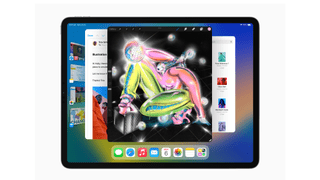
IPadOS is a new operating system designed specifically for iPads, aiming to revolutionize the way you interact with your device. By differentiating itself from iOS, iPadOS offers exclusive functionalities that cater to the unique needs of tablets. With a focus on productivity and creativity, iPadOS is poised to take the tablet experience to the next level.
Key Features of Ipados
- Enhanced Multitasking: IPadOS introduces a more advanced management system for multitasking, allowing you to have multiple apps open at once. This feature enables seamless transitions between apps, making it easier to manage your workflow.
- Split View: With Split View, you can divide the screen into two parts, giving you ample space to work on multiple tasks simultaneously. You can even add multiple instances of the same app to Split View for added convenience.
- Slide Over: This feature allows you to have a floating window of an app, which can be summoned at any time. Perfect for quick checks or references, Slide Over helps keep your workflow organized and efficient.
- Dark Mode: IPadOS now features a dark mode option, which reduces eye strain and provides a more immersive experience. With automatic scheduling, you can set the dark mode to activate during certain times of the day.
Revolutionizing Writing And Editing
- New Gestures For Copying And Pasting: IPadOS introduces innovative gestures that make copying and pasting a breeze. The pinch with three fingers copies selected text, while the double pinch cuts the selection.
- Keyboard Fluctuation: This feature allows you to reduce the keyboard size, making it easier to type on smaller screens. You can also enable keyboard fluctuation for typing with your finger.
Unlocking External Device Support
- Usb-c Support: IPadOS now supports USB-C devices, including external storage and accessories.
- Mouse And Keyboard Support: With iPadOS, you can use a mouse or keyboard with your device, providing a more traditional computing experience.
Safari Upgrades
- Desktop Mode: Safari on iPadOS loads websites in desktop mode by default, providing an enhanced browsing experience.
- New Startpage: The new startpage features your preferred sites, recent visits, and Siri suggestions for a personalized experience.
- Download Manager: A built-in download manager allows you to download files of any type directly from the browser.
Editing Photos And Videos
- Non-destructive Editing: IPadOS introduces non-destructive editing capabilities for photos and videos, enabling you to make changes without affecting the original file.
- Video Editing: With a range of instruments at your disposal, you can edit videos in advanced ways while maintaining the ability to revert to previous versions.
Other Exciting Features
- Rows App Upgrades: The Rows app now supports zipping files, creating columns, and sharing folders via iCloud Drive.
- Continuous Authentication: A new authentication system replaces Google and Facebook login options with a more secure Apple ID-based system.
- Apple Arcade: This subscription service offers access to a vast library of games without ads or in-app purchases.
Conclusion
IPadOS is set to revolutionize the way you interact with your iPad, providing enhanced multitasking capabilities, improved writing and editing features, and seamless external device support. With its focus on productivity and creativity, iPadOS is poised to take the tablet experience to new heights. Join us as we explore the world of iPadOS and discover the exciting possibilities it holds.
Frequently Asked Questions
- Q: What is Ipados?
A: IPadOS is a new operating system designed specifically for iPads. - Q: How Does Ipados Differ From Ios?
A: IPadOS offers exclusive functionalities that cater to the unique needs of tablets, differentiating itself from iOS. - Q: Can I Install Ipados on my Iphone or Ipod Touch?
A: No, iPadOS is designed specifically for iPads and cannot be installed on other Apple devices. - Q: What Are The System Requirements For Running Ipados?
A: IPadOS requires a compatible iPad model to run smoothly. - Q: Is Ipados Available For Download Now?
A: Yes, iPadOS can be downloaded and installed on eligible iPads through the Settings app. - Q: Can I Use my Mouse or Keyboard With Ipados?
A: Yes, iPadOS supports mouse and keyboard input from compatible external devices. - Q: How do I Access Safari’s Desktop Mode?
A: By default, Safari loads websites in desktop mode on iPadOS. You can toggle this setting through the Settings app. - Q: What is Apple Arcade, And How do I Access It?
A: Apple Arcade is a subscription service offering access to a vast library of games without ads or in-app purchases. You can find Apple Arcade in the App Store.
(Note: All headings are bolded using Markdown language as per your request)


