
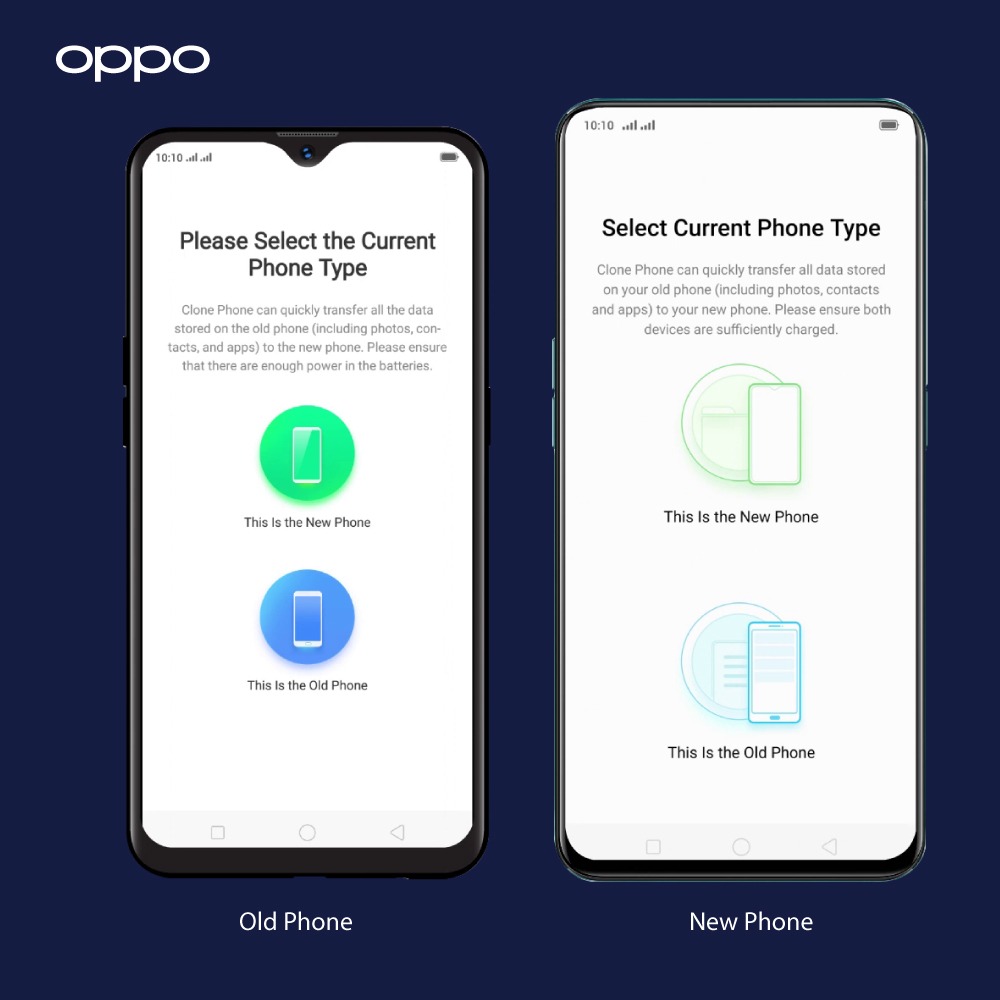
Phone Clone: A Guide to Transferring Data From Your Old Phone to a New One
Are you planning to upgrade your smartphone, but worried about transferring all your important data from the old device to the new one? Look no further than Phone Clone, a convenient and efficient solution developed by Huawei. In this article, we will guide you through the process of using Phone Clone to transfer data from an old phone to a new one.
What is Phone Clone?
Phone Clone is a free application available for both Android and iOS devices. It allows users to transfer various types of data, including contacts, photos, videos, calendar events, and more, from an old phone to a new device. The app is designed to simplify the process of transferring data, making it easy to set up your new smartphone with all your essential information.
How Does Phone Clone Work?
To use Phone Clone, you need to download the application on both your old and new devices. Once installed, follow these steps:
- Connect the two devices using a QR code or Wi-Fi hotspot (for iPhone users).
- Select the data you want to transfer from your old phone.
- Choose the type of data you want to exclude during the transfer process.
- Initiate the transfer process on both devices.
Downloading Phone Clone
To download Phone Clone, follow these steps:
- For Android users, open the Play Store app and search for “Phone Clone.”
- Tap on the app icon and select the “Install” button to begin the download and installation process.
- For iPhone users, open the App Store app and search for “Phone Clone.”
- Tap on the app icon and select the “Get” button to begin the download and installation process.
Connecting Your Devices
Once you have downloaded Phone Clone on both devices, follow these steps to connect them:
- For Android users, initiate Phone Clone on both devices and scan a QR code or use Wi-Fi hotspot (for iPhone users).
- For iPhone users, create a hotpot connection between the two devices.
- Initiate Phone Clone on both devices.
Transferring Data
After connecting your devices, follow these steps to transfer data:
- Select the type of data you want to transfer from your old phone (contacts, photos, videos, calendar events, etc.).
- Choose the data you want to exclude during the transfer process.
- Initiate the transfer process on both devices.
Tips And Tricks
When using Phone Clone, keep the following tips in mind:
- Make sure to download Phone Clone on both your old and new devices.
- Use a stable internet connection to ensure smooth data transfer.
- Choose the data you want to exclude during the transfer process carefully to avoid losing important information.
Conclusion
Using Phone Clone is a straightforward process that allows you to transfer all your essential data from an old phone to a new one. By following the steps outlined in this article, you can enjoy a seamless transition and get the most out of your new smartphone.
Frequently Asked Questions (FAQs)
- Q: What types of data can I transfer using Phone Clone?
- A: You can transfer contacts, photos, videos, calendar events, and other types of data.
- Q: Can I use Phone Clone to transfer data from an iPhone to another iPhone?
- A: Yes, you can use Phone Clone to transfer data between two iPhones using a hotpot connection.
- Q: What happens if I lose data during the transfer process?
- A: If you experience any issues or loss of data during the transfer process, contact Huawei’s customer support team for assistance.
Note: This article is intended as a guide to help users understand and utilize Phone Clone effectively. For detailed instructions and troubleshooting tips, refer to Huawei’s official documentation.


