
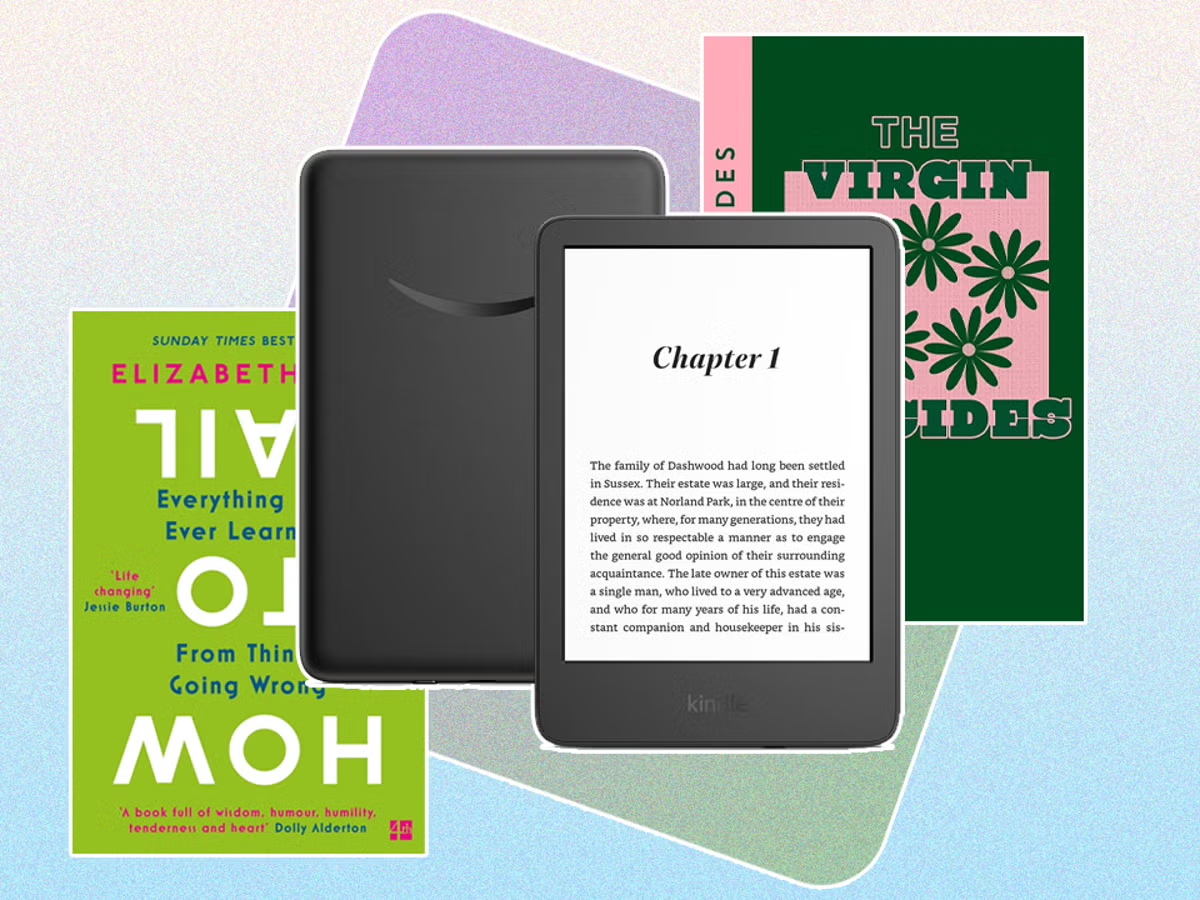
Unlocking The Secrets of Prime Reading: A Comprehensive Guide
Are you ready to discover a world of limitless reading possibilities? Look no further than Prime Reading, Amazon’s revolutionary service that offers access to hundreds of digital books with just one subscription! In this article, we’ll delve into the ins and outs of Prime Reading, exploring its features, benefits, and how to use it on various devices.
The Rise of Digital Books
In recent years, eBooks have become increasingly popular, offering a convenient and comfortable alternative to traditional print books. With Prime Reading, you can enjoy a vast selection of digital books without the need for physical storage or environmental impact. Say goodbye to cluttered bookshelves and hello to a world of limitless reading possibilities!
What is Prime Reading?
Prime Reading is a service included in Amazon’s Prime membership program. For just 4.99 Euros per month, you gain access to an enormous collection of eBooks, including bestsellers, classics, and original content. With Prime Reading, you can borrow up to 10 eBooks at a time, read them on various devices, and even sync your progress across multiple platforms.
How Does Prime Reading Work?
To start using Prime Reading, follow these simple steps:
- Sign Up For Amazon Prime: Head over to the Amazon website and sign up for a free trial or subscription.
- Download The Kindle App: Get the Kindle app on your smartphone, tablet, or computer to access Prime Reading.
- Browse And Borrow Ebooks: Browse through the vast library of eBooks, borrow ones that interest you, and start reading!
Using Prime Reading on Different Devices
Prime Reading is available on various devices, making it easy to read wherever you are.
Prime Reading on Kindle
To use Prime Reading on your Kindle device:
- Connect Your Kindle: Connect your Kindle device to Wi-Fi.
- Open The Kindle App: Open the Kindle app on your device.
- Sign In With Amazon: Sign in with your Amazon account and access Prime Reading.
Prime Reading on Smartphone And Tablet
To use Prime Reading on your smartphone or tablet:
- Download The Kindle App: Download the Kindle app from the App Store (iOS) or Google Play Store (Android).
- Open The App: Open the app and sign in with your Amazon account.
- Browse Ebooks: Browse through the library of eBooks, borrow ones that interest you, and start reading!
Prime Reading on Pc
To use Prime Reading on your computer:
- Visit The Amazon Website: Visit the Amazon website and log in to your account.
- Search For Prime Reading: Search for “Prime Reading” in the search bar.
- Access The Ebook Library: Access the vast library of eBooks, borrow ones that interest you, and start reading!
Tips And Tricks
Want to get the most out of Prime Reading? Here are some tips and tricks to help you make the most of this amazing service:
- Sync Your Progress: Sync your progress across multiple devices to pick up where you left off.
- Add Notes And Highlights: Add notes, highlights, and bookmarks to enhance your reading experience.
- Explore Original Content: Explore Amazon’s original content, including eBooks, audiobooks, and more.
Conclusion
Prime Reading is a game-changing service that offers access to a vast library of digital books with just one subscription. With its user-friendly interface, convenience, and affordability, Prime Reading is an ideal choice for book lovers everywhere. Whether you’re looking to discover new authors, explore different genres, or simply enjoy the comfort of reading on multiple devices, Prime Reading has got you covered.
Frequently Asked Questions
- Q: What is Prime Reading?
A: Prime Reading is a service included in Amazon’s Prime membership program that offers access to hundreds of digital books. - Q: How Much Does Prime Reading Cost?
A: Prime Reading costs 4.99 Euros per month, which includes access to the vast library of eBooks and other benefits. - Q: Can I Read Prime Reading Ebooks on Multiple Devices?
A: Yes, you can sync your progress across multiple devices, including Kindle, smartphone, tablet, and PC. - Q: How Many Ebooks Can I Borrow at a Time?
A: You can borrow up to 10 eBooks at a time with Prime Reading. - Q: Can I Add Notes And Highlights to Prime Reading Ebooks?
A: Yes, you can add notes, highlights, and bookmarks to enhance your reading experience. - Q: Is Prime Reading Available on Kindle Devices?
A: Yes, Prime Reading is available on Kindle devices, as well as smartphones, tablets, and PCs. - Q: Can I Cancel my Prime Reading Subscription at Any Time?
A: Yes, you can cancel your Prime Reading subscription at any time without penalty.
Get Ready to Unlock The Secrets of Prime Reading!
With this comprehensive guide, you’re now ready to unlock the secrets of Prime Reading and discover a world of limitless reading possibilities. Happy reading!


