
How to Use Netflix Shared: A Step-by-step Guide
Are you a big fan of cinema and serious TV shows? Do you want to share your love for streaming with the rest of your family? Look no further! In this article, we’ll guide you through the process of using Netflix shared, so you can enjoy your favorite shows on multiple devices at the same time.
Is Sharing a Netflix Account Possible?
Before diving into the nitty-gritty details, let’s address the elephant in the room: Is it possible to share a Netflix account with others? The answer is yes! However, there are some restrictions and requirements you need to know about before proceeding.
The Rules of Sharing a Netflix Account
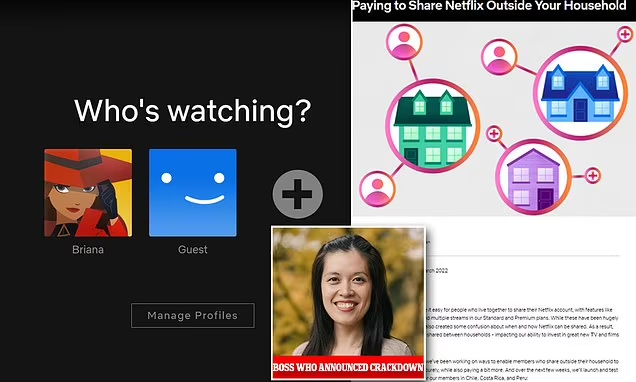
According to Netflix’s terms of use, sharing an account is allowed only within your household. This means that you can’t share your account with friends or acquaintances outside of your immediate family. If you want to add users from outside your household, you’ll need to upgrade to a higher plan.
How to Share a Netflix Account
Sharing a Netflix account is relatively straightforward. Here’s a step-by-step guide:
- Choose Your Plan: First, select the plan that suits your needs. You can choose from Basic, Standard, or Premium plans.
- Create a New Profile: Next, create a new profile for each user who will be accessing your shared account. This way, everyone can have their own personalized experience and watch history.
- Add Users to Your Account: To add users to your account, go to the Settings menu on Netflix’s website or mobile app. Click on “Manage Profiles” and select “Add Profile.” Enter the user’s name and choose a profile picture.
- Set Up User Profiles: Once you’ve created profiles for each user, set up their individual settings, such as parental controls and content restrictions.
How to Use Netflix Shared With Together Price
If you’re looking for a way to share your Netflix account with friends or family members outside of your household, you might be wondering if Together Price is the solution. While it’s true that Together Price allows you to share digital services, including Netflix, with others, be aware that this method goes against Netflix’s terms of use.
How to Transfer a Profile From One Account to Another
If you’ve been using Netflix shared and want to transfer one profile to a new account, don’t worry! You can do it easily by following these steps:
- Transfer Profile Option: Log in to your original account and navigate to the “Manage Profiles” section.
- Select Transfer Profile: Choose the profile you want to transfer and select the option to transfer it to a new account.
- Create New Account: Follow the prompts to create a new account, which will host the transferred profile.
Conclusion
Sharing a Netflix account is a great way to enjoy your favorite shows with family members or roommates without having to pay multiple subscriptions. By following these steps and understanding the rules of sharing an account, you can make the most out of your streaming experience.
Frequently Asked Questions (FAQs)
- Q: Can I Share my Netflix Account With Friends?
A: No, according to Netflix’s terms of use, you can’t share your account with friends or acquaintances outside of your household. - Q: How Many Profiles Can I Create on Netflix?
A: You can create up to 5 profiles per account. - Q: Can I Transfer a Profile From One Account to Another?
A: Yes, you can transfer a profile by following the steps outlined above. - Q: Is Together Price a Valid Option For Sharing my Netflix Account With Others?
A: While Together Price allows you to share digital services, including Netflix, with others, be aware that this method goes against Netflix’s terms of use. - Q: Can I Modify a Profile on The Mobile App or Website?
A: On mobile devices, you can only modify the name and delete a profile. To access more settings, such as parental controls, use a browser on your device. - Q: What Happens if I Want to Cancel my Shared Account?
A: If you decide to cancel your shared account, make sure to remove any users from your account before proceeding. - Q: Can I Share my Netflix Account With Others Outside of The United States?
A: Yes, but be aware that some content may not be available in certain regions due to licensing agreements. - Q: How do I Know if a User Has Already Watched a Particular Show on my Shared Account?
A: Check your watch history on the Netflix website or mobile app to see what each user has been watching.
By understanding the rules and requirements of sharing a Netflix account, you can enjoy a seamless streaming experience with family members or roommates. Happy binge-watching!


