
Accessing Chatgpt: A Comprehensive Guide
Are you curious about accessing the popular language model, ChatGPT? Look no further! In this article, we will guide you through the process of creating an account, accessing the service, and using it to its full potential.
What is Chatgpt?
ChatGPT is a conversational AI developed by OpenAI that enables users to interact with a chatbot-like interface. It can understand a wide range of queries and provide detailed answers, similar to those generated by human users. With ChatGPT, you can access various versions of the service, each with its unique features and differences.
Available Versions of Chatgpt
Currently, there are two primary versions of ChatGPT:
- Chatgpt: This is the free version of the service, which has limited access to GPT-4 (the most advanced model). It allows users to make a limited number of requests without any cost.
- Chatgpt Plus: This is the paid subscription-based version that offers unlimited access to GPT-4, faster response times, and early access to new features.
Creating an Account on Chatgpt
To create an account on ChatGPT, follow these steps:
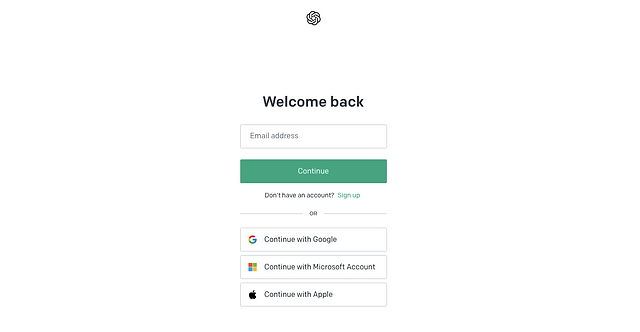
- Sign Up: Go to the ChatGPT website and click on the “Sign up” button.
- Email Address: Enter your email address in the designated field and click on the “Continue” button.
- Password: Create a secure password for your account and click on the “Continue” button.
- Verification: Check your email inbox for the verification email from OpenAI, click on the “Verify email address” link, and complete the registration process.
Alternative Sign-in Methods
You can also sign in to ChatGPT using your Google or Microsoft account.
- Google Account: Click on the “Sign up with Google” button and follow the instructions.
- Microsoft Account: Click on the “Sign up with Microsoft” button and follow the instructions.
Accessing Chatgpt From a Smartphone or Tablet
You can access ChatGPT using the official app for Android and iOS devices. To download the app, follow these steps:
- Download The App: Go to the App Store (for iOS) or Google Play Store (for Android) and search for the “ChatGPT” app.
- Install The App: Download and install the app on your device.
- Launch The App: Open the ChatGPT app, and you will be prompted to sign in using your existing account credentials.
Tips And Reminders
- To access ChatGPT from a smartphone or tablet, make sure you have an active internet connection.
- If you want to use ChatGPT Plus, you must upgrade to the paid subscription plan.
- Be aware that accessing ChatGPT may require the use of a VPN (Virtual Private Network) in some countries.
Conclusion
Accessing ChatGPT is a straightforward process that can be completed in just a few steps. By following this guide, you will be able to create an account, access the service, and explore its features. Remember to stay informed about any updates or changes to the service, and don’t hesitate to reach out if you have any questions.
Frequently Asked Questions (FAQs)
- Q: What is Chatgpt?
A: ChatGPT is a conversational AI developed by OpenAI that enables users to interact with a chatbot-like interface. - Q: How do I Create an Account on Chatgpt?
A: To create an account, follow the steps outlined in this article, including signing up, verifying your email address, and setting up a password. - Q: Can I Access Chatgpt From a Smartphone or Tablet?
A: Yes, you can download the official app for Android and iOS devices to access ChatGPT on your mobile device. - Q: What is The Difference Between Chatgpt And Chatgpt Plus?
A: ChatGPT is the free version with limited access to GPT-4, while ChatGPT Plus is a paid subscription-based version offering unlimited access to GPT-4 and faster response times.
Key Takeaways
- Accessing ChatGPT requires creating an account on the website or using the mobile app.
- There are two primary versions of ChatGPT: The free version (ChatGPT) and the paid subscription-based version (ChatGPT Plus).
- You can access ChatGPT from a smartphone or tablet by downloading the official app.
We hope this comprehensive guide has helped you understand how to access ChatGPT. If you have any further questions, please don’t hesitate to ask!


