
How Access to G Suite For Education Can Transform Your Virtual Classroom
As a teacher, you’re likely no stranger to the challenges of creating an engaging and effective virtual classroom experience. With the rise of online learning, it’s become increasingly important to find tools that can help you bridge the gap between traditional teaching methods and the digital age.
That’s where G Suite for Education comes in. As one of the most popular and widely-used platforms for educational institutions, G Suite offers a suite of innovative tools designed specifically with teachers like you in mind.
What is G Suite For Education?
G Suite for Education is a free platform provided by Google that allows schools to create their own customized virtual classroom experience. With G Suite, teachers can access a range of powerful tools and features that enable them to create engaging lessons, collaborate with students, and track progress in real-time.
Key Features of G Suite For Education
So what makes G Suite so special? Here are some of the key features that make it stand out:
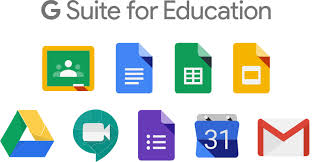
- Google Classroom: This is perhaps the most popular feature of G Suite. Google Classroom allows teachers to create and share digital assignments, quizzes, and lessons with students. It also enables teachers to track student progress and provide feedback in real-time.
- Google Drive: With Google Drive, teachers can store and share files with students, making it easy to collaborate on projects and assignments.
- Gmail: Gmail is the email service provided by Google that allows teachers to communicate with students and parents.
- Calendar: The calendar feature in G Suite allows teachers to schedule appointments and events with students and colleagues.
How to Access G Suite For Education
So, how do you get started with G Suite? Here are some simple steps:
- Create a Google Account: If you don’t already have a Google account, create one by going to the Google website and following the prompts.
- Sign up For G Suite: Once you have a Google account, sign up for G Suite by going to the G Suite website and following the prompts.
- Set up Your Virtual Classroom: With G Suite set up, it’s time to create your virtual classroom. This involves setting up your profile, creating digital assignments, and sharing them with students.
Tips For Getting Started With G Suite
Here are some tips to help you get started with G Suite:
- Start Small: Don’t try to do too much at once. Start by creating a few digital assignments and sharing them with students.
- Experiment With Different Features: G Suite has a range of features that can be used in innovative ways. Experiment with different tools and features to see what works best for you.
- Get Support From Google: If you’re having trouble getting started or using G Suite, don’t hesitate to reach out to Google for support.
Conclusion
G Suite for Education is a powerful platform that can help transform your virtual classroom experience. With its range of innovative tools and features, it’s the perfect solution for teachers looking to create engaging lessons and collaborate with students in real-time. So why not give G Suite a try today?


