
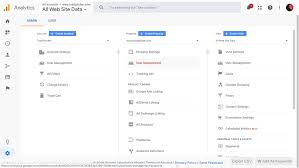
Google Dashboard: Unlocking Your Google Account’s Full Potential
Are you curious about what services Google has utilized with your account? Do you want to know which data has been collected and how you can access it? Look no further than Google Dashboard, a platform that provides an overview of the activity on your Google account. In this article, we’ll guide you through accessing Google Dashboard, explain its features, and provide tips on how to use it effectively.
What is Google Dashboard?
Google Dashboard is a centralized hub that allows you to view and manage various Google services associated with your account. It provides an overview of the activity on your account, including the services used, their settings, and related data. With Google Dashboard, you can quickly access specific data or settings for each service.
Benefits of Using Google Dashboard
Using Google Dashboard offers several benefits:
- Control Over Your Account: With Google Dashboard, you have complete control over your Google account. You can view, manage, and delete services associated with your account.
- Data Insights: Google Dashboard provides valuable insights into the activity on your account, helping you understand how Google services are being used.
- Easy Access to Settings: With Google Dashboard, you can quickly access specific settings for each service, making it easier to manage your account.
Accessing Google Dashboard
To access Google Dashboard, follow these steps:
For Computer Users
- Visit the Google Dashboard website and sign in with your Google account.
- Click on the “Access” button and select the account you want to view.
- If prompted, enter your password and click on the “Next” button.
Alternatively, you can access Google Dashboard by clicking on your profile picture (or icon) in the top right corner of the Google homepage and selecting “Manage my account” from the dropdown menu. Then, navigate to the “Given and privacy” section and select the “Data and personalization” tab.
For Android Users
- Open the Settings app on your Android device.
- Scroll down and select “Google.”
- Tap on the option that says “Manage my account Google.”
- Select the data you want to view or manage, such as apps and services used.
For Iphone/ipad Users
- Open the browser app on your iPhone or iPad.
- Visit the Google Dashboard website and sign in with your Google account.
- If prompted, enter your password and click on the “Next” button.
- Alternatively, you can access Google Dashboard by opening the Google app and tapping on your profile picture (or icon) to select “Manage my account.”
What Services Can You Access Through Google Dashboard?
Google Dashboard allows you to view and manage a range of services associated with your account, including:
- Google Calendar: View calendars in use and access settings.
- Google Pay: Manage payment profiles and transactions.
- Google Analytics: Track website traffic and analyze data.
- Google Adsense: Monitor earnings and manage ad campaigns.
- Youtube: Access video uploads, comments, and channel settings.
You can also download your data from Google Dashboard or delete specific services. However, note that deleting a service might not always delete the associated account entirely.
Tips For Using Google Dashboard Effectively
To get the most out of Google Dashboard:
- Regularly check the “Services used” section to see which services are active and make changes as needed.
- Review data insights from Google Analytics to improve your online presence.
- Use Google Dashboard to manage multiple accounts or permissions for team members.
By following these steps and tips, you can unlock the full potential of your Google account using Google Dashboard.
Conclusion
Google Dashboard is a powerful tool that provides unparalleled control over your Google account. With its intuitive interface, you can view and manage various services associated with your account. By accessing Google Dashboard, you’ll gain valuable insights into how Google services are being used on your account, making it easier to make informed decisions about data management.
Faqs
- What is The Purpose of Google Dashboard?
- Google Dashboard provides an overview of the activity on your Google account, allowing you to view and manage various services associated with your account.
- How do I Access Google Dashboard?
- You can access Google Dashboard by visiting the website and signing in with your Google account or using the Settings app on Android devices or the browser app on iPhone/iPad devices.
- What Services Can I View And Manage Through Google Dashboard?
- Google Dashboard allows you to view and manage a range of services, including Google Calendar, Google Pay, Google Analytics, Google AdSense, YouTube, and more.
We hope this article has helped you understand the benefits and features of Google Dashboard. If you have any further questions or concerns, please don’t hesitate to ask.


