
Unlocking The Power of Fifa Web App: A Comprehensive Guide
Are you ready to take your FIFA experience to the next level? Look no further! In this article, we will delve into the world of FIFA Web App, exploring its features, functionalities, and benefits. Whether you’re a seasoned player or just starting out, this guide is designed to help you navigate the FIFA universe with ease.
What is Fifa Web App?
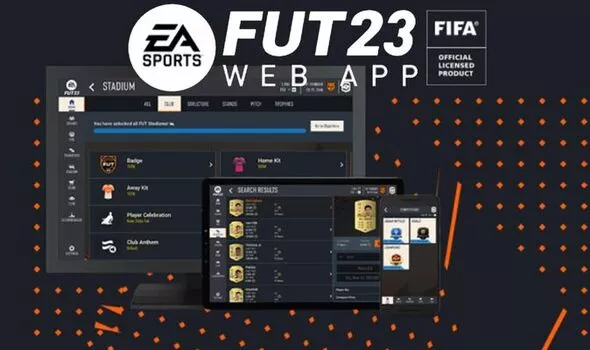
FIFA Web App, also known as FUT (FIFA Ultimate Team) Web App, is an official online platform that allows players to manage their FIFA teams, participate in challenges, and engage in online gaming experiences. This web-based application provides a seamless and intuitive interface for players to access and control their FIFA game worlds.
Benefits of Using Fifa Web App
The FIFA Web App offers numerous benefits, including:
- Convenience: Access your FIFA team from anywhere, at any time, without the need for a console or PC.
- Ease of Use: A user-friendly interface makes it simple to navigate and manage your team.
- Online Gaming Experiences: Engage in online challenges, participate in tournaments, and compete against other players worldwide.
How to Access Fifa Web App
Accessing the FIFA Web App is a straightforward process:
- Visit the official FUT Web App website
- Log in with your EA account credentials
- Click on the “Access” button to enter the platform
If you’re having trouble accessing the Web App, refer to the troubleshooting section below.
Understanding Fifa Web App Features
The FIFA Web App features seven primary sections:
- Rose: Manage your team, view player stats, and participate in challenges.
- Challenges Creation Rosa: Create and compete in custom challenges with other players.
- Cession: Buy, sell, and trade players using FUT Points.
- Shop: Purchase packs, buy players, and acquire items for your team.
- Club: Analyze player stats, consumables, staff, and other team-related data.
- Classifiche: View the top-ranked teams and players in various categories.
Tips And Tricks
Here are some helpful tips to get you started:
- Keep Track of Your Fut Points: Manage your points effectively to acquire new players and items.
- Participate in Challenges: Engage with other players, participate in tournaments, and improve your skills.
- Monitor Your Team’s Performance: Regularly review player stats, consumables, and staff to optimize your team’s performance.
Troubleshooting Common Issues
If you’re experiencing difficulties accessing the FIFA Web App or encountering errors, try the following:
- Check Your EA Account Credentials: Ensure that your login information is accurate.
- Reinstall The Fut Web App: Sometimes, a simple restart can resolve connectivity issues.
- Contact EA Support: Reach out to Electronic Arts’ customer support team for assistance with any technical issues.
Conclusion
The FIFA Web App offers an exciting and immersive experience for players of all levels. By understanding its features, functionalities, and benefits, you’ll be able to unlock the full potential of this online platform. Remember to stay connected, engage with other players, and continually improve your skills to become a top-ranked player.
Frequently Asked Questions (FAQs)
Q: What is FIFA Web App?
A: The FUT Web App is an official online platform that allows players to manage their FIFA teams, participate in challenges, and engage in online gaming experiences.
Q: How do I access the FIFA Web App?
A: Visit the official FUT Web App website, log in with your EA account credentials, and click on the “Access” button.
Q: What are the benefits of using FIFA Web App?
A: The FIFA Web App offers convenience, ease of use, online gaming experiences, and more.
Q: Can I access the FIFA Web App from my mobile device?
A: Yes, the FUT Web App is accessible from most mobile devices with a web browser.
Q: How do I troubleshoot common issues with the FIFA Web App?
A: Check your EA account credentials, reinstall the app, or contact EA support for assistance.
Sources
- Official FIFA Web App website
- EA Support Center
- FUT Community Forum
By following this comprehensive guide, you’ll be well-equipped to navigate the world of FIFA Web App and take your gaming experience to new heights. Happy gaming!


