
How to Actuate Aim Assisted in Fortnite Ps4: A Step-by-step Guide
Are you tired of getting defeated at every turn in Fortnite? Do you struggle with aiming and shooting accurately? If so, this article is for you! We’ll show you how to actuate aim assisted in Fortnite PS4, a feature that can give you an edge over your opponents.
What is Aim Assisted in Fortnite?
Aim assisted is a feature in Fortnite that helps players aim and shoot more accurately. When activated, the game automatically adjusts the aim for you, making it easier to hit your targets. This feature can be especially helpful for new players or those who struggle with aiming.
How to Actuate Aim Assisted in Fortnite Ps4
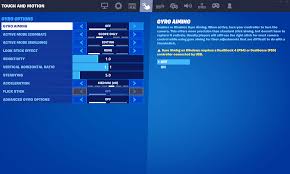
To actuate aim assisted in Fortnite PS4, follow these simple steps:
- Initiate The Game: Start a new game of Fortnite on your PS4.
- Choose Your Modality: Select the modality you want to play (Squad, Duos, or Solo).
- Access The Options Menu: Press the Options button on your controller to access the menu.
- Select Settings: Choose the Settings option from the menu.
- Access Advanced Options: Scroll down to the Advanced Options section and select it.
- Enable Aim Assisted: Select the Use Advanced Options checkbox and choose Yes.
- Confirm Your Selections: Press the X button to confirm your selections.
Tips For Using Aim Assisted in Fortnite
While aim assisted can be helpful, it’s essential to remember that it’s not a substitute for skill. Here are some tips to help you use aim assisted effectively:
- Experiment With Different Sensitivity Settings: Find a sensitivity setting that works best for you.
- Adjust The Dead Zone: Adjust the dead zone to suit your playstyle.
- Practice Your Aiming Skills: Aim assisted can only do so much; practice your aiming skills to become a better player.
Other Suggestions For Improving Your Aim in Fortnite
In addition to using aim assisted, here are some other suggestions to help you improve your aim:
- Regulate The Relative Courages: Adjust the relative courages for reactivity and sensitivity.
- Adjust The Dead Zone: Adjust the dead zone to suit your playstyle.
Conclusion
Actuating aim assisted in Fortnite PS4 is a straightforward process that can give you an edge over your opponents. By following these steps, experimenting with different settings, and practicing your aiming skills, you’ll become a better player in no time!
Frequently Asked Questions (FAQs)
Q: What is aim assisted in Fortnite?
A: Aim assisted is a feature in Fortnite that helps players aim and shoot more accurately.
Q: How do I actuate aim assisted in Fortnite PS4?
A: To actuate aim assisted, start a new game, access the options menu, select settings, and enable advanced options.
Q: What are some tips for using aim assisted in Fortnite?
A: Experiment with different sensitivity settings, adjust the dead zone, and practice your aiming skills.
Q: Can I use aim assisted in other modes of play?
A: Yes, you can use aim assisted in any mode of play (Squad, Duos, or Solo).
Q: Will using aim assisted make me a better player?
A: Aim assisted is not a substitute for skill. Practice your aiming skills and experiment with different settings to become a better player.
Q: What other features should I consider adjusting to improve my aim in Fortnite?
A: Consider regulating the relative courages, adjusting the dead zone, and practicing your aiming skills.


