
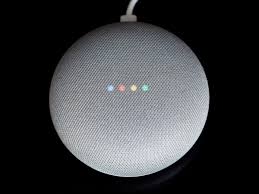
Actuating Sound of Listen on Google Home: A Step-by-step Guide
Are you interested in personalizing your home’s management system using a Google Home device? Do you want to know how to control the device with voice commands? You’ve come to the right place! In this guide, we’ll show you how to actuate sound of listen on Google Home, a helpful function that allows you to receive feedback from the speaker when it acknowledges your voice command.
Understanding The Basics
Before we dive into the procedure, let’s understand some basic information about using Google Home with voice commands. The device allows you to interact with it by imparting voice commands that are then executed by the smart speaker. You can perform various actions, such as requesting information, playing multimedia content, and controlling your home’s domotics.
Prerequisites
To follow this guide, you’ll need to have a Google Home device connected to your smartphone or tablet using the dedicated app. The app is available on both Android and iOS devices. Make sure you’ve installed the app and set it up according to the manufacturer’s instructions.
Step 1: Accessing The Settings
Once you’ve opened the Google Home app, navigate to the main page and find the device associated with your account. Tap and hold on the corresponding box to access its settings. Then, tap on the icon represented by a gear to enter the Settings menu.
Step 2: Enabling Accessibility Features
In the Accessibility section of the device’s settings, you’ll find two options related to sound of listen: Reproduce initial sound and Reproduce final sound. To enable sound of listen, choose one or both of these options.
Option 1: Reproducing Initial Sound
If you want Google Home to emit a sound when it acknowledges your voice command, select the Reproduce initial sound option. This way, every time you say “OK Google” or “*Hey Google,” the device will produce an acoustic signal indicating that it’s ready to listen.
Option 2: Reproducing Final Sound
Alternatively, if you want Google Home to emit a sound after it has finished listening to your request, select the Reproduce final sound option. This way, when the device has processed your voice command and responded accordingly, it will produce an acoustic signal indicating that it’s done.
Combining Options
You can also choose to combine both options by selecting Reproduce initial sound and Reproduce final sound. In this case, Google Home will emit a sound when it acknowledges your voice command and again after it has finished processing your request.
Conclusion
Actuating sound of listen on Google Home is a straightforward process that allows you to receive feedback from the speaker when it acknowledges your voice command. By following these steps, you can enable sound of listen and take advantage of this helpful feature in your daily interactions with Google Home.
Frequently Asked Questions (FAQs)
- What is Sound of Listen on Google Home?
Sound of listen is a feature that allows Google Home to emit an acoustic signal when it acknowledges your voice command or after it has finished processing your request.
- How do I Enable Sound of Listen on Google Home?
To enable sound of listen, access the device’s settings through the Google Home app and select either the Reproduce initial sound or Reproduce final sound option.
- What Are The Benefits of Enabling Sound of Listen on Google Home?
Enabling sound of listen provides feedback from the speaker, indicating that it has acknowledged your voice command or finished processing your request.
- Can I Combine Both Options For Sound of Listen?
Yes, you can choose to enable both Reproduce initial sound and Reproduce final sound options for a combined effect.
- How do I Access The Settings on Google Home?
To access the settings, open the Google Home app, navigate to the main page, find the device associated with your account, tap and hold on it, and select the icon represented by a gear to enter the Settings menu.
- Can I Customize The Sound of Listen on Google Home?
Currently, there is no option to customize the sound of listen on Google Home. However, you can choose between different sounds or tones for notifications and other features within the app.
- What if I’m Having Trouble Enabling Sound of Listen on Google Home?
If you’re experiencing issues with enabling sound of listen, try restarting your device or checking that both options are selected correctly in the settings menu.
- Is Sound of Listen Compatible With All Google Home Devices?
Sound of listen is currently available for most Google Home devices. However, compatibility may vary depending on the specific model and firmware version you’re using.


