
Actuating Nfc on Huawei Smartphones And Smartwatches: A Comprehensive Guide
As a smartphone or smartwatch user, you might have heard about the technology called NFC (Near Field Communication). This feature allows your device to communicate with other devices that also support NFC, enabling you to transfer files, make payments, and more. In this article, we will guide you through the process of actuating NFC on Huawei smartphones and smartwatches.
What is Nfc?
Before diving into the steps, let’s clarify what NFC is and how it works. NFC is a technology that enables devices to communicate with each other when they are within a short distance (usually 4 centimeters). This means you can transfer files, data, or even make payments using your smartphone or smartwatch without the need for cables.
Actuating Nfc on Huawei Smartphones
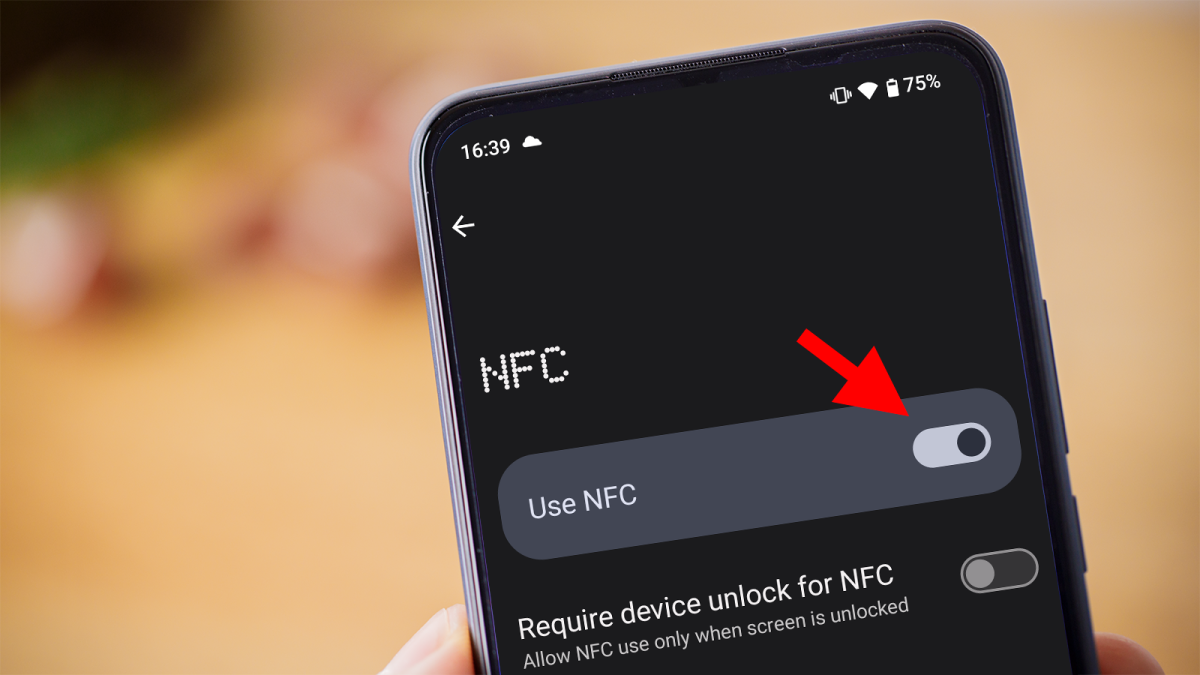
To activate NFC on your Huawei smartphone, follow these steps:
- Access The Settings: Tap on the gear icon (Settings) to open the Android settings panel.
- Select Connection Device: Scroll down and select “Connection device” from the menu.
- Find Nfc: Look for the NFC option and toggle it from OFF to ON.
Alternatively, you can also activate NFC directly from the notification center:
- Swipe Down: Swipe down from the top margin of your screen to open the notification panel.
- Fast Start Menu: Swipe up again to expand the fast start menu.
- Find Nfc Icon: Look for the NFC icon and tap on it to enable the technology.
Actuating Nfc on Huawei Smartwatches
If you have a Huawei smartwatch, follow these steps to activate NFC:
- Swipe Down: Swipe down from the top margin of your screen to open the WearOS menu.
- Settings Menu: Tap on the gear icon to access the settings panel.
- Connectivity: Scroll down and select “Connectivity”.
- Nfc Option: Look for the NFC option and toggle it from OFF to ON.
Disabling Nfc
If you want to disable NFC, simply follow the same procedure in reverse:
- Access Settings: Go back to the settings panel.
- Select Connectivity: Choose the “Connectivity” menu.
- Nfc Option: Toggle the NFC option from ON to OFF.
Benefits of Nfc on Huawei Devices
Actuating NFC on your Huawei smartphone or smartwatch offers several benefits, including:
- Easy File Transfer: Transfer files, photos, and videos between devices using NFC.
- Contactless Payments: Make payments using Google Pay or other compatible services.
- Convenience: Use NFC to simplify tasks like sending data or making transactions.
Conclusion
Actuating NFC on Huawei smartphones and smartwatches is a straightforward process that can enhance your mobile experience. By following these steps, you’ll be able to take advantage of the benefits offered by this technology. Whether it’s transferring files, making payments, or simply exploring new features, NFC can make your life easier.
Frequently Asked Questions
- Q: What is Nfc?
A: NFC stands for Near Field Communication, a technology that enables devices to communicate with each other over short distances. - Q: How do I Enable Nfc on my Huawei Smartphone?
A: To enable NFC on your Huawei smartphone, access the settings panel and toggle the NFC option from OFF to ON. - Q: Can I Disable Nfc on my Huawei Device?
A: Yes, you can disable NFC by following the same procedure in reverse, toggling the NFC option from ON to OFF. - Q: What Are The Benefits of Using Nfc on my Huawei Device?
A: The benefits include easy file transfer, contactless payments, and convenience in various tasks. - Q: Is Nfc Compatible With All Huawei Devices?
A: While NFC is widely supported by Huawei smartphones and smartwatches, compatibility may vary depending on your specific device model.
By understanding the basics of NFC and how to actuate it on your Huawei smartphone or smartwatch, you’ll be able to enjoy a more streamlined and convenient mobile experience.


