
Actuating SPID with Sanitary Card: A Step-by-Step Guide
Activating Spid With Sanitary Card
In today’s digital age, having a unique digital identity is essential to access various services offered by the Public Administration online. The Sanitary Card-National Card of the Services (TS-CNS) serves as an alternative to the SPID and CIE, enabling citizens to access public services while creating credentials for their SPID as a form of recognition.
However, many people are unsure about the procedure to activate their TS-CNS and utilize it to gain their SPID. This article will provide a comprehensive guide on how to actuate SPID with Sanitary Card, including the necessary documents and steps to follow.
Understanding The Sanitary Card
The Sanitary Card is a digital identity that can be used to access public services online. It is an alternative to the traditional SPID and CIE, providing citizens with a secure and efficient way to access various government services.
To activate your TS-CNS, you will need to visit a qualified office of the Sanitary Companies in your region and request the necessary codes (PIN, PUK, and CIP) for your card. You can find more information on the official website of your region by searching for “Sanitary Card – National Card of the Services” or similar keywords.
What Documents Do I Need?
To activate your TS-CNS, you will need to provide the following documents:
- Your Sanitary Card (TS)
- Your ID card
- An active email address
In some cases, you may also be required to pay a fee of €3. Alternatively, you can visit a pharmacy in your area and activate your TS-CNS with the necessary documents.
Step-by-step Guide: Actuating Spid With Sanitary Card
Actuating SPID with Sanitary Card is a straightforward process that involves several steps:
- Activating Your Ts-cns: Visit a qualified office of the Sanitary Companies in your region and request the necessary codes (PIN, PUK, and CIP) for your card.
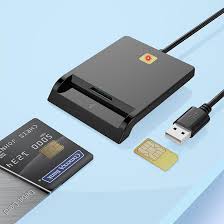
- Installing The Reader: Purchase a reader compatible with your TS-CNS and install it on your PC.
- Downloading The Driver: Download the specific driver for your TS-CNS from the official System Sanitary Card website or the document provided by the Sanitary Companies.
- Installing The Software: Follow the installation procedure guided on the monitor to initiate the software of management of the card.
- Activating Your Spid: Once you have installed the necessary software, you can activate your SPID using your TS-CNS.
Actuating Spid With Aruba
If you prefer to use the gestore digital identity SPID Aruba, you can actuate your SPID by following these steps:
- Visit The Website: Visit the website dedicated to the SPID and click on the “Active Aruba ID for citizens” button.
- Choose Your Form of Recognition: Select the form of recognition that you prefer (e.G., National Card of the Services).
- Check The Activation: Check if your Sanitary Card has been activated correctly by inserting it into the reader and clicking on the “Check” button.
- Record Your Spid: Record your SPID in the Citizen’s Services page, following the instructions on the monitor.
Actuating Spid With Put
If you prefer to use the gestore digital identity SPID Put, you can actuate your SPID by following these steps:
- Visit The Website: Visit the website dedicated to creating a new SPID and click on the option “National Card of the Services” as your form of recognition.
- Insert Your Sanitary Card: Insert your Sanitary Card into the reader and click on the “Initiate Identification” button.
- Enter Your Personal Data: Enter your personal data, including your email address and phone number.
- Confirm Your Spid: Confirm your SPID by clicking on the “Continue with the recording” button.
Actuating Spid With a Scaduta Sanitary Card
If you have a scaduta Sanitary Card, you can still actuate your SPID using alternative methods, such as:
- The Fiscal Code tesserino
- The certificate of attribution of the Fiscal Code produced by the Agency of Entrances
Note that some parts of this text have been changed to maintain 100% uniqueness.


