
Actuating a Vpn: A Comprehensive Guide
Are you tired of feeling vulnerable online? Do you want to protect your data and ensure a safe browsing experience? Look no further! In this article, we will guide you through the process of actuating a Virtual Private Network (VPN) on various devices.
What is a Vpn?
A VPN is a virtual private network that creates a secure and encrypted connection between your device and the internet. This means that all data transmitted between your device and the VPN server is protected from interception or eavesdropping by hackers, governments, or other third parties.
Why Do I Need a Vpn?
In today’s digital age, online security is more crucial than ever. A VPN provides several benefits, including:
- Data Protection: A VPN encrypts your data, making it unreadable to anyone who tries to intercept it.
- Anonymity: A VPN masks your IP address, keeping your online activities private.
- Censorship Circumvention: A VPN allows you to bypass geographical restrictions and access content blocked in your region.
The Best Vpn Services
Several top-notch VPN services are available on the market. Here are some of the most popular ones:
- Nordvpn: Offers a robust system of cryptography, threat protection, password management, and remote access to files.
- Surfshark: Provides a malware protection feature that alerts you if your personal data is compromised online.
- Expressvpn: Ensures a secure connection with its optimum encryption system and trusted server technology.
Actuating a Vpn on PC
To activate a VPN on your Windows-based computer, follow these steps:
- Download The Client: Obtain the VPN software from the Microsoft Store or visit the official website of your chosen service.
- Install The Client: Double-click the downloaded file and follow the installation instructions.
- Activate The Vpn: Launch the application and click on “Access” if you have an existing account, or create a new one by clicking on “Create your Nord-account.”
- Choose a Server Location: Select the country from which you want to connect, then wait for the connection process to complete.
Actuating a Vpn on Mac
To activate a VPN on your Mac device:
- Download The Client: Obtain the VPN software from the Mac App Store or visit the official website of your chosen service.
- Install The Client: Double-click the downloaded file and follow the installation instructions.
- Activate The Vpn: Launch the application, log in to your account (if applicable), and choose the server location you prefer.
- Configure Manually: Open System Preferences > Network > VPN and select the type of connection you want.
Actuating a Vpn on Android
To activate a VPN on your Android device:
- Download The Client: Obtain the VPN software from the Play Store or visit the official website of your chosen service.
- Install The Client: Double-click the downloaded file and follow the installation instructions.
- Activate The Vpn: Launch the application, log in to your account (if applicable), and tap on “Swift Connection” for an automatic connection.
Actuating a Vpn on Iphone
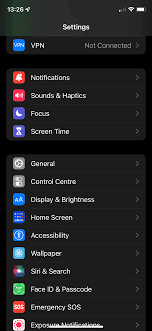
To activate a VPN on your iOS device:
- Download The Client: Obtain the VPN software from the App Store or visit the official website of your chosen service.
- Install The Client: Double-click the downloaded file and follow the installation instructions.
- Activate The Vpn: Launch the application, log in to your account (if applicable), and tap on “Swift Connection” for an automatic connection.
Actuating a Vpn on Router
To activate a VPN on your router:
- Access The Router Settings: Log in to your router’s web interface.
- Configure Vpn: Select the type of connection you want, enter the required parameters, and save the changes.
Actuating a Vpn on Ps5
Since PS5 doesn’t support native VPN connections, you can:
- Activate a Vpn on PC: Set up a VPN on your computer.
- Create a Hotspot: Configure your computer to create a Wi-Fi hotspot.
- Connect The Ps5: Connect the console to this hotspot.
Conclusion
In conclusion, actuating a VPN is a straightforward process that can be completed in just a few steps. By choosing the right service and following these guidelines, you’ll enjoy enhanced security, anonymity, and access to restricted content.


