
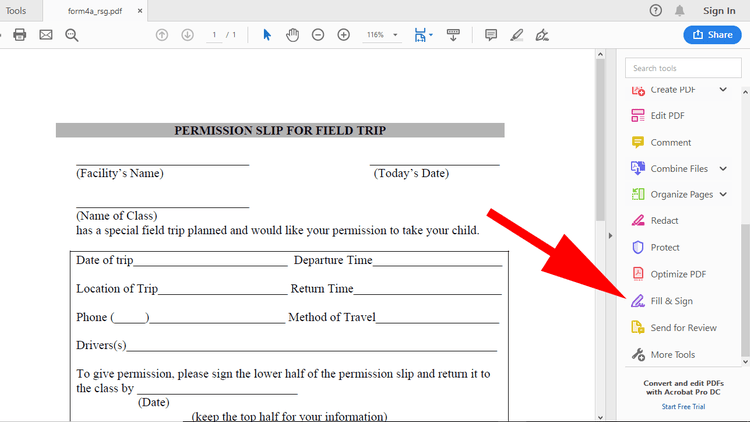
The Power of Digital Signatures: Unlocking Secure Electronic Transactions
In today’s digital age, electronic transactions have become an integral part of our daily lives. From online shopping to banking and government services, the need for secure and reliable electronic signatures has never been more pressing. In this article, we will delve into the world of digital signatures, exploring their definition, benefits, and applications.
What is a Digital Signature?
A digital signature, also known as an advanced electronic signature or qualified electronic signature, is an electronic equivalent of a handwritten signature. It uses cryptography to authenticate the identity of the signer and ensure the integrity of the document being signed. A digital signature is more than just an electronic stamp; it provides a secure and binding agreement between parties, making it an essential tool for businesses, governments, and individuals alike.
Types of Electronic Signatures
There are three main types of electronic signatures:
- Simple Electronic Signature: This type of signature does not have any intrinsic legal value and is often used for non-essential documents.
- Advanced Electronic Signature: This type of signature uses qualified instruments to demonstrate the integrity of the document, ensuring that the signer has exclusive control over it.
- Qualified Electronic Signature (QES) or Digital Signature: This is the most advanced form of electronic signature, using qualified instruments and cryptography to ensure the authenticity, integrity, and non-repudiation of the document.
Benefits of Digital Signatures
Digital signatures offer numerous benefits, including:
- Security: Digital signatures provide a high level of security, ensuring that documents are authentic and tamper-proof.
- Efficiency: Electronic transactions can be completed quickly and efficiently, reducing the need for physical paperwork.
- Convenience: Digital signatures can be applied from anywhere, at any time, using various devices.
- Cost Savings: Digital signatures can help reduce costs associated with printing, mailing, and storing physical documents.
How to Use a Digital Signature
Using a digital signature is relatively straightforward:
- Acquire a Digital Signature Kit: Obtain a digital signature kit from a certified entity, which includes a hardware device (e.G., USB key or smart card reader), a certificate of digital signature, and software.
- Check Identity: Verify your identity using the provided procedure.
- Activate The Signature: Activate the digital signature by following the instructions on the entity’s website.
- Sign And Check Documents: Use the software to sign and check electronic documents.
Practical Example: Using Digital Signature With Aruba
To illustrate how to use a digital signature, let’s consider an example using Aruba’s digital signature service:
- Acquire The Kit: Obtain the digital signature kit from Aruba.
- Check Identity: Verify your identity using the provided procedure.
- Activate The Signature: Activate the digital signature by following the instructions on Aruba’s website.
- Sign And Check Documents: Use the software to sign and check electronic documents.
Conclusion
Digital signatures are an essential tool for secure electronic transactions, providing a high level of security, efficiency, convenience, and cost savings. By understanding the types of electronic signatures, their benefits, and how to use them, individuals and organizations can unlock the full potential of digital signatures, enabling seamless and secure online interactions.
Frequently Asked Questions
- What is The Difference Between a Digital Signature And an Electronic Signature?
A digital signature is a type of electronic signature that uses qualified instruments and cryptography to ensure authenticity, integrity, and non-repudiation. - Can I Use a Digital Signature on Any Device?
Yes, digital signatures can be used on various devices, including smartphones, tablets, and computers. - How do I Acquire a Digital Signature Kit?
Obtain a digital signature kit from a certified entity, which includes a hardware device (e.G., USB key or smart card reader), a certificate of digital signature, and software. - What is The Cost of Acquiring a Digital Signature Kit?
The cost of acquiring a digital signature kit varies depending on the entity and the type of kit, typically ranging from €30 to €60. - Can I Use a Digital Signature For Personal Documents?
Yes, digital signatures can be used for personal documents, such as contracts, bills, and communications with government agencies. - What is The Difference Between a Qualified Electronic Signature (QES) And an Advanced Electronic Signature?
A QES uses qualified instruments and cryptography to ensure authenticity, integrity, and non-repudiation, whereas an advanced electronic signature uses qualified instruments but may not provide the same level of security. - Can I Convert my Digital Signature Kit Into a Device Ccid?
Yes, some digital signature kits can be converted into devices CCID, allowing for alternative software usage.
Table: Digital Signature Services
| Service | Description |
|---|---|
| Aruba Remote Digital Signature | A service that enables remote digital signatures using a code OTP or app-generated device. |
| Digital Signature Aruba | A kit that includes a USB key, smart card reader, and software for signing electronic documents. |
| Smart Card + Reader | A kit that comprises a classic smart card reader and a smart card in credit card format. |
Table: Types of Digital Signatures
| Type | Description |
|---|---|
| Simple Electronic Signature | An electronic signature without intrinsic legal value, used for non-essential documents. |
| Advanced Electronic Signature | A type of electronic signature that uses qualified instruments to demonstrate the integrity of the document. |
| Qualified Electronic Signature (QES) or Digital Signature | The most advanced form of electronic signature, using qualified instruments and cryptography to ensure authenticity, integrity, and non-repudiation. |
Table: Benefits of Digital Signatures
| Benefit | Description |
|---|---|
| Security | Digital signatures provide a high level of security, ensuring that documents are authentic and tamper-proof. |
| Efficiency | Electronic transactions can be completed quickly and efficiently, reducing the need for physical paperwork. |
| Convenience | Digital signatures can be applied from anywhere, at any time, using various devices. |
| Cost Savings | Digital signatures can help reduce costs associated with printing, mailing, and storing physical documents. |
Table: Steps to Use a Digital Signature
| Step | Description |
|---|---|
| Acquire a Digital Signature Kit | Obtain a digital signature kit from a certified entity, which includes a hardware device (e.G., USB key or smart card reader), a certificate of digital signature, and software. |
| Check Identity | Verify your identity using the provided procedure. |
| Activate The Signature | Activate the digital signature by following the instructions on the entity’s website. |
| Sign And Check Documents | Use the software to sign and check electronic documents. |


