
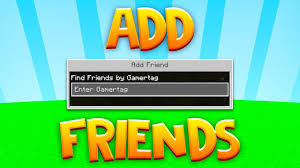
The Ultimate Guide to Adding Friends on Minecraft
Are you tired of playing solo in the vast world of Minecraft? Do you want to team up with friends and explore new worlds together? Look no further! In this article, we will guide you through the process of adding friends on Minecraft across various platforms.
Understanding The Different Editions of Minecraft
Before we dive into the instructions, it’s essential to understand that there are two main editions of Minecraft: Java and Bedrock. The Java edition is the original version developed for PC and has some limitations when it comes to online multiplayer. On the other hand, the Bedrock edition is a more recent release designed for cross-platform play, allowing players from different platforms to join each other’s games.
How to Add Friends on Minecraft: PC
If you’re playing the Java edition of Minecraft on your PC, you can use the Realms feature to invite friends and play together. Realms is a subscription-based service that allows you to create and join custom-made servers with up to 20 players. To get started:
- Log in to your Microsoft account and purchase a Realms subscription.
- Launch Minecraft and select the Java edition.
- Click on the “Realms” tab and create a new world or join an existing one.
- Select the “Invite” option and enter the gamertag of the friend you want to add.
How to Add Friends on Minecraft: Windows 10
If you’re playing the Bedrock edition of Minecraft on your Windows 10 device, adding friends is relatively straightforward:
- Launch Minecraft and select the Bedrock edition.
- Click on the “Play” button and navigate to the “Friends” tab.
- Select the “Add friend” option and enter the gamertag of the friend you want to add.
- Wait for the loading process to complete, and your friend should be added.
How to Add Friends on Minecraft: Ps4
If you’re playing the Bedrock edition of Minecraft on your PS4 console, adding friends is a bit more involved:
- Ensure that all players have a PlayStation Plus subscription, which is required for online multiplayer.
- Launch Minecraft and select the Bedrock edition.
- Click on the “Play” button and navigate to the “Friends” tab.
- Select the “Find friend cross-platform” option and enter the gamertag of the friend you want to add.
- Wait for the loading process to complete, and your friend should be added.
How to Add Friends on Minecraft: PE
If you’re playing the Bedrock edition of Minecraft on your mobile device (formerly known as Minecraft Pocket Edition), adding friends is similar to the PS4 instructions:
- Launch Minecraft and select the Bedrock edition.
- Click on the “Play” button and navigate to the “Friends” tab.
- Select the “Add friend” option and enter the gamertag of the friend you want to add.
- Wait for the loading process to complete, and your friend should be added.
Tips And Tricks
- Make sure that all players are using the same edition of Minecraft (Java or Bedrock) to ensure seamless online play.
- If you’re experiencing issues with adding friends, try restarting the game or checking your internet connection.
- Use the “Find friend cross-platform” feature to add friends from other platforms.
Conclusion
Adding friends on Minecraft is a straightforward process across various platforms. By following these instructions and tips, you’ll be able to team up with friends and explore new worlds together in no time. Remember to always check the system requirements and subscription plans for each platform before playing online.
Frequently Asked Questions (FAQs)
- What Edition of Minecraft do I Need to Add Friends?
You can add friends on both Java and Bedrock editions, but the process may vary depending on the platform. - Do I Need a Subscription to Add Friends on Minecraft?
Yes, if you’re playing the Java edition, you’ll need to purchase a Realms subscription to invite friends and play together. On other platforms, subscriptions are not required. - Can I Add Friends From Other Platforms on my Ps4?
Yes, using the “Find friend cross-platform” feature allows you to add friends from other platforms, including PC, Xbox, Nintendo Switch, and mobile devices. - How Many Players Can I Invite to Play With me on Minecraft?
The number of players you can invite varies depending on the platform and edition of Minecraft. On some platforms, you may be able to invite up to 20 players.


