
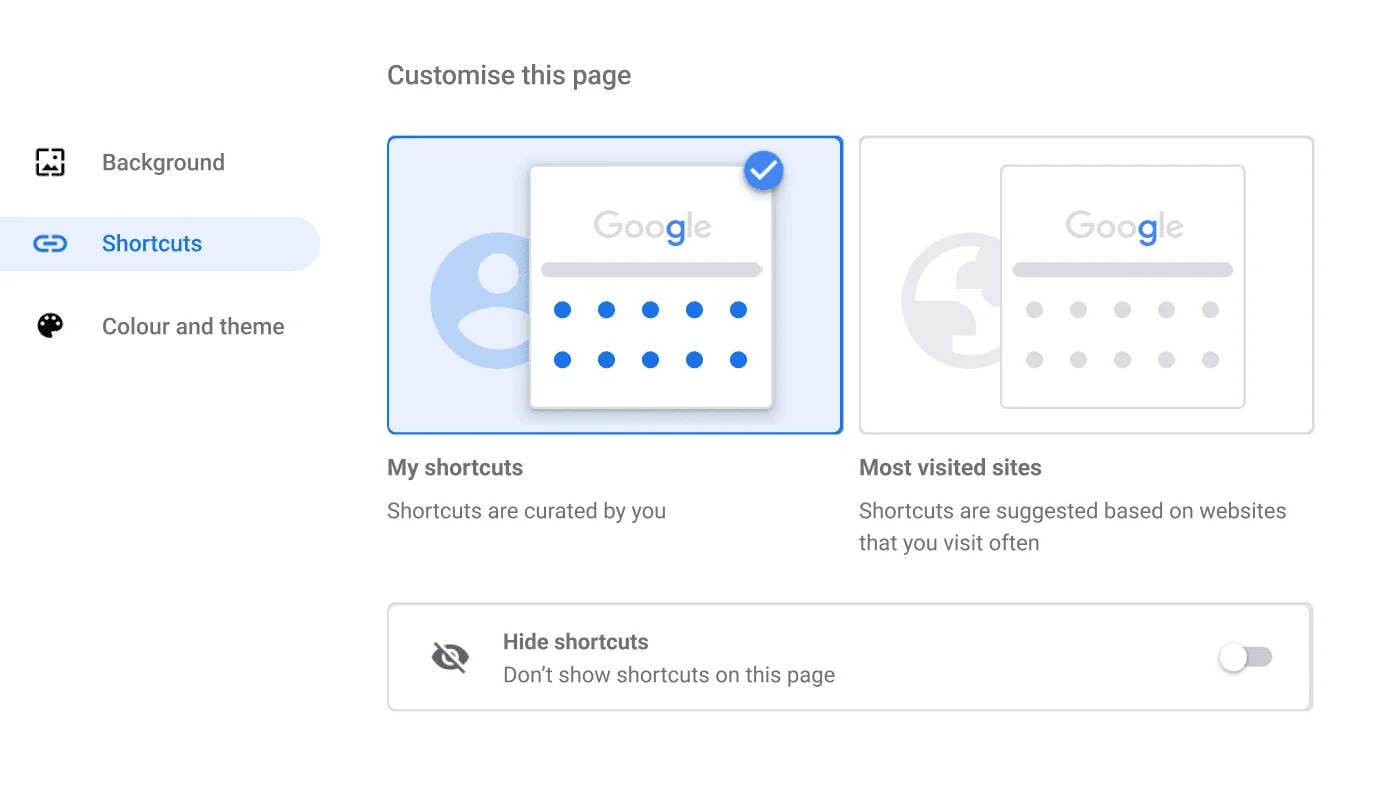
The Ultimate Guide to Adding Shortcuts on Google
Are you tired of typing long URLs or searching for specific websites on Google? Do you want to make the most out of your browsing experience? Look no further! In this comprehensive guide, we’ll show you how to add shortcuts on Google Chrome, Google Drive, Google Maps, and other Google services. Say goodbye to tedious typing and hello to a more efficient browsing experience!
Why Add Shortcuts on Google?
Adding shortcuts on Google allows you to access your favorite websites, files, or destinations with just one click. Whether you’re a student, professional, or simply someone who loves the internet, adding shortcuts can save you time, reduce frustration, and make your life easier.
How to Add Shortcuts on Google Chrome (PC)
To add a shortcut on Google Chrome for PC, follow these simple steps:
- Open Google Chrome and navigate to the website you want to add as a shortcut.
- Click on the three dots in the top right corner of the browser window and select “More tools” from the dropdown menu.
- Select “Create shortcut” from the list of options.
- Give your shortcut a name and click “Create” to save it.
How to Add Shortcuts on Google Chrome (Android)
To add a shortcut on Google Chrome for Android, follow these steps:
- Open Google Chrome and navigate to the website you want to add as a shortcut.
- Tap the three dots in the top right corner of the browser window and select “Add to home screen” from the dropdown menu.
- Give your shortcut a name and tap “Create” to save it.
How to Add Shortcuts on Google Chrome (iPhone/iPad)
To add a shortcut on Google Chrome for iPhone or iPad, follow these steps:
- Open Google Chrome and navigate to the website you want to add as a shortcut.
- Tap the three dots in the top right corner of the browser window and select “Add to home screen” from the dropdown menu.
- Give your shortcut a name and tap “Create” to save it.
How to Add Shortcuts on Google Drive
To add shortcuts on Google Drive, follow these steps:
- Open Google Drive and navigate to the file or folder you want to add as a shortcut.
- Right-click (or control-click) on the file or folder and select “Add shortcut” from the context menu.
- Give your shortcut a name and click “Create” to save it.
How to Add Shortcuts on Google Maps
To add shortcuts on Google Maps, follow these steps:
- Open Google Maps and navigate to the destination you want to add as a shortcut.
- Long-press (or tap and hold) on an empty area of your home screen until the widget menu appears.
- Select “Shortcuts” from the widget menu and choose the location you want to add.
How to Add Shortcuts on Google Home
To add shortcuts on Google Home, follow these steps:
- Open the Google Home app and navigate to the settings menu.
- Tap on “Other settings” and select “Scorciatoie” (shortcuts).
- Create a new shortcut by tapping the “+” button and entering the command you want to use.
How to Add Shortcuts on Google Assistant
To add shortcuts on Google Assistant, follow these steps:
- Open the Google Assistant app and navigate to the settings menu.
- Tap on “Other settings” and select “Scorciatoie” (shortcuts).
- Create a new shortcut by tapping the “+” button and entering the command you want to use.
Adding Shortcuts to Google Search
Unfortunately, there is no built-in function to add shortcuts directly to Google search results. However, you can use extensions on your browser to achieve this functionality.
Conclusion
In conclusion, adding shortcuts on Google Chrome, Google Drive, Google Maps, and other Google services can save you time, reduce frustration, and make your life easier. By following the steps outlined in this guide, you can create custom shortcuts that suit your needs and preferences.
Frequently Asked Questions (FAQs)
- What is a Shortcut on Google?
A shortcut on Google is a quick link to a website, file, or destination that you can access with just one click. - How do I Add a Shortcut on Google Chrome?
To add a shortcut on Google Chrome for PC, follow the steps outlined in this guide. For Android and iPhone/iPad devices, follow the respective instructions. - Can I Add Shortcuts on Other Google Services Like Google Drive or Google Maps?
Yes, you can add shortcuts on Google Drive and Google Maps by following the steps outlined in this guide. - How do I Create a Shortcut on Google Home?
To create a shortcut on Google Home, follow the steps outlined in this guide. - Can I Use Extensions to Add Shortcuts Directly to Google Search Results?
Unfortunately, there is no built-in function to add shortcuts directly to Google search results using extensions. However, you can use browser extensions to achieve this functionality.
We hope this guide has been helpful! If you have any further questions or need assistance with adding shortcuts on Google, feel free to ask in the comments below.


