
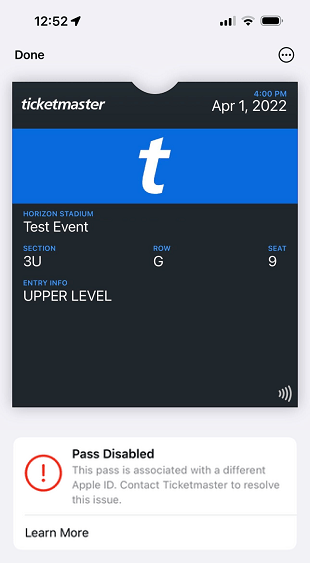
How to Add Tickets to Wallet: A Step-by-step Guide
Are you tired of carrying around physical tickets or wasting time searching for digital ones? Do you wish there was a way to easily add tickets to your wallet, so you can access them with just one tap? Well, wish no more! In this article, we’ll show you how to add tickets to Wallet on your iPhone and Apple Watch.
Why Use Wallet?
Wallet is a fantastic app that allows you to store all your passes, tickets, and cards in one place. No more digging through emails or apps to find the ticket you need. With Wallet, everything is right at your fingertips.
How to Add Tickets to Wallet: A Step-by-step Guide
Adding Tickets to Wallet on Iphone
- Download The App: First, download the app of the company that issued the ticket (e.G., Trenitalia, Ryanair, TicketOne). If you’ve already purchased the ticket within the app, you can skip this step.
- Access Your Account: Log in to your account using your email and password.
- Find The Ticket: Navigate to the section of the app where your tickets are stored. This might be called “My Tickets” or something similar.
- Add to Wallet: Look for the ticket you want to add to Wallet and tap on it. If prompted, select the option to add it to Wallet.
Adding Tickets to Wallet on Apple Watch
- Download The App: Download the Wallet app on your iPhone (if you haven’t already).
- Add a Ticket: Follow the same steps as above for adding a ticket to Wallet on iPhone.
- Sync Your Watch: Make sure your Apple Watch is connected to your iPhone and synced.
Adding Tickets From Email
- Find The Email: Look for an email from the company that issued the ticket, with the ticket attached (e.G., PDF or cartaceo).
- Open Wallet: Open the Wallet app on your iPhone.
- Tap “Add”: Tap the “+” button at the bottom of the screen to add a new pass.
Using Pass2pay For Android
If you’re using an Android device, you can use Pass2Pay, an app that allows you to add passes and tickets from email or a PDF file.
What Tickets Can I Add?
You can add various types of tickets to Wallet, including:
- Train tickets (e.G., Trenitalia)
- Flight tickets (e.G., Ryanair, easyJet)
- Event tickets (e.G., Concerts, shows)
- Sports event tickets
- Public transportation tickets
How Long Will It Take?
Adding a ticket to Wallet is usually a quick process. If you’re adding it from an app, it might take only 1-2 taps. If you’re using Pass2Pay or scanning a code, it may take a few seconds.
Tips And Variations
- Always check the app of the company that issued the ticket to see if they support Wallet.
- You can add tickets in PDF format by scanning the QR code with your iPhone’s camera.
- Don’t forget to sync your Apple Watch with your iPhone for seamless access to your Wallet.
By following these simple steps, you’ll be able to easily add tickets to your Wallet and enjoy a hassle-free experience. Whether you’re traveling, attending an event, or simply want to keep track of your passes, Wallet has got you covered!
Frequently Asked Questions (FAQs)
- Q: Can I Add Multiple Tickets at Once?
A: Yes, in most cases, you can add multiple tickets with just a few taps. - Q: What Happens if The App Doesn’t Support Wallet?
A: You can use Pass2Pay or scan the QR code using your iPhone’s camera. - Q: Will I be Notified When my Ticket is Near Expiration?
A: Most apps will notify you, but it’s always a good idea to check the details of your ticket. - Q: Can I Share Tickets With Friends And Family?
A: Yes, in some cases, you can share tickets or passes with others. - Q: Will Wallet Sync Across All my Devices?
A: Yes, as long as your Apple Watch is synced with your iPhone, you’ll have access to your Wallet on both devices.
Conclusion
Adding tickets to Wallet has never been easier! With these simple steps, you can enjoy a seamless experience when it comes to managing your passes and tickets. Whether you’re traveling, attending an event, or just want to keep track of your passes, Wallet is the perfect solution.


