
Analyzing a Website: A Guide to Understanding Your Online Presence
As a website owner, it’s essential to understand how your online presence is performing. Are you getting the right traffic, engagement, and conversions? Do you know where your website stands in terms of search engine optimization (SEO)? In this article, we’ll delve into the world of website analysis and provide you with a comprehensive guide on how to analyze your website like a pro.
Why Analyze Your Website?
Before we dive into the nitty-gritty of website analysis, let’s quickly explore why it’s essential for your online presence. Analyzing your website helps you:
- Understand your target audience and their behavior
- Identify areas for improvement in terms of user experience and engagement
- Optimize your content and structure for better search engine rankings
- Monitor your website’s performance over time and make data-driven decisions
Tools For Website Analysis
Now that we’ve covered the importance of analyzing your website, let’s explore some of the top tools available to help you do so.
Similarweb
One of the best solutions for analyzing websites is SimilarWeb. This platform allows you to monitor a website’s traffic and compare its performance with competitors. It also offers keyword analysis and other features that can help improve your website’s SEO.
To use SimilarWeb, simply go to their homepage, type in the URL of the website you want to analyze, and select “Analyze Website” from the dropdown menu. You’ll then be able to see various statistical data about the website, including its position in global rankings, country-specific rankings, and category-specific rankings.
Semrush
Another powerful tool for analyzing websites is SEMrush. This platform offers a comprehensive analysis of your website’s traffic, keyword ranking, backlinks, and more. It also provides suggestions for improving your website’s SEO and increasing your online presence.
To use SEMrush, simply go to their homepage, create an account, and enter the URL of the website you want to analyze. You’ll then be able to see a detailed analysis of your website’s performance, including its position in global rankings, keyword ranking, and backlinks.
Seozoom
SEZoom is another tool that can help you analyze your website’s SEO performance. This platform provides insights into your website’s traffic, keyword ranking, and other essential metrics. It also offers suggestions for improving your website’s SEO and increasing your online presence.
To use SEZoom, simply go to their homepage, enter the URL of the website you want to analyze, and select “Analyze Website” from the dropdown menu. You’ll then be able to see various statistical data about the website, including its position in global rankings, country-specific rankings, and category-specific rankings.
Google Analytics
Google Analytics is a powerful tool that can help you analyze your website’s traffic and user behavior. This platform provides insights into your website’s performance, including page views, unique visitors, bounce rate, and more. It also allows you to track your website’s conversion rates and understand how users interact with your content.
To use Google Analytics, simply go to their homepage, create an account, and enter the URL of the website you want to analyze. You’ll then be able to see a detailed analysis of your website’s performance, including its position in global rankings, keyword ranking, backlinks, and more.
Pagespeed Insights
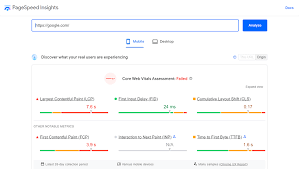
Finally, PageSpeed Insights is a tool that can help you measure your website’s speed and loading times. This platform provides insights into your website’s performance, including page load time, compression, and other essential metrics. It also offers suggestions for improving your website’s speed and increasing user engagement.
To use PageSpeed Insights, simply go to their homepage, enter the URL of the website you want to analyze, and select “Analyze” from the dropdown menu. You’ll then be able to see various statistical data about the website, including its page load time, compression, and other essential metrics.
Conclusion
Analyzing your website is an essential step in understanding your online presence and improving your SEO performance. By using tools like SimilarWeb, SEMrush, SEZoom, Google Analytics, and PageSpeed Insights, you can gain valuable insights into your website’s traffic, user behavior, and conversion rates. Remember to always keep your target audience in mind and make data-driven decisions to improve your website’s performance.
Frequently Asked Questions
Here are some frequently asked questions about website analysis:
- What is Website Analysis?
Website analysis refers to the process of evaluating a website’s performance, traffic, user behavior, and conversion rates. - Why is Website Analysis Important?
Website analysis helps you understand your target audience, identify areas for improvement, optimize your content and structure for better search engine rankings, and monitor your website’s performance over time. - What Tools Can I Use to Analyze my Website?
You can use tools like SimilarWeb, SEMrush, SEZoom, Google Analytics, and PageSpeed Insights to analyze your website’s traffic, user behavior, conversion rates, and speed. - How do I Use These Tools?
To use these tools, simply go to their homepage, create an account, enter the URL of the website you want to analyze, and select “Analyze” from the dropdown menu. - What Insights Can I Gain From Website Analysis?
Website analysis provides insights into your website’s performance, including its position in global rankings, keyword ranking, backlinks, page load time, compression, and other essential metrics.
By understanding how to analyze your website like a pro, you can improve your online presence, increase user engagement, and boost your SEO performance.


