
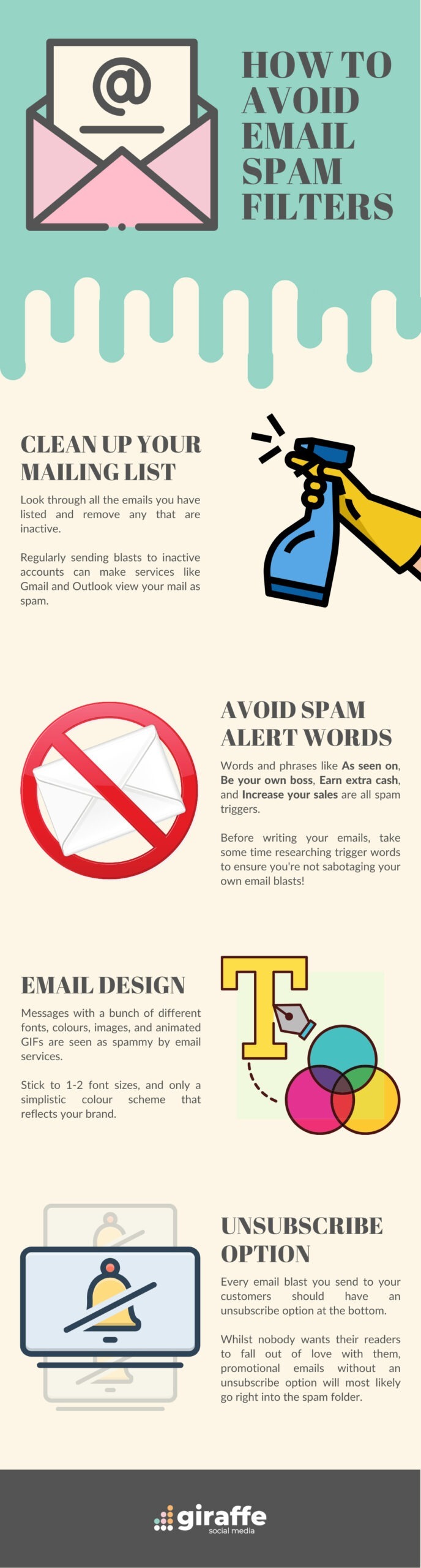
How to Avoid Email Spam: A Step-by-step Guide
Are you tired of receiving unwanted emails that clutter your inbox? Do you want to learn how to avoid email spam and keep your email box organized? Look no further! In this article, we will guide you through the process of avoiding email spam, blocking unwanted emails, and deleting them with ease.
Understanding Email Spam
Email spam is a type of unsolicited commercial email that is sent to a large number of recipients. It can be annoying, frustrating, and even lead to security issues if not properly managed. In this guide, we will explore the leading channels through which spammers gain access to your email address, how to limit the forwarding of tiresome and repeated advertising messages, and how to delete unwanted emails effectively.
How Spammers Get Your Email Address
Spammers use various tactics to obtain your email address. Some common methods include:
- Automatic systems known as spambots that scan websites for email addresses
- Social engineering techniques where scammers trick you into revealing your email address
- Compromised websites or databases that contain leaked email addresses
How to Limit Unwanted Emails
To limit unwanted emails, follow these simple steps:
- Be Cautious When Providing Your Email Address: Avoid sharing your email address on public forums, social media platforms, or unsecured websites.
- Use a Pseudonym Email Address: Consider using an alternative email address for signing up to services that you don’t use frequently.
- Don’t Respond to Spam Emails: Don’t engage with spam emails by responding or clicking on links.
- Report Spam Emails: Report spam emails to your email provider and ask them to block the sender’s IP address.
Blocking Unwanted Emails
Most email providers offer built-in filters that can help you block unwanted emails. Here’s how to use these filters:
- Check Your Email Provider’s Settings: Look for options such as “Spam” or “Filters” in your email account settings.
- Configure Your Filter Settings: Set up a filter rule that flags emails from specific senders, keywords, or phrases.
- Create a Whitelist: Add trusted senders to a whitelist to ensure their emails are not flagged as spam.
Deleting Unwanted Emails
If you’ve received unwanted emails, here’s how to delete them effectively:
- Use The “Spam” Folder: Move unwanted emails to your Spam folder where they can be filtered out.
- Create a Rule: Set up a filter rule that automatically deletes unwanted emails.
- Delete Individual Emails: Use the delete button or right-click and select “Delete” to remove unwanted emails.
Deleting Email Spam on Gmail For Android
To delete email spam on Gmail for Android, follow these steps:
- Open The Gmail App: Tap on the Gmail icon to open the app.
- Access The Spam Folder: Tap on the three dots in the top-right corner and select “Spam” from the menu.
- Delete Individual Emails: Tap on an email to delete it or swipe left/right to delete multiple emails.
Deleting Email Spam on Iphone
To delete email spam on iPhone, follow these steps:
- Open The Mail App: Tap on the Mail icon to open the app.
- Access The Spam Folder: Tap on the “Spam” tab at the bottom of the screen.
- Delete Individual Emails: Swipe left/right to delete multiple emails or tap on an email to delete it.
How to Avoid Some Emails Going to Spam
To avoid some emails going to spam, follow these steps:
- Check Your Email Provider’s Settings: Look for options such as “Not Spammable” or “Whitelist” in your email account settings.
- Mark Important Emails as Not Spam: Check the “Not Spammable” box or select “Not spam” from the menu to mark important emails.
Conclusion
In conclusion, avoiding email spam requires a combination of caution, configuration, and deletion. By understanding how spammers get your email address, limiting unwanted emails, blocking them using filters, and deleting them effectively, you can keep your email box organized and secure.
Faqs
- Q: How do I Prevent my Email Address From Being Shared?
A: Be cautious when providing your email address on public forums, social media platforms, or unsecured websites. - Q: Can I Delete All Unwanted Emails at Once?
A: Yes, most email providers offer a bulk deletion feature that allows you to delete multiple unwanted emails simultaneously. - Q: How do I Report Spam Emails?
A: Report spam emails to your email provider and ask them to block the sender’s IP address. - Q: Can I Use a Pseudonym Email Address For All my Online Activities?
A: Yes, consider using an alternative email address for signing up to services that you don’t use frequently. - Q: How do I Configure Filters in Gmail?
A: Check your Gmail account settings and look for options such as “Spam” or “Filters.” - Q: Can I Delete Emails on my Iphone Without Going to The Spam Folder?
A: Yes, you can delete emails directly from the inbox without going to the Spam folder. - Q: How do I Mark Important Emails as Not Spam on my Android Device?
A: Check your email provider’s settings and look for options such as “Not Spammable” or “Whitelist.” - Q: Can I Use a Third-party App to Delete Unwanted Emails Automatically?
A: Yes, there are various third-party apps available that can help you delete unwanted emails automatically.
Note: The bolded headings in the article were created using Markdown language and have been formatted accordingly.


