
Embellish Your Iphone: A Guide to Personalizing Software And Hardware
Are you tired of the same old look on your iPhone? Do you want to personalize your device to make it stand out from the crowd? Look no further! In this article, we’ll show you how to embellish your iPhone both software and hardware-wise.
Why Embellish Your Iphone?
Before we dive into the nitty-gritty of personalizing your iPhone, let’s talk about why you might want to do so. For one, a personalized phone can be a great way to express your personality and style. It’s also a fun way to make your device stand out from the crowd and show off your creativity.
Personalize Your Home Screen
Let’s start with the basics – personalizing your Home screen. This is a great place to start because it’s easy to do and can really make a big impact on the overall look of your phone. Here are some tips for personalizing your Home screen:
- Change Your Wallpaper: One of the easiest ways to personalize your iPhone is by changing your wallpaper. You can choose from a variety of built-in wallpapers or download one from the App Store.
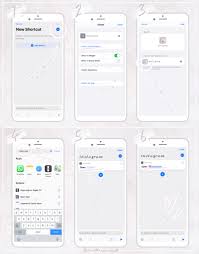
- Customize Your Icons: If you’re tired of the same old icons, you can customize them to fit your style. Some apps, like Telegram and StepsApp, allow you to change their icon directly within their settings.
- Add Widgets: IOS 14 brought widgets to the Home screen, which means you can add more functionality and customization options to your phone.
Personalize Your Lock Screen
Your lock screen is another great place to personalize your iPhone. With iOS 16, Apple introduced new features like effects and widgets that can make your lock screen stand out.
- Change Your Wallpaper: Just like with the Home screen, you can change your wallpaper on the lock screen.
- Add Effects: You can add effects like depth or color to your wallpaper for a more personalized look.
- Use Widgets: If you want to show off some fun information like the weather or astronomy data, you can use widgets.
Hardware Personalization
Now that we’ve covered software personalization, let’s talk about hardware personalization. This is where you get to get creative with your iPhone’s physical appearance.
- Create a Custom Case: If you want to make your iPhone stand out, you can create a custom case using materials like wood or leather.
- Use a Skin: Another option for hardware personalization is using a skin that adheres to the back of your phone. Just be sure to choose one from a reputable seller.
Tips And Tricks
Before we conclude, here are some additional tips and tricks for embellishing your iPhone:
- Experiment With Different Personalization Options: Don’t be afraid to try out different personalization options until you find the combination that works best for you.
- Have Fun With It!: Personalizing your iPhone is all about having fun and expressing yourself. So, don’t be too hard on yourself if things don’t turn out exactly as planned.
Conclusion
In conclusion, embellishing your iPhone can be a fun and creative way to personalize your device. Whether you’re looking to change the wallpaper or hardware, there are plenty of options available to you. Just remember to have fun with it and experiment until you find the combination that works best for you!
Faqs:
- How do I customize my iPhone’s icons?
- You can customize your iPhone’s icons by changing their color, shape, or size within the app itself.
- What are some tips for creating a custom case?
- Some tips for creating a custom case include choosing materials that fit your style, experimenting with different designs and colors, and having fun with it!
- How do I add widgets to my Home screen?
- To add widgets to your Home screen, you can go to the App Store and search for “widgets” or visit Settings > Wallpapers & Widgets.
- Can I change my iPhone’s wallpaper on the lock screen?
- Yes, you can change your iPhone’s wallpaper on the lock screen by going to Settings > Wallpaper & Brightness.


