
How to Become a Creator on Facebook: A Step-by-step Guide
Are you interested in becoming a creator on Facebook? Do you want to monetize your content, build a community, and grow your online presence? Look no further! In this article, we’ll guide you through the process of becoming a creator on Facebook, step by step.
What is a Creator on Facebook?
A creator on Facebook is an individual who creates and publishes high-quality content, such as videos, photos, or posts, that are engaging, informative, and entertaining. Creators on Facebook have access to advanced features and tools that help them build their audience, monetize their content, and grow their online presence.
Characteristics of The Professional Modality For Profiles
Before we dive into the process of becoming a creator on Facebook, let’s take a look at the characteristics of the professional modality for profiles. These characteristics include:
- Public Presence: A public presence is created when you activate the professional modality on your profile.
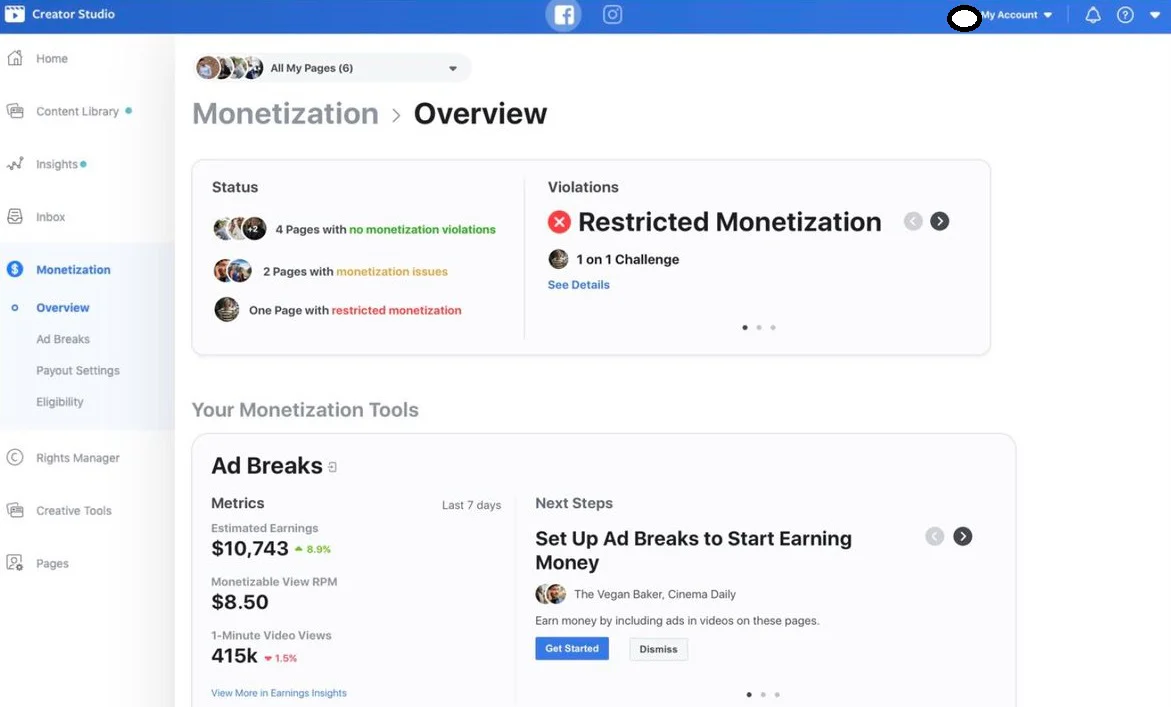
- Monetization: Creators on Facebook can monetize their content by using features such as ads, sponsorships, and affiliate marketing.
- Safety Features: The professional modality includes safety features that help protect creators from online harassment and abuse.
How to Contact The Professional Modality For Profiles
To contact the professional modality for profiles, follow these steps:
- Open Facebook on your smartphone or computer.
- Access your profile by clicking on your name and surname.
- Click on the three dots on the right-hand side of the screen and select “Settings.”
- Scroll down to the “Professional Modality” section and click on “Activate.”
- Review and agree to the terms and conditions.
Using The Professional Modality For Profiles
Once you’ve activated the professional modality, you can start using it to create a public presence, monetize your content, and grow your online presence. Here are some tips to get you started:
- Create High-quality Content: Create engaging, informative, and entertaining content that resonates with your audience.
- Use Safety Features: Use safety features such as blocking or reporting users who harass or abuse you.
- Engage With Your Audience: Respond to comments, messages, and reviews from your audience.
Growing on Facebook as a Creator
To grow on Facebook as a creator, focus on the following tips:
- Create Quality Content: Create original, interesting, and helpful content that resonates with your audience.
- Be Consistent: Post regularly to maintain a consistent presence on Facebook.
- Engage With Your Audience: Respond to comments, messages, and reviews from your audience.
Conclusion
Becoming a creator on Facebook requires dedication, hard work, and a willingness to learn. By following these steps and tips, you can create a public presence, monetize your content, and grow your online presence.
Frequently Asked Questions (FAQs)
- What is a Creator on Facebook?
A creator on Facebook is an individual who creates and publishes high-quality content that is engaging, informative, and entertaining. - How do I Become a Creator on Facebook?
To become a creator on Facebook, activate the professional modality on your profile by following the steps outlined above. - What Are The Characteristics of The Professional Modality For Profiles?
The characteristics of the professional modality for profiles include public presence, monetization, and safety features. - How do I Use The Professional Modality For Profiles?
To use the professional modality for profiles, follow the steps outlined above and create high-quality content that resonates with your audience. - How Can I Grow on Facebook as a Creator?
To grow on Facebook as a creator, focus on creating quality content, being consistent, and engaging with your audience.


