
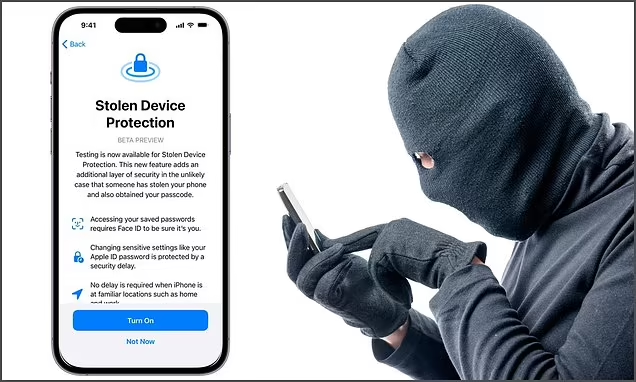
The Ultimate Guide to Preventing Iphone Theft And Recovery
As we go about our daily lives, it’s easy to take our smartphones for granted. But what happens when your iPhone is stolen? The emotional distress and financial loss can be significant. In this article, we’ll explore the best ways to prevent iPhone theft, recover a stolen iPhone, and block unauthorized access.
Understanding The Risks of Iphone Theft
According to various reports, thousands of iPhones are stolen every year. These thieves not only steal your device but also have access to your personal data, photos, and sensitive information. It’s essential to take proactive measures to prevent this from happening to you.
Preventing Iphone Theft: A Step-by-step Guide
- Enable Find My Iphone: This feature allows you to track your iPhone’s location remotely. To enable it, go to Settings > [Your Name] > iCloud > Find My iPhone.
- Use a Strong Passcode: Make sure your passcode is unique and not easily guessable.
- Keep Your Software Up-to-date: Regularly update your iPhone to ensure you have the latest security patches and features.
- Be Mindful of Public Wi-fi: Avoid using public Wi-Fi networks, as they may be vulnerable to hacking.
- Use a Physical Lock: Consider investing in a physical lock or case that can help prevent theft.
Recovering a Stolen Iphone: A Step-by-step Guide
If your iPhone is stolen, don’t panic! Here’s what you can do:
- Report The Theft: Contact your local authorities and report the theft.
- Block Your Iphone: Follow these steps to block your iPhone:
- Go to iCloud.Com/find
- Sign in with your Apple ID
- Click on “All Devices”
- Select your stolen iPhone
- Click on “Erase iPhone” to remotely erase all data
- Change Your Passcode: Once you’ve blocked your iPhone, change your passcode to prevent unauthorized access.
- File a Police Report: Make sure to file a police report and obtain a copy of the report for insurance purposes.
Blocking an Iphone Without Icloud
If you don’t have iCloud enabled on your iPhone or if it’s been stolen recently, you can still block it without iCloud:
- Contact Your Carrier: Reach out to your carrier (e.G., AT&T, Verizon) and request a block on the IMEI number.
- Report The Theft: File a police report and provide them with the IMEI number.
Additional Tips For Iphone Security
- Always use a passcode or Touch ID/Face ID to unlock your iPhone.
- Keep your software up-to-date and install security updates as soon as they’re available.
- Avoid jailbreaking or rooting your iPhone, as this can compromise its security.
- Use a reputable antivirus app to scan your iPhone for malware.
Conclusion
Preventing iPhone theft requires a combination of common sense, awareness, and proactive measures. By following the steps outlined in this article, you can significantly reduce the risk of losing your device and protect your personal data. Remember to always report any suspicious activity to the authorities and take immediate action if your iPhone is stolen.
Frequently Asked Questions
- Q: How do I Enable Find My Iphone?
A: To enable Find My iPhone, go to Settings > [Your Name] > iCloud > Find My iPhone. - Q: Can I Recover my Iphone if It’s Been Wiped Clean?
A: If your iPhone has been wiped clean, you may not be able to recover it. However, if you have a backup of your data, you can restore it from the iCloud or iTunes backup. - Q: What Should I do if Someone Steals my Iphone And Tries to Sell It?
A: Report the theft to the police and provide them with the IMEI number. You can also contact your carrier to request a block on the IMEI number. - Q: How Long Does it Take For an Iphone to be Blocked?
A: The blocking process typically takes a few hours to several days, depending on the carrier’s procedures.
References
- Apple Support: “Find My iPhone”
- Apple Support: “What to do if your iPhone is lost or stolen”
- FBI Cyber Division: “Protecting Your Phone from Theft”


