
How to Block Unwanted Numbers on Your Phone: A Comprehensive Guide
Are you tired of receiving unwanted calls from unknown numbers? Do you want to block these pesky numbers once and for all? Look no further! In this article, we will guide you through the process of blocking unwanted numbers on various phone platforms, including Android, Samsung, HUAWEI, iPhone, and WhatsApp.
The Frustration of Unwanted Calls
We’ve all been there – receiving a call from an unknown number, only to be greeted by a telemarketer or spam caller. It’s not just annoying; it can also be a nuisance, especially if you’re trying to focus on work or personal matters. That’s why learning how to block these unwanted numbers is essential.
Blocking Unwanted Numbers on Android
If you’re using an Android phone, there are several ways to block unwanted numbers. Here are the steps:
- Use The Google Phone App: The Google Phone app allows you to see all your recent calls in one place. Simply tap on the “Recent” tab and look for the number you want to block.
- Tap on The Three Dots: Next to the number, you’ll see three dots. Tap on these dots and select “Block/Report spam.”
- Confirm The Action: A pop-up will appear asking if you’re sure you want to block the number. Tap “Block” to confirm.
Blocking Unwanted Numbers on Samsung
If you’re using a Samsung phone, here’s what you need to do:
- Open The Phone App: The Phone app is usually located on your home screen or in your app drawer.
- Tap on The Record Tab: This will show you all your recent calls.
- Find The Number You Want to Block: Look for the number you want to block and tap on it.
- Tap on The Three Dots: Next to the number, you’ll see three dots. Tap on these dots and select “Block contact.”
- Confirm The Action: A pop-up will appear asking if you’re sure you want to block the number. Tap “Block” to confirm.
Blocking Unwanted Numbers on Huawei
If you’re using a HUAWEI phone, here’s how you can block unwanted numbers:
- Open The Phone App: The Phone app is usually located on your home screen or in your app drawer.
- Tap on The Recent Calls Tab: This will show you all your recent calls.
- Find The Number You Want to Block: Look for the number you want to block and tap on it.
- Tap on The Three Dots: Next to the number, you’ll see three dots. Tap on these dots and select “Block contact.”
- Confirm The Action: A pop-up will appear asking if you’re sure you want to block the number. Tap “Block” to confirm.
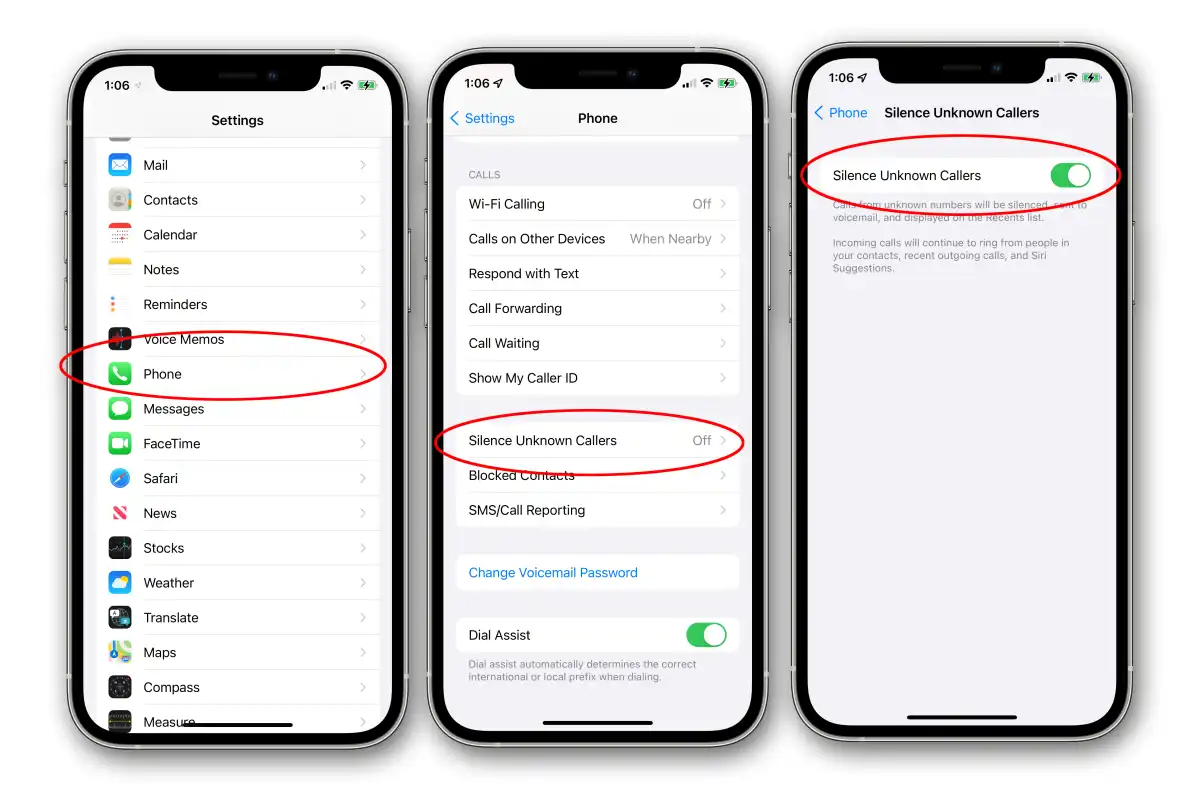
Blocking Unwanted Numbers on Iphone
If you’re using an iPhone, here’s how you can block unwanted numbers:
- Open The Phone App: The Phone app is usually located on your home screen.
- Tap on The Recents Tab: This will show you all your recent calls.
- Find The Number You Want to Block: Look for the number you want to block and tap on it.
- Tap on The “i” Icon: Next to the number, you’ll see an “i” icon. Tap on this icon and select “Block this caller.”
- Confirm The Action: A pop-up will appear asking if you’re sure you want to block the number. Tap “Block” to confirm.
Blocking Unwanted Numbers on Whatsapp
If you’re using WhatsApp, here’s how you can block unwanted numbers:
- Open Whatsapp: The app is usually located on your home screen or in your app drawer.
- Tap on a Chat With The Unwanted Contact: This will show you all the conversations with this contact.
- Tap on The Name of The Contact: Next to the contact’s name, you’ll see an “i” icon. Tap on this icon and select “Block contact.”
- Confirm The Action: A pop-up will appear asking if you’re sure you want to block the number. Tap “Block” to confirm.
Blocking Unwanted Numbers on Fixed Phone
If you’re using a fixed phone, here’s how you can block unwanted numbers:
- Check Your Phone Manual: The process for blocking unwanted numbers may vary depending on your phone model.
- Search Online For Instructions: If you don’t have the manual or can’t find it, search online for instructions specific to your phone model.
- Contact Your Service Provider: If all else fails, contact your service provider and ask them to block the number for you.
Using Public Phone Books
In some countries, there are public phone books where you can register unwanted numbers. This way, companies or individuals will not be able to call you from these registered numbers. Check with your local authorities to see if this is an option in your area.
Conclusion
Blocking unwanted numbers on your phone is a simple process that can save you time and frustration. Whether you’re using Android, Samsung, HUAWEI, iPhone, or WhatsApp, the steps are relatively similar. Remember to always check your phone manual or online instructions for specific guidance.


