
Blocking Video on Youtube For Boys: A Parent’s Guide
As a parent, it’s natural to feel concerned about the content your child is exposed to online, especially when it comes to video-sharing platforms like YouTube. With millions of videos available on the site, it’s impossible to monitor every single one that your child might watch. However, there are ways to block or restrict access to certain types of content on YouTube, and in this article, we’ll explore some of those options.
Why Block Video on Youtube For Boys?
Blocking video on YouTube for boys is an essential step in protecting their innocence and shielding them from explicit or mature content that may not be suitable for their age. Exposure to such content can have a profound impact on a child’s emotional well-being, social development, and even cognitive growth.
Solution 1: Actuating The Modality With Restrictions
One way to block video on YouTube for boys is by actuating the modality with restrictions integrated in the service. This feature allows you to limit access to certain types of content based on age, keywords, or categories. Here’s how to do it:
- On your smartphone or tablet, go to the YouTube app and tap on the profile icon.
- Tap on “Settings” and then select “Modality with restrictions.”
- Toggle the switch to turn it on.
This setting will apply to all devices connected to your Google account. However, if you’re using a computer, follow these steps:
1. Go to youtube.Com and sign in with your Google account.
2. Click on your profile picture in the top right corner and select “Settings.”
3. Scroll down to the “Modality with restrictions” section and toggle the switch to turn it on.
Solution 2: Using Youtube Kids
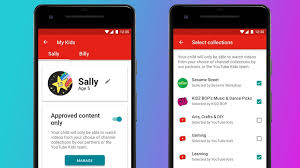
YouTube Kids is a dedicated platform for children that allows you to create a safe environment for them to watch videos. Here’s how to set it up:
- Download the YouTube Kids app from the Google Play Store or Apple App Store.
- Open the app and select “Are a parent” when prompted.
- Set your birth year and follow the on-screen instructions to link your Google account.
- Choose which type of content you want to allow for your child, such as cartoons, educational videos, or music.
Tips For Parents
As a parent, it’s essential to stay involved in your child’s online activities. Here are some tips to help you block video on YouTube for boys:
1. Monitor Their Activity: Regularly check the websites and apps your child is using to ensure they’re not accessing content that’s not suitable for them.
2. Use Parental Control Software: Consider investing in a parental control software that can filter out explicit content, monitor browsing history, and even block certain websites or apps.
3. Have Open Conversations: Talk to your child about the importance of online safety, digital literacy, and responsible internet use. Encourage them to report any concerning content they may come across.
Conclusion
Blocking video on YouTube for boys is a crucial step in protecting their innocence and shielding them from explicit or mature content. By using the modality with restrictions or YouTube Kids, you can create a safe environment for your child to explore online. Remember to stay involved, have open conversations, and use parental control software to ensure your child’s online safety.
Frequently Asked Questions (FAQs)
Here are some FAQs to help you better understand how to block video on YouTube for boys:
Q: What is the modality with restrictions?
A: The modality with restrictions is a feature integrated into YouTube that allows users to limit access to certain types of content based on age, keywords, or categories.
Q: How do I enable the modality with restrictions on my smartphone?
A: To enable the modality with restrictions on your smartphone, open the YouTube app, tap on your profile picture, and select “Settings.” Then, toggle the switch next to “Modality with restrictions” to turn it on.
Q: Can I block video on YouTube for boys on a computer?
A: Yes, you can block video on YouTube for boys on a computer by enabling the modality with restrictions. Sign in to your Google account, go to youtube.Com, and click on your profile picture. Then, select “Settings” and toggle the switch next to “Modality with restrictions” to turn it on.
Q: What is YouTube Kids?
A: YouTube Kids is a dedicated platform for children that allows you to create a safe environment for them to watch videos.
Q: How do I set up YouTube Kids?
A: To set up YouTube Kids, download the app from the Google Play Store or Apple App Store. Open the app and select “Are a parent” when prompted. Set your birth year and follow the on-screen instructions to link your Google account.
Q: Can I use parental control software in addition to blocking video on YouTube for boys?
A: Yes, you can use parental control software in addition to blocking video on YouTube for boys to further ensure your child’s online safety.
Q: How often should I monitor my child’s online activity?
A: It’s essential to regularly check the websites and apps your child is using to ensure they’re not accessing content that’s not suitable for them.


