
How to Boost Your Wi-fi Signal
Are you tired of dealing with a weak Wi-Fi signal? Do you struggle to get a stable connection in different parts of your home or office? You’re not alone! Many people face this issue, but there are ways to boost your Wi-Fi signal and ensure a strong and reliable internet connection.
Why is my Wi-fi Signal so Weak?
There are several reasons why your Wi-Fi signal might be weak. Some common causes include:
- Distance between the router and devices
- Physical barriers like walls or furniture
- Interference from other electronic devices
- Outdated router technology
How to Boost Your Wi-fi Signal
Fortunately, there are several ways to boost your Wi-Fi signal without breaking the bank. Here are some methods you can try:
1. Change The Router’s Position
One of the simplest ways to boost your Wi-Fi signal is to change the position of your router. Try placing it in a central location, away from physical barriers and other electronic devices.
2. Update Your Router’s Firmware
Make sure your router’s firmware is up-to-date, as this can improve its performance and range. Check with your internet service provider for updates or follow the manufacturer’s instructions to update manually.
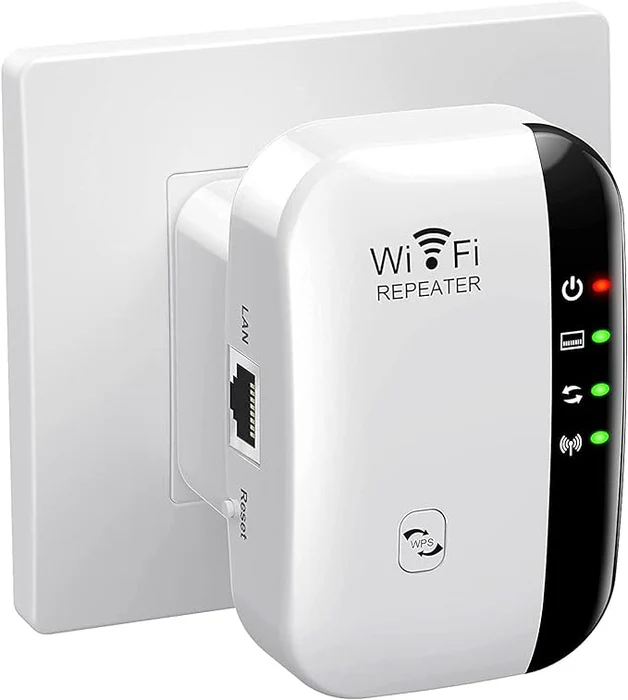
3. Use a Wi-fi Range Extender
A Wi-Fi range extender can amplify your Wi-Fi signal, allowing you to extend coverage to other areas of your home or office. These devices work by receiving the signal from your router and rebroadcasting it to create a stronger connection.
- Tp-link Re450 Repeater: A popular and affordable option that supports dual-band technology.
- Netgear Plw1000-100pe Adapters: A powerful adapter that can extend coverage up to 300 meters.
- Avm Fritz!powerline 1240E: A versatile device that combines powerline and Wi-Fi capabilities.
4. Upgrade to a Mesh Network System
Mesh network systems are designed to provide seamless coverage throughout your home or office. These systems consist of multiple nodes that work together to create a strong, reliable connection.
- Tp-link Deco S1900 (3-pack): A budget-friendly option that offers strong coverage and easy setup.
- Google Wifi: A popular choice that provides fast speeds and seamless coverage.
- Netgear Orbi Rbk50: A high-performance system that supports dual-band technology.
5. Use External Antennas
External antennas can be used to boost your Wi-Fi signal, especially in areas with poor coverage. These antennas work by amplifying the signal from your router and broadcasting it to devices.
- Xiaomi 4G Lte Rp-sma/ts9 Male Wifi Antenna: A high-gain antenna that supports 5GHz technology.
- Eightwood Antenna 2.4G/5G 8G Router Desktop #Dub Antenna: A versatile antenna that supports dual-band technology.
6. Use a Powerline Adapter
Powerline adapters work by converting your router’s signal into electrical power, which can then be transmitted through your home’s wiring to devices.
- Tp-link Tl-wpa4220 Kit Powerline Kit Av600mbps: A budget-friendly option that supports dual-band technology.
- Netgear Plw1000-100pe Adapters: A powerful adapter that can extend coverage up to 300 meters.
7. Try a Wi-fi Analyzer
A Wi-Fi analyzer is a tool that helps you identify the strongest channels and frequencies in your area, allowing you to optimize your router’s settings for better performance.
- Wi-fi Analyzer (Android): A free app that provides detailed information about nearby networks.
- Wi-fi Scanner (iOS): A user-friendly app that offers real-time network analysis.
8. Consider a New Router
If none of the above methods work, it may be time to consider replacing your router with a newer model that supports the latest technologies and standards.
- Tp-link Archer C7 Ac1750: A budget-friendly option that supports dual-band technology.
- Asus Rt-ac86u Ac2900: A high-performance router that supports dual-band technology.
By trying out these methods, you should be able to boost your Wi-Fi signal and enjoy a stronger, more reliable connection. Happy experimenting!


