
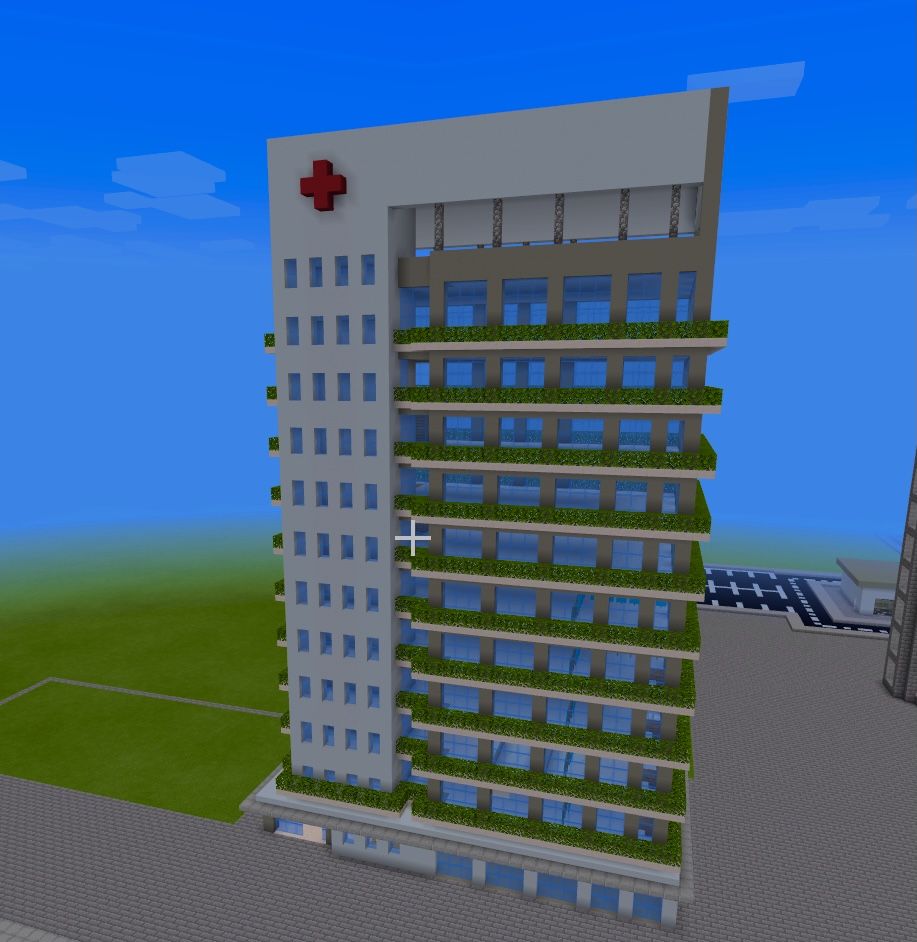
How to Build a Hospital on Minecraft: A Step-by-step Guide
Are you ready to construct a hospital on Minecraft? In this comprehensive guide, we will walk you through the process of building a hospital on Minecraft, from planning to execution. Whether you’re a beginner or an experienced player, this guide will provide you with the necessary tips and tricks to build a hospital that’s both functional and visually appealing.
Materials Needed
Before we dive into the construction process, let’s discuss the materials needed for building a hospital on Minecraft. While it’s not essential to use concrete as your primary material, it’s highly recommended due to its durability and versatility. You can also experiment with other materials like wood or stone blocks.
Choosing The Right Location
When selecting a location for your hospital, consider the following factors:
- Accessibility: Ensure that your hospital is easily accessible by all players.
- Space: Choose an area that’s large enough to accommodate multiple rooms and facilities.
- Aesthetics: Consider the surrounding terrain and how it will impact the overall look of your hospital.
Step 1: Outlining The Perimeter
Once you’ve selected a location, start by outlining the perimeter of your hospital. This can be done using any material you prefer, but keep in mind that concrete is a good option due to its durability.
Step 2: Constructing The Foundation
After outlining the perimeter, move on to constructing the foundation of your hospital. This involves creating a solid base that will support the weight of the building and any additional structures.
Step 3: Building The Walls
With the foundation in place, it’s time to build the walls of your hospital. Remember to keep the design simple yet effective, as complex designs can consume more resources than necessary.
Optional Step: Using Mods
If you’re finding it challenging to construct a hospital on Minecraft, consider using mods like Instant Structures Mod (ISM) to simplify the process. This mod allows you to easily create and customize structures on your server or single-player world.
Step 4: Furnishing The Hospital
Once the hospital is built, it’s time to furnish it with necessary equipment and facilities. Some essential items include beds, tables, light sources, and medical equipment. You can also experiment with mods like The Hospital Mod to add more realism to your hospital.
Tips And Tricks
Here are some additional tips to keep in mind while building a hospital on Minecraft:
- Use a Grid System: Organize your hospital’s rooms using a grid system to ensure efficient layout and easy navigation.
- Experiment With Designs: Don’t be afraid to try out different designs for each room or area, as this will add unique character to your hospital.
- Utilize Space Efficiently: Make the most of available space by choosing compact designs that minimize waste.
Conclusion
Building a hospital on Minecraft can seem daunting at first, but with these simple steps and tips, you’ll be well on your way to creating a functional and visually appealing medical facility. Whether you’re building for yourself or collaborating with friends, remember to experiment and have fun with the process!
Frequently Asked Questions (FAQs)
-
What Materials Can I Use to Build a Hospital on Minecraft?
You can use various materials like concrete, wood, stone blocks, or any other block you prefer.
-
How do I Choose The Right Location For my Hospital?
Choose an accessible location that’s large enough for multiple rooms and facilities, while also considering aesthetics.
-
What Mods Can I Use to Simplify The Construction Process?
Consider using Instant Structures Mod (ISM) or The Hospital Mod to make building a hospital on Minecraft more manageable.
-
How do I Furnish my Hospital With Necessary Equipment And Facilities?
Experiment with different items like beds, tables, light sources, and medical equipment to create a realistic hospital experience.
-
Can I Customize The Design of Each Room or Area?
Yes, feel free to experiment with unique designs for each room or area, as this will add character to your hospital!


