
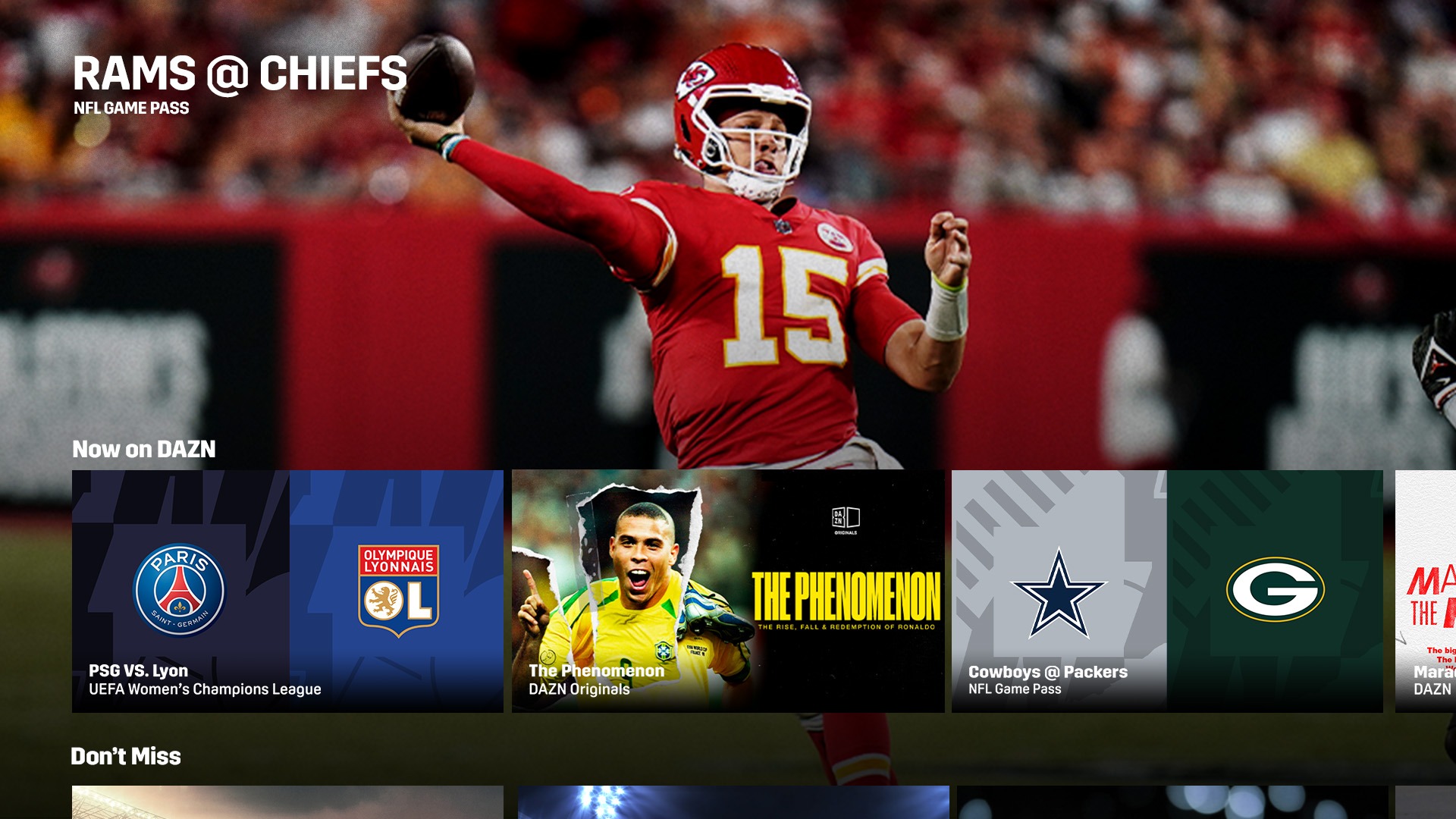
Understanding Dazn: The Ultimate Guide to Streaming Live Sports
Are you a sports enthusiast looking for a way to watch live events without the hassle of cable or satellite subscriptions? Look no further than DAZN, the world’s first dedicated live sports streaming service. In this article, we’ll take you through everything you need to know about DAZN, from its features and pricing to how to buy individual events without a subscription.
What is Dazn?
DAZN (pronounced “da-zee-en”) is a live sports streaming service that allows users to watch sports events on demand. Launched in 2016 by the Perform Group, DAZN has quickly become one of the leading sports streaming services globally. With a focus on innovation and user experience, DAZN offers an unparalleled way to enjoy live sports from anywhere in the world.
Key Features of Dazn
- Live Sports Streaming: Watch live sports events, including football, boxing, tennis, basketball, and more.
- On Demand Content: Access a vast library of on-demand content, featuring replays of live events, documentaries, and original programming.
- Multi-device Compatibility: Enjoy DAZN on a range of devices, including smartphones, tablets, smart TVs, and streaming devices like Apple TV and Google Chromecast.
- Four-view Option: Watch four live sports events simultaneously with the DAZN four-view option.
How to Buy Individual Events on Dazn
Buying individual events on DAZN is a straightforward process that can be done from the comfort of your own home. Here’s how:
- Access Your Account: Log in to your DAZN account or create a new one if you haven’t already.
- Visit The Event Page: Search for the event you’re interested in and visit its dedicated page.
- Click on “Pay-Per-View”: Look for the “Pay-Per-View” (PPV) option and click on it.
- Confirm Your Payment: Enter your payment details to confirm your purchase.
How to Buy a Split on Dazn Without Subscription
While individual event purchases are available, buying a split on DAZN without a subscription is not possible at present. However, you can still access free content and enjoy the service’s features by following these steps:
- Visit The Free Content Section: Go to the “Free Content” section of the DAZN website or app.
- Browse Available Content: Browse through the available free content, including replays of live events and original programming.
- Record or Watch Live Events: Record or watch live events in real-time using the DAZN app.
Can I Buy a Split on Dazn on Sky?
Unfortunately, it’s not currently possible to buy a split on DAZN directly through Sky. However, as mentioned earlier, all PPV events purchased on DAZN will be automatically available on other compatible devices, including Sky Q and Sky Glass.
Frequently Asked Questions (FAQs)
- Q: Can I Cancel my Dazn Subscription at Any Time?
A: Yes, you can cancel your DAZN subscription at any time by contacting their customer support team. - Q: How Many Devices Can I Watch Dazn on Simultaneously?
A: With a premium subscription, you can watch up to four live sports events simultaneously using the DAZN four-view option. - Q: Can I Access Dazn’s Free Content Without a Subscription?
A: Yes, you can access free content, including replays of live events and original programming, by visiting the “Free Content” section on the DAZN website or app.
Conclusion
DAZN is an innovative streaming service that offers an unparalleled way to enjoy live sports from anywhere in the world. With its user-friendly interface and range of features, including live sports streaming and on-demand content, it’s no wonder why DAZN has become a favorite among sports enthusiasts. Whether you’re interested in buying individual events or accessing free content without a subscription, this guide has provided everything you need to know about getting the most out of your DAZN experience.
Additional Faqs
- Q: Can I Buy a Split on Dazn Using my Sky Subscription?
A: No, buying a split on DAZN directly through Sky is not currently possible. - Q: How Much Does it Cost to Buy an Individual Event on Dazn?
A: The cost of buying an individual event on DAZN varies depending on the event and location. - Q: Can I Get a Refund if I’m Not Satisfied With my Purchase?
A: Yes, you can contact DAZN’s customer support team to request a refund if you’re not satisfied with your purchase.
We hope this guide has helped you understand everything there is to know about DAZN and how to make the most out of your streaming experience!


