
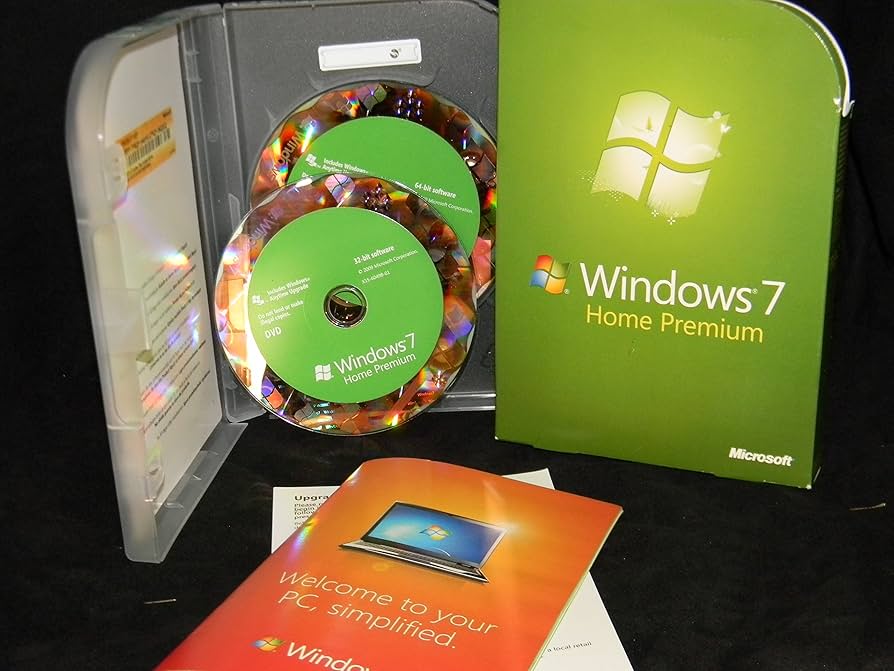
How to Acquire Windows 7: A Comprehensive Guide
Are you looking to acquire Windows 7 for your computer or laptop? You’ve come to the right place! In this article, we’ll guide you through the process of obtaining Windows 7, including purchasing a license, downloading it for free, and even downgrading from Windows 10 or 8.1.
Why Choose Windows 7?
Before we dive into the details, let’s consider why you might want to choose Windows 7 over other operating systems. While it may not be as flashy as newer versions of Windows, Windows 7 has a loyal following and is still widely used today. It’s also relatively lightweight compared to newer versions, making it a great choice for older computers or those with limited storage.
Where to Buy Windows 7
If you’re looking to purchase a license for Windows 7, there are several options available. Here are a few:
Mr Key Shop
One of the most reliable places to buy Windows 7 is Mr Key Shop. This online retailer specializes in selling legitimate licenses for various Microsoft products, including Windows 7. They offer a wide range of editions, including Home, Premium, Professional, and Ultimate.
- To purchase from Mr Key Shop, simply visit their website, select the version of Windows 7 you’re interested in, and follow the prompts to complete your order.
- Be sure to check the product description carefully to ensure you’re getting a genuine license.
Other Options
If Mr Key Shop isn’t an option for you, there are other places where you can buy Windows 7. Here are a few:
Amazon
You can also find Windows 7 licenses on Amazon. Simply search for “Windows 7” and select the version you’re interested in. Be sure to check the seller’s ratings and reviews before making a purchase.
- Amazon offers a wide selection of Windows 7 licenses, including Home, Premium, Professional, and Ultimate editions.
- As with any online purchase, be sure to read the product description carefully and check the seller’s ratings and reviews before making a purchase.
Ebay
Another option for buying Windows 7 is eBay. This online auction site often has a wide selection of Microsoft products, including Windows 7 licenses.
- To find Windows 7 on eBay, simply search for “Windows 7” and select the version you’re interested in.
- Be sure to check the seller’s ratings and reviews before making a purchase, as some sellers may be offering counterfeit or invalid licenses.
Services of Comparison Prices
If you’re not sure where to buy Windows 7 or want to compare prices, consider using a service that compares prices across multiple retailers. Here are a few options:
Contrive It
Contrive It is a price comparison website that allows you to compare prices for various Microsoft products, including Windows 7.
- To use Contrive It, simply visit their website and enter the product name (Windows 7) in the search bar.
- The site will then display a list of retailers selling Windows 7 along with their current prices.
Trovaprezzi
Trovaprezzi is another price comparison website that allows you to compare prices for various Microsoft products, including Windows 7.
- To use Trovaprezzi, simply visit their website and enter the product name (Windows 7) in the search bar.
- The site will then display a list of retailers selling Windows 7 along with their current prices.
Kelkoo
Kelkoo is a UK-based price comparison website that allows you to compare prices for various Microsoft products, including Windows 7.
- To use Kelkoo, simply visit their website and enter the product name (Windows 7) in the search bar.
- The site will then display a list of retailers selling Windows 7 along with their current prices.
Downloading Windows 7 For Free
If you already have a legitimate license for Windows 7 but need to download it, there are several options available. Here’s how to do it:
Microsoft Official Website
One option is to visit the Microsoft official website and follow the prompts to download Windows 7.
- Simply go to the Microsoft website, select the version of Windows 7 you’re interested in, and follow the prompts to complete your download.
- Be sure to check the system requirements carefully to ensure your computer meets the necessary specifications.
Windows And Office Iso Download Tool
Another option is to use a free tool called Windows and Office ISO Download Tool. This program allows you to download images of Windows 7, Windows 8, Windows 10, and Microsoft Office directly from Microsoft’s servers without entering any product keys.
- To use the Windows and Office ISO Download Tool, simply visit their website, select the version of Windows 7 you’re interested in, and follow the prompts to complete your download.
- Be sure to check the system requirements carefully to ensure your computer meets the necessary specifications.
Downgrading From Windows 10 or 8.1
If you’ve recently upgraded to Windows 10 or 8.1 But want to downgrade back to Windows 7, there are a few options available. Here’s how to do it:
Microsoft Official Website
One option is to visit the Microsoft official website and follow the prompts to download Windows 7.
- Simply go to the Microsoft website, select the version of Windows 7 you’re interested in, and follow the prompts to complete your download.
- Be sure to check the system requirements carefully to ensure your computer meets the necessary specifications.
Windows 7 Iso Downloader
Another option is to use a free tool called Windows 7 ISO Downloader. This program allows you to download images of Windows 7 directly from Microsoft’s servers without entering any product keys.
- To use the Windows 7 ISO Downloader, simply visit their website, select the version of Windows 7 you’re interested in, and follow the prompts to complete your download.
- Be sure to check the system requirements carefully to ensure your computer meets the necessary specifications.
Conclusion
In conclusion, acquiring Windows 7 can be a relatively straightforward process. Whether you choose to purchase a license or download it for free, there are several options available. By following the steps outlined in this article, you should be able to find the right version of Windows 7 for your needs and get back up and running quickly.
Frequently Asked Questions
Here are some frequently asked questions that might help:
Q: Can I Still Buy Windows 7?
A: Yes, it is possible to purchase a license for Windows 7 from various online retailers. However, Microsoft stopped selling new licenses for Windows 7 in 2014.
Q: How do I Download Windows 7 For Free?
A: If you already have a legitimate license for Windows 7, you can visit the Microsoft official website and follow the prompts to download the operating system. Alternatively, you can use a free tool like Windows and Office ISO Download Tool to download images of Windows 7 directly from Microsoft’s servers.
Q: Can I Downgrade From Windows 10 or 8.1 Back to Windows 7?
A: Yes, it is possible to downgrade from Windows 10 or 8.1 Back to Windows 7 by following the prompts on the Microsoft official website and downloading the operating system. Alternatively, you can use a free tool like Windows 7 ISO Downloader to download images of Windows 7 directly from Microsoft’s servers.
Q: Where Can I Buy a Legitimate License For Windows 7?
A: There are several online retailers that sell legitimate licenses for Windows 7, including Mr Key Shop and Amazon. Be sure to check the seller’s ratings and reviews before making a purchase to ensure you’re getting a genuine license.
Q: What Are The System Requirements For Windows 7?
A: The system requirements for Windows 7 vary depending on the version you choose. However, in general, you’ll need a computer with at least a 1 GHz processor, 1 GB of RAM (32-bit) or 2 GB of RAM (64-bit), and a minimum of 15 GB of free disk space.


