
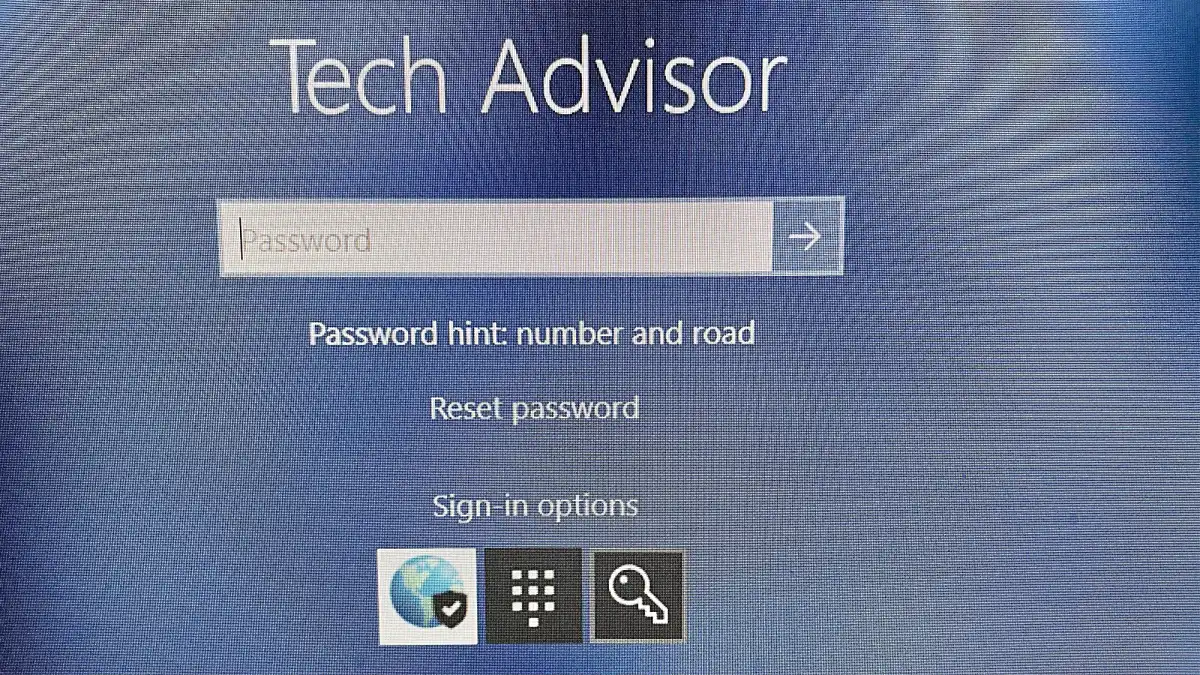
How to Bypass Windows Password: A Step-by-step Guide
Are you tired of forgetting your Windows password? Do you want to access your computer without having to reinstall the operating system? Look no further! In this article, we will guide you through a step-by-step process on how to bypass Windows password and regain access to your computer.
Introduction
Forgetting your Windows password can be frustrating, especially when you have important files stored on your computer. But don’t worry, there are ways to recover or modify your password without having to format your hard drive. In this article, we will explore the different methods to bypass Windows password and provide you with a step-by-step guide.
Method 1: Recovering Your Password Using Microsoft Account
If you have a Microsoft account associated with your Windows computer, you can easily recover your password using the following steps:
- Accessing The Lock Screen: When you are prompted to enter your password, click on “Forgot password” at the bottom of the screen.
- Entering Email Address: Enter your email address and click on “Next”.
- Receiving a Code: You will receive an email with a code that you need to enter in the next step.
- Entering The Code: Enter the code in the prompt window and click on “Next”.
- Creating a New Password: Create a new password for your Microsoft account and confirm it by entering it again.
Method 2: Modifying The Windows 10 Prompt
If you are using Windows 10 and want to modify the login prompt, follow these steps:
- Downloading The Iso File: Download the ISO file of Windows 10 from the official website.
- Creating a Bootable Usb Drive: Create a bootable USB drive with the ISO file using a software tool such as Rufus.
- Accessing The Bios: Access the BIOS settings by pressing F2 or F12 during startup.
- Enabling Legacy Boot Mode: Enable legacy boot mode and select the USB drive as the first boot device.
- Accessing The Command Prompt: When prompted, click on “Repair” to access the command prompt.
Method 3: Using Kon-boot
If you want a more straightforward solution, you can use KON-BOOT, a software tool that allows you to bypass Windows password without reinstalling the operating system. Here’s how:
- Acquiring a License: Purchase a license for KON-BOOT.
- Downloading The Software: Download the software and extract it to a folder on your computer.
- Creating a Bootable Usb Drive: Create a bootable USB drive with the software using a software tool such as Rufus.
- Accessing The Bios: Access the BIOS settings by pressing F2 or F12 during startup.
- Enabling Legacy Boot Mode: Enable legacy boot mode and select the USB drive as the first boot device.
Method 4: Bypassing Windows 11 Password
If you are using Windows 11, follow these steps to bypass the password:
- Accessing The Lock Screen: When prompted to enter your password, click on “Forgot password” at the bottom of the screen.
- Entering Email Address: Enter your email address and click on “Next”.
- Receiving a Code: You will receive an email with a code that you need to enter in the next step.
- Entering The Code: Enter the code in the prompt window and click on “Next”.
Conclusion
Bypassing Windows password can be a complex process, but with the right guidance, it’s possible to regain access to your computer without having to reinstall the operating system. Remember to always follow proper security measures to protect your personal data.
Frequently Asked Questions (FAQs)
- Q: What Are The Consequences of Bypassing Windows Password?
A: Bypassing Windows password can compromise the security of your computer and put you at risk for hacking. - Q: Can I Use a Third-party Software to Bypass Windows Password?
A: Yes, there are several software tools available that allow you to bypass Windows password without reinstalling the operating system. - Q: How do I Access my Microsoft Account if I Forgot my Password?
A: You can recover your password by accessing the lock screen and following the prompts to enter your email address and receive a code. - Q: Can I Modify The Login Prompt on Windows 10?
A: Yes, you can modify the login prompt on Windows 10 by using the command prompt and executing specific commands. - Q: How do I Use Kon-boot to Bypass Windows Password?
A: You can use KON-BOOT to bypass Windows password by following the steps outlined in this article. - Q: Can I Bypass Windows 11 Password Without Reinstalling The Operating System?
A: Yes, you can bypass Windows 11 password using the methods outlined in this article.
Note: The information provided in this article is for educational purposes only and should not be used to compromise the security of others’ computers. Always follow proper security measures to protect your personal data.


