
How to Bypass Windows Password: A Step-by-step Guide
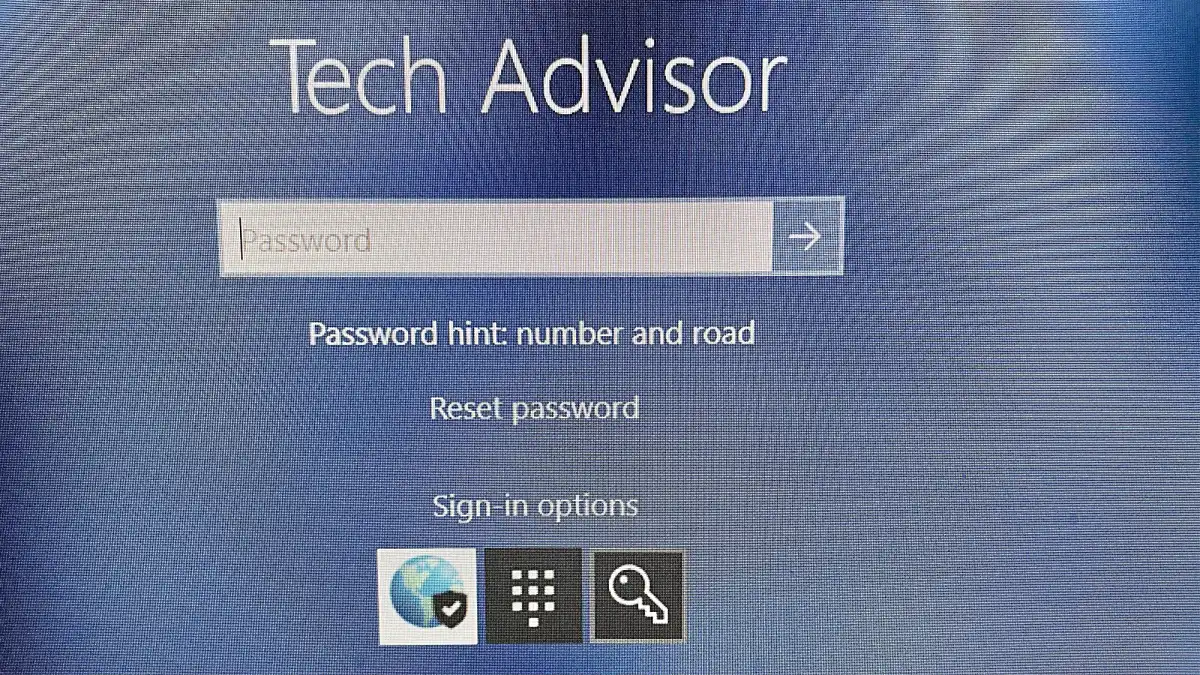
Are you tired of struggling to access your Windows computer because you’ve forgotten the password? Don’t worry, we’ve got you covered! In this article, we’ll walk you through a step-by-step guide on how to bypass the Windows password using various methods.
Understanding The Problem
Forgetting the password to your Windows computer can be frustrating, especially when you need access to important files and data. However, there are ways to recover or bypass the password without losing any data.
Method 1: Using Microsoft Account Password Recovery
If you’ve set up a Microsoft account on your Windows computer, you may have forgotten the password. Fortunately, Microsoft provides a password recovery feature that can help you regain access to your account.
How to Use Microsoft Account Password Recovery
To recover your Microsoft account password, follow these steps:
- Go to the login screen and click on “Forgot password?”
- Select the option to reset your password using your email address or phone number.
- Follow the instructions to reset your password.
- Once you’ve reset your password, you can log in to your Windows computer.
Method 2: Using Windows Hello
If you’re using a Windows 10 device with Windows Hello enabled, you may be able to bypass the password by using facial recognition or fingerprint scanning.
How to Use Windows Hello
To use Windows Hello, follow these steps:
- Go to the login screen and select “Windows Hello” as your authentication method.
- If you’re using facial recognition, make sure your face is detected correctly.
- If you’re using fingerprint scanning, place your finger on the reader.
- Once Windows Hello has verified your identity, you’ll be logged in without entering a password.
Method 3: Using Kon-boot
Kon-Boot is a software tool that allows you to bypass the Windows password by booting from a USB drive or CD/DVD.
How to Use Kon-boot
To use Kon-Boot, follow these steps:
- Download and install Kon-Boot on your computer.
- Create a USB drive with the Kon-Boot software.
- Boot from the USB drive and select “Kon-Boot” as your boot option.
- Follow the instructions to bypass the password.
Method 4: Disabling Windows Hello
If you’ve enabled Windows Hello but want to disable it, follow these steps:
- Go to the Settings app and click on “Account”.
- Select “Sign-in options” and toggle off the switch next to “Windows Hello”.
- Restart your computer and log in using a password.
Method 5: Disabling Password Prompt
If you want to disable the password prompt altogether, follow these steps:
- Press the Windows key + R to open the Run dialog box.
- Type “netplwiz” and press Enter.
- Select the option to use a local account instead of a Microsoft account.
- Remove the checkmark next to “Require users to enter a username and password when logging in”.
- Restart your computer.
Conclusion
Bypassing the Windows password can be done using various methods, including Microsoft account password recovery, Windows Hello, Kon-Boot, disabling Windows Hello, or disabling password prompt. By following these steps, you should be able to regain access to your Windows computer without losing any data.
Frequently Asked Questions (FAQs)
- Q: Can I Recover my Windows Password if I’ve Forgotten It?
A: Yes, you can use Microsoft account password recovery or Kon-Boot to bypass the password. - Q: How do I Disable Windows Hello?
A: Go to Settings > Account > Sign-in options and toggle off the switch next to “Windows Hello”. - Q: Can I Disable The Password Prompt Altogether?
A: Yes, follow the steps outlined in Method 5 to disable the password prompt. - Q: Is it Safe to Use Kon-boot?
A: Yes, but make sure you download and install the software from a trusted source. - Q: Can I Use Windows Hello With a Local Account?
A: No, Windows Hello is only supported with Microsoft accounts. - Q: How do I Reset my Microsoft Account Password?
A: Follow the instructions provided by Microsoft on their website. - Q: Is it Possible to Bypass The Windows Password Without Using Kon-boot?
A: Yes, you can use other methods such as Microsoft account password recovery or disabling Windows Hello. - Q: Can I Disable The Password Prompt For a Specific User Only?
A: No, this option is not available in Windows 10.
Conclusion
Bypassing the Windows password can be done using various methods, including Microsoft account password recovery, Windows Hello, Kon-Boot, disabling Windows Hello, or disabling password prompt. By following these steps, you should be able to regain access to your Windows computer without losing any data.
Additional Resources
For more information on bypassing the Windows password, refer to:
- Microsoft account password recovery: Www.Microsoft.Com/account
- Kon-Boot: Www.Kon-boot.Com
Remember to always use caution when bypassing passwords, and make sure you have a backup of your data before attempting any modifications.


