
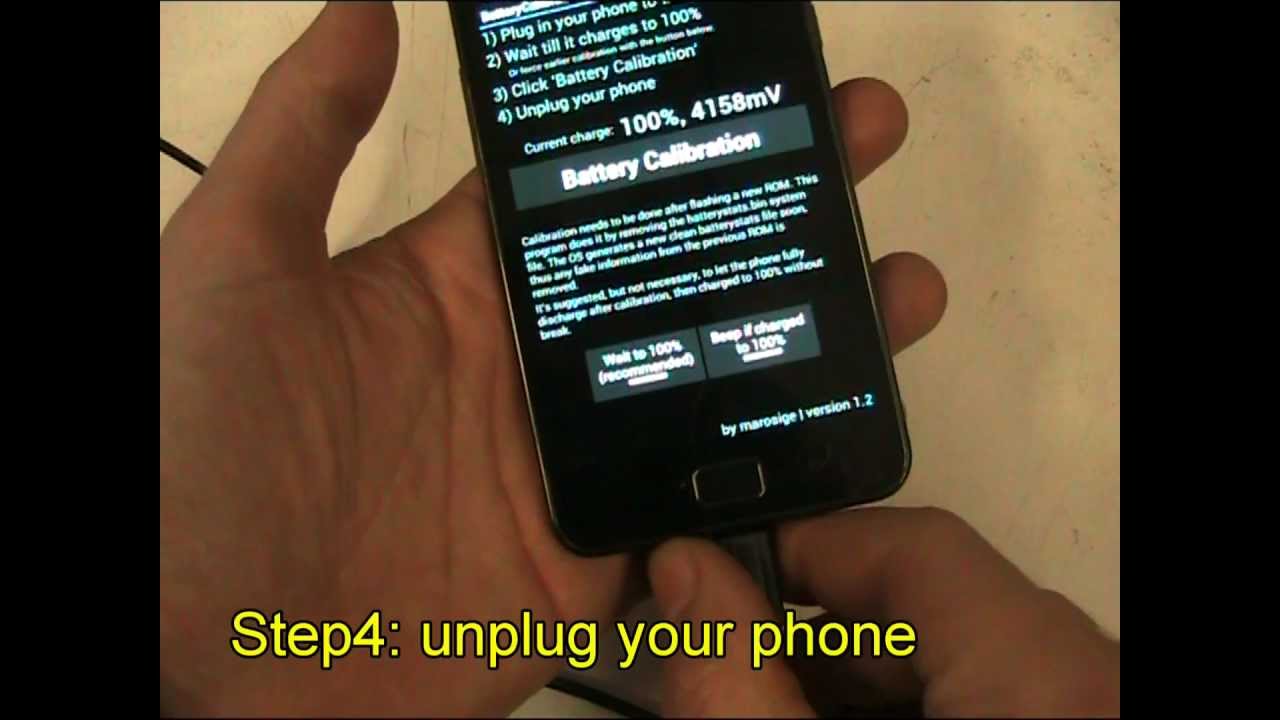
Calibrate Your Battery: A Complete Guide
Preliminary Information: What is The Purpose of Calibrating The Battery
Before getting into the heart of this guide and explaining how to recalibrate the battery of a device, let me briefly explain what this procedure consists of and why, in some situations, it could be useful. Calibrating the battery of a device means ensuring that the operating system on board the device manages it correctly again.
How to Calibrate Your Laptop Battery
To begin with, let’s first see how to calibrate the battery of a Windows PC. The first step to take is to insert the battery into the appropriate compartment (if you have a not very recent notebook equipped with a removable battery); then connect the computer to the mains using the power supply supplied, wait for the charge level to reach maximum and leave the PC still connected for a couple of hours.
How to Calibrate Your Mac Battery
You don’t have a Windows PC but a Mac and, in this regard, would you be interested in understanding how to calibrate the battery of the MacBook Pro or any other MacBook model? in theory this is feasible but, given the different nature of the Apple operating system, it is unlikely that new generation MacBooks will require a new battery calibration.
How to Calibrate Android Phone Battery
Now, the time has come to understand how to calibrate the battery of an Android smartphone. Before proceeding, I advise you to check the “health” of the battery installed on the device: This is not a mandatory step, but it is a good method to make sure that the recalibration of the battery has actually been successful.
How to Calibrate The Iphone Battery
Do you have an iPhone (or iPad) and would like to know how to calibrate the battery? the procedure you need to carry out on your “iPhone” is not that different from the one seen in the previous chapters of this guide.
Why Calibrate The Battery?
It may happen that, in some conditions (e.G. When very high temperature changes occur, when a device remains off for a long time, when firmware updates are performed and so on), the driver used to manage the charge level reads incorrectly the information provided by the battery cells themselves.
Battery Calibration: A Decisive Step
If you find yourself having problems similar to those described above, recalibrating the battery could represent a decisive step, to bring back to life a phone, a tablet or a computer that suddenly turns off (or runs out of battery).
Battery Calibration: A Decisive But Cautious Step
Keep in mind, however, that the calibration procedure should only be carried out in case of real necessity, because completely discharging and recharging the battery several times can negatively affect its performance.
Battery Calibration: A Decisive Step But With Caution
If the problems you encounter are not resolved with this DIY procedure, I recommend taking your device in for service as the battery may need to be replaced.
Battery Calibration: A Decisive Step But With Caution
Keep in mind, however, that in some cases it is possible to calibrate the laptop battery from the bios or from the uefi system.
Battery Calibration: A Decisive But Cautious Step
Regardless of the specific case, I advise you to carry out the calibration only once or twice at most.
Battery Calibration: A Decisive Step But With Caution
If the problems you encounter are not resolved with this DIY procedure, I recommend taking your device in for service as the battery may need to be replaced.
Battery Calibration: A Decisive Step But With Caution
Keep in mind that the wear of the battery (which, as we know, loses a good part of its initial capacity in the long run) can negatively affect the calibration procedure.
Battery Calibration: A Decisive But Cautious Step
Therefore I advise you to act with utmost caution, aware that carrying out a complete discharge-recharge cycle could worsen an already compromised situation.
Battery Calibration: A Decisive But Cautious Step
Well, after having examined the various steps to take to calibrate the battery of a device, I hope you have better understood the importance and method of the process.
Faqs
- Why do I Need to Calibrate The Battery?
Recalibrating the battery is necessary in case of problems with the energy management of the device.
- How Can I Calibrate my Laptop Battery?
Insert the battery into the appropriate compartment, connect the computer to the electricity supply and leave it charged for a couple of hours.
- Can I Calibrate my Mac’s Battery?
Yes, but only if you have an older generation macbook with a removable battery.
- How Can I Calibrate my Android Phone’s Battery?
Recharge the battery completely, let it discharge and recharge other times.
- Can I Calibrate The Iphone Battery?
Yes, activate the display of the remaining charge percentage and leave the device charged for a couple of hours before proceeding with the next steps.
- Why Should I be Careful When Calibrating The Battery?
To avoid worsening an already compromised situation.
- How Can I Check The Status of my Battery?
Use third-party apps or menus built into your operating system to check battery status.
- When Should I Calibrate The Battery?
Only in case of problems with the energy management of the device.
Conclusions
Recalibrating the battery is a decisive step to resolve problems with the energy management of the devices. However, it is important to exercise caution and consider battery wear before proceeding. I hope this guide has helped you better understand the battery calibration process.


