
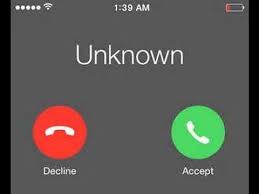
Calling With a Private Number: A Guide to Anonymity
Are you tired of revealing your phone number to others when making calls? Do you want to maintain your anonymity while still being able to communicate with others? Look no further! In this article, we will explore the various ways to call with a private number, using different methods and devices.
Why Call With a Private Number?
There are several reasons why you might want to call with a private number. Perhaps you’re trying to avoid spam calls or unwanted solicitation. Maybe you’re in a situation where revealing your phone number could put you at risk. Whatever the reason, calling with a private number can provide an added layer of security and anonymity.
Calling With Private Number on Android
If you have an Android device, you can easily set up your phone to call with a private number. To do this:
- Go to Settings > Call > Other settings
- Choose the option “ID caller” and select “Conceal number”
- From now on, all outgoing calls will be made with a private number.
Calling With Private Number on Iphone
If you have an iPhone, the process is slightly different:
- Go to Settings > Phone > Display caller ID
- Turn off the switch next to “Display caller ID”
- From now on, all outgoing calls will be made with a private number.
Calling With Private Number on Fixed Line
To call with a private number on your fixed line, you’ll need to use a specific code:
- Dial *67# followed by the phone number you want to call
- This will conceal your number and make the call appear as if it’s coming from an unknown or private number.
Calling With Private Number Abroad
If you’re making international calls, the process is similar:
- Use the codes mentioned above (such as *31# for TIM, Vodafone, and WINDTRE)
- Dial the code followed by the phone number you want to call
- This will make your call appear as if it’s coming from a private or unknown number.
Understanding How Private Number Calling Works
It’s essential to understand how private number calling works in order to use this feature effectively. When you dial a private number, the code used (such as *31#) is sent to the recipient’s phone, which then displays an unknown or private number instead of your actual phone number.
The Limitations of Private Number Calling
While private number calling can provide added security and anonymity, it’s not foolproof. Some people may be able to trace your call using other methods, such as IP addresses or reverse lookup services.
Conclusion
In conclusion, calling with a private number can be an effective way to maintain your anonymity while making calls. Whether you’re using an Android device, iPhone, or fixed line, there are various codes and settings that can help conceal your phone number. However, it’s essential to understand the limitations of this feature and take necessary precautions to ensure your security.
Frequently Asked Questions (FAQs)
- Q: What is private number calling?
A: Private number calling refers to the ability to make calls without revealing one’s actual phone number. - Q: How do I call with a private number on Android?
A: To call with a private number on Android, go to Settings > Call > Other settings and choose “Conceal number”. - Q: How do I call with a private number on iPhone?
A: To call with a private number on iPhone, go to Settings > Phone > Display caller ID and turn off the switch. - Q: Can I use private number calling abroad?
A: Yes, you can use private number calling abroad by using specific codes (such as *31#). - Q: Is private number calling foolproof?
A: No, while private number calling can provide added security and anonymity, it’s not foolproof. - Q: Can I trace a private number call?
A: In some cases, yes, it may be possible to trace a private number call using other methods (such as IP addresses or reverse lookup services). - Q: Do I need to pay for private number calling?
A: No, in most cases, you won’t have to pay extra for private number calling. - Q: Can I block private number calls on my phone?
A: Yes, you can block private number calls by adding the numbers to your blocked list or using a third-party app.


