
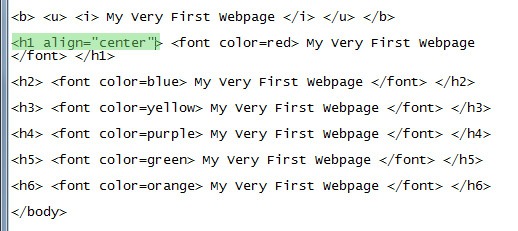
As a web designer or developer, you may have encountered the need to centre text on a webpage. Centring text can be achieved using various methods, but the most effective way is by utilizing CSS properties. In this article, we will explore how to centre text in HTML using both CSS and HTML methods.
Why Centre Text?
Centring text can improve the overall design and layout of your website. It can make your content more readable and visually appealing, especially when used in conjunction with other design elements. By centring text, you can create a clean and modern look that engages users and encourages them to read on.
Method 1: Using Html Tags
Historically, centreing text was achieved using the <center> tag. However, this method has been deprecated since HTML5 and may not work in all browsers. The alternative is to use CSS properties, which offer more flexibility and control over the layout.
Method 2: Using Css Properties
To centre text using CSS, you can apply the text-align property to a container element, such as a <div>, <p>, or <span> tag. This will centre the text horizontally within the container. To centre text vertically, you can use the flexbox layout method.
Centring Text Horizontally
To centre text horizontally using CSS, follow these steps:
- Create a container element, such as a
<div>tag. - Apply the
text-alignproperty to the container element and set it tocenter. - Add the text you want to centre within the container.
Example code:
“`Html
This text will be centred horizontally.
“`
Centring Text Vertically
To centre text vertically using CSS, follow these steps:
- Create a container element, such as a
<div>tag. - Apply the
displayproperty to the container element and set it toflex. - Apply the
align-itemsproperty to the container element and set it tocenter. - Add the text you want to centre within the container.
Example code:
“`Html
This text will be centred vertically.
“`
Using Flexbox Layout
Flexbox layout offers a more flexible and efficient way to centre text vertically. To use flexbox layout, follow these steps:
- Create a container element, such as a
<div>tag. - Apply the
displayproperty to the container element and set it toflex. - Apply the
justify-contentproperty to the container element and set it tocenter. - Add the text you want to centre within the container.
Example code:
“`Html
This text will be centred vertically and horizontally.
“`
Common Questions
Q: Can I centre text in a table cell?
A: Yes, you can centre text in a table cell by applying the text-align property to the <td> tag.
Q: Can I centre text in a list item?
A: Yes, you can centre text in a list item by applying the text-align property to the <li> tag.
Q: What is the difference between text-align and justify-content properties?
A: The text-align property aligns text horizontally within an element, while the justify-content property aligns elements vertically within a flex container.
Conclusion
Centring text in HTML can be achieved using various methods, including CSS properties. By understanding how to centre text horizontally and vertically, you can improve the design and layout of your website, making it more readable and visually appealing. Remember to use the most effective method for your specific needs, and don’t hesitate to consult our other guides on web development and design.
References
- W3Schools: HTML
Tag - MDN Web Docs: CSS text-align property
- MDN Web Docs: Flexbox layout


