
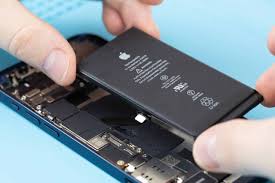
The Life Cycle of Iphone Batteries: Understanding When to Replace
As an iPhone user, you’re likely no stranger to the feeling of frustration when your device’s battery life starts to dwindle. But have you ever stopped to think about the cycle of life for your iPhone battery? In this article, we’ll delve into the chronology of battery function and explore the optimal times to replace your iPhone’s battery.
How Long Does an Iphone Battery Last?
According to Apple, a common battery is projected to conserve until the 80% of its original capacity after 500 cycles of complete recharge, operating in normal conditions. This means that if you’re using your iPhone daily, you can expect the battery to retain around 80% of its original capacity after approximately two and a half years.
Signs That Your Iphone Battery Needs Replacement
So, how do you know when it’s time to replace your iPhone’s battery? Here are some signs to look out for:
- Frequent Charging: If you find yourself charging your iPhone more often than usual, it could be a sign that the battery is no longer holding its charge.
- Reduced Battery Life: If your iPhone’s battery life is significantly shorter than it used to be, it may be time to consider replacing it.
- Battery Health App: Check your iPhone’s Battery Health app (available on iOS 11.3 And later) for an accurate reading of your battery’s health.
How to Replace Your Iphone Battery
Replacing your iPhone battery can seem like a daunting task, but don’t worry – we’ve got you covered! Here are the steps to follow:
- Check Your Warranty: If your iPhone is still under warranty or has AppleCare+, contact Apple for assistance. They may be able to replace the battery free of charge.
- Purchase a Compatible Battery: You can purchase a compatible battery from Apple or an authorized reseller. Make sure to select a battery that matches your iPhone’s model and capacity requirements.
- Replace The Battery Yourself: If you’re comfortable with DIY repairs, you can replace the battery yourself. However, this may void your warranty.
Tips For Extending Your Iphone’s Battery Life
Want to get the most out of your iPhone’s battery? Here are some tips to help extend its life:
- Keep Your Iphone Up-to-date: Ensure that your iPhone is running on the latest software to take advantage of improved battery management features.
- Adjust Your Settings: Adjust your screen brightness, location services, and other settings to reduce power consumption.
- Avoid Extreme Temperatures: Avoid exposing your iPhone to extreme temperatures, as this can affect its battery life.
Conclusion
Replacing an iPhone battery is a straightforward process that can be completed in-house. By understanding when to replace your iPhone’s battery and following the steps outlined above, you can ensure that your device continues to perform optimally. Don’t forget to check your warranty status and consider purchasing a compatible battery if needed.
Frequently Asked Questions (FAQs)
Here are some frequently asked questions related to replacing an iPhone battery:
- Q: How Often Should I Replace my Iphone’s Battery?
A: You should replace your iPhone’s battery when it no longer holds its charge or has a significant reduction in battery life. - Q: Can I Replace The Battery Myself?
A: Yes, you can replace the battery yourself if you’re comfortable with DIY repairs. However, this may void your warranty. - Q: How Much Does it Cost to Replace an Iphone Battery?
A: The cost of replacing an iPhone battery varies depending on the model and capacity requirements. You can expect to pay between $50 and $150 for a replacement battery. - Q: Will Replacing The Battery Void my Warranty?
A: If your iPhone is still under warranty or has AppleCare+, contact Apple for assistance. They may be able to replace the battery free of charge.
Conclusion
Replacing an iPhone battery can seem intimidating, but with the right guidance and knowledge, it’s a manageable task that can help extend your device’s lifespan.


