
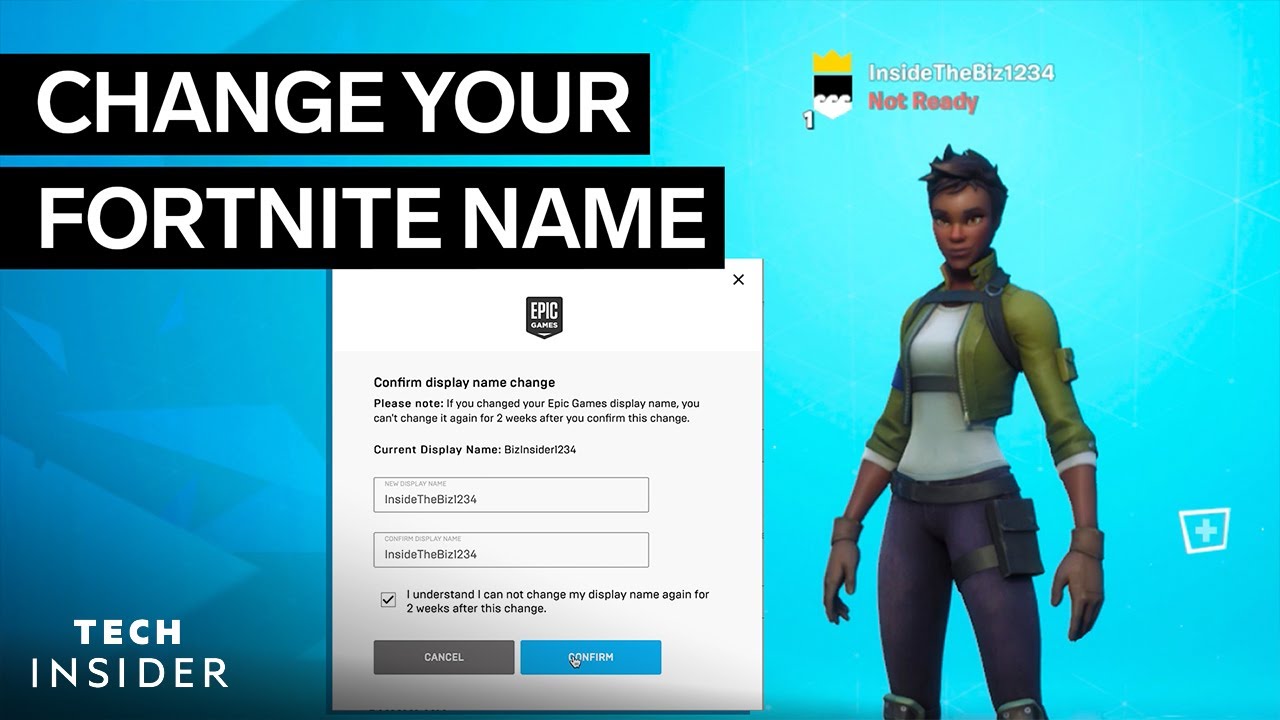
How to Change Your Name on Epic Games: A Step-by-step Guide
Are you tired of using an old name on your Epic Games account? Do you want to change it to something fresh and new? Look no further! This article will guide you through the process of changing your name on Epic Games, both on PC and mobile devices.
Why Change Your Name on Epic Games?
Changing your name on Epic Games can be a great way to refresh your online identity. Maybe you’ve grown tired of your old handle or want to use a new one for a specific game. Whatever the reason, we’re here to help you through the process.
How to Change Your Name on Pc: A Step-by-step Guide
Changing your name on Epic Games on PC is relatively straightforward. Here’s how to do it:
- Log in to Your Epic Games Account: Open the Epic Games launcher and log in with your username and password.
- Click on Your Profile Picture: In the top right corner of the launcher, click on your profile picture.
- Select ‘Account’: From the dropdown menu, select ‘Account’.
- Click on ‘Edit Profile’: Click on the edit profile button to make changes to your account information.
- Change Your Name: Type in your new name in the ‘Name’ field and click on the save button.
Important Note:
You can only change your name on Epic Games every 14 days. If you try to change it sooner, you’ll be prompted to check your email address or wait for the 14-day period to pass.
How to Change Your Name on Mobile Devices: A Step-by-step Guide
Changing your name on Epic Games on mobile devices is similar to the process on PC. Here’s how to do it:
- Open The Epic Games App: Open the Epic Games app on your smartphone or tablet.
- Tap on ‘Account’: Tap on the ‘Account’ button in the top right corner of the app.
- Select ‘Edit Profile’: Select ‘Edit Profile’ from the menu to make changes to your account information.
- Change Your Name: Type in your new name in the ‘Name’ field and tap on the save button.
How to Change Your Name on Ps4: A Step-by-step Guide
Changing your name on Epic Games on PS4 is a bit more involved than on PC or mobile devices. Here’s how to do it:
- Go to Settings: Go to the settings menu on your PS4.
- Select ‘Account Management’: Select ‘Account Management’ from the menu.
- Choose ‘Edit Profile’: Choose ‘Edit Profile’ from the menu to make changes to your account information.
- Change Your Name: Type in your new name in the ‘Name’ field and select save.
Important Note:
Changing your name on PS4 will not affect the name associated with your Epic Games account on other platforms. However, it will update the name visible in the Epic Games gamings developed for PS4.
What if I Have Problems Changing My Name?
If you encounter any problems changing your name on Epic Games, don’t worry! You can always reach out to the Epic Games support team for assistance. Here’s how:
- Go to The Epic Games Website: Go to the Epic Games website and log in with your username and password.
- Click on ‘Help’: Click on the help button at the top right corner of the page.
- Select ‘Contact Us’: Select ‘Contact Us’ from the menu to reach out to the support team.
Conclusion:
Changing your name on Epic Games is a simple process that can be done on PC, mobile devices, and PS4. Remember to check your email address or wait for the 14-day period to pass before making any changes. If you encounter any problems, don’t hesitate to reach out to the support team for assistance.
Frequently Asked Questions:
- How Often Can I Change my Name on Epic Games?
You can only change your name every 14 days. - Will Changing my Name on Ps4 Affect The Name Associated With my Epic Games Account on Other Platforms?
No, changing your name on PS4 will not affect the name associated with your Epic Games account on other platforms. - How do I Reach Out to The Epic Games Support Team?
You can reach out to the Epic Games support team by going to the Epic Games website and clicking on ‘Help’ or by contacting them through their contact form. - What if I Forget my Password or Username?
If you forget your password or username, click on ‘Forgot Password’ or ‘Forgot Username’ on the Epic Games login page. - Can I Change my Name on Epic Games on Mobile Devices?
Yes, you can change your name on Epic Games on mobile devices by going to the Epic Games app and tapping on ‘Account’. - Is Changing my Name on Epic Games Free?
Changing your name on Epic Games is generally free, but there may be a small fee associated with making changes on PS4. - How do I Know if my Name Change Has Been Successful?
After making changes to your account information, log out and back in to verify that the changes have taken effect.
References:


