
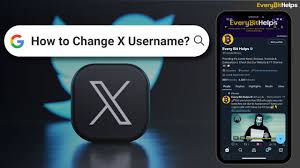
How to Change Your Name on X
Are you looking to change your name on the social network X? But, have you not found a fair option to do so? Do you want to use a diverse name than the one chosen in the phase of creation of your account? If your answer is affirmative to at least one of these demands, then you are in the right place. With this guide, we will explain how to change your name on X and provide you with all the necessary indications to achieve it.
Why Change Your Name on X?
Changing your name on X can be a great way to refresh your online presence and make your profile more personal. Whether you want to use a nickname, a pseudonym, or simply a different name than the one you used when creating your account, changing your name on X is a straightforward process.
How to Change Your Name Visualised on X
To change your name visualized on X, follow these steps:
- Access The App: Open the X app on your smartphone or tablet.
- Go to Your Profile: Tap on your profile picture in the top right corner of the screen.
- Tap on Edit Profile: Select the “Edit Profile” option from the menu.
- Change Your Name: Type in the new name you want to use and tap on the “Save” button.
How to Change Your Name User on X
To change your name user on X, follow these steps:
- Access The App: Open the X app on your smartphone or tablet.
- Go to Settings: Tap on the three horizontal lines in the top right corner of the screen and select “Settings”.
- Tap on Account: Select the “Account” option from the menu.
- Change Your Name: Type in the new name you want to use and tap on the “Save” button.
Tips For Choosing a New Name
Before changing your name on X, here are some tips to keep in mind:
- Make it Unique: Choose a name that is unique and stands out from others.
- Keep it Short: Keep your name short and concise.
- Be Creative: Be creative with your name and use a nickname or pseudonym if you want.
How to Recover Deleted Messages on Whatsapp
If you have deleted messages on WhatsApp, there are ways to recover them. Here’s how:
- Backup Your Chats: Make sure that you have backed up your chats on WhatsApp.
- Restore From Backup: If you have deleted messages, try restoring them from the backup.
How to Recover Deleted Contacts on Whatsapp
If you have deleted contacts on WhatsApp, there are ways to recover them. Here’s how:
- Check Your Google Drive: Check if you have a backup of your WhatsApp chats on Google Drive.
- Recover From Icloud: If you use an iPhone, check if you have a backup of your WhatsApp chats on iCloud.
Conclusion
Changing your name on X is a straightforward process that can help refresh your online presence and make your profile more personal. Whether you want to use a nickname, a pseudonym, or simply a different name than the one you used when creating your account, changing your name on X is easy and convenient. We hope this guide has been helpful in answering your questions and providing you with all the necessary indications to achieve it.
Faqs
- Q: Can I Change my Name on X?
A: Yes, you can change your name on X. - Q: How do I Change my Name on X?
A: To change your name on X, follow the steps outlined in this guide. - Q: Can I Recover Deleted Messages on Whatsapp?
A: Yes, you can recover deleted messages on WhatsApp by restoring them from a backup. - Q: How do I Recover Deleted Contacts on Whatsapp?
A: You can recover deleted contacts on WhatsApp by checking your Google Drive or iCloud for a backup. - Q: Can I Change my Name User on X?
A: Yes, you can change your name user on X. - Q: How do I Change my Name User on X?
A: To change your name user on X, follow the steps outlined in this guide. - Q: What Are Some Tips For Choosing a New Name on X?
A: Some tips for choosing a new name on X include making it unique, keeping it short, and being creative. - Q: Can I Recover Deleted Messages on Whatsapp if I Have Not Backed up my Chats?
A: Unfortunately, no. If you have not backed up your chats, there is no way to recover deleted messages on WhatsApp.


