
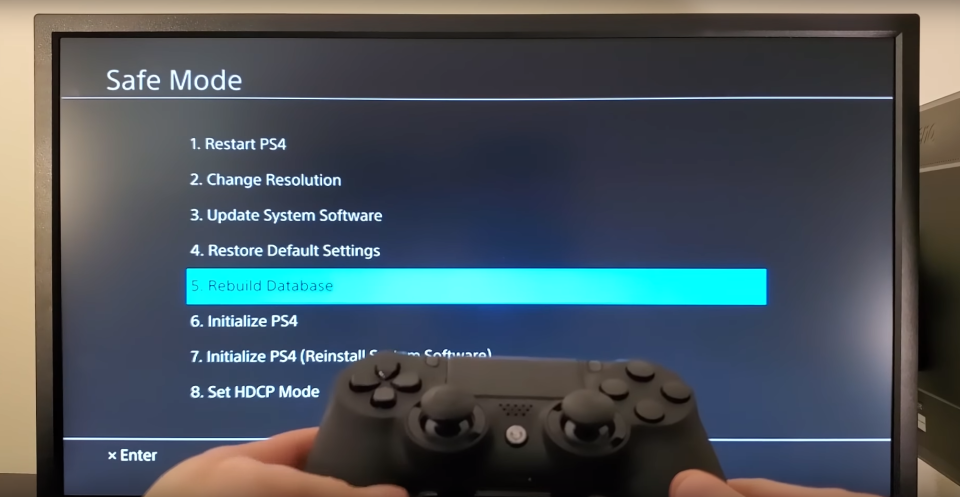
The Ultimate Guide to Upscaling Resolution on Ps4: A Step-by-step Tutorial
Are you tired of playing games on your PlayStation 4 with poor visuals? Do you want to enhance the gaming experience by upscaling the resolution? Look no further! In this article, we will guide you through the process of upscaling resolution on your PS4, so you can enjoy crisp and clear graphics without any hassle.
Why Upscale Resolution on Ps4?
Upscaling resolution on PS4 is a great way to improve the visual quality of games and movies. By increasing the resolution, you can enjoy sharper and more detailed visuals, making the gaming experience more immersive. Additionally, upscaling resolution can also reduce screen tearing and motion blur, further enhancing the overall gaming experience.
How to Upscale Resolution on Ps4: A Step-by-step Guide
Upscaling resolution on PS4 is a straightforward process that requires minimal technical expertise. Here’s a step-by-step guide to help you upscale the resolution:
- Access The Settings Menu: Press the PlayStation button on your controller and navigate to the Settings menu.
- Select Audio And Monitor: Choose “Audio and Monitor” from the settings menu.
- Configure Video Settings: Select “Settings” under the video section.
- Choose Your Desired Resolution: From the available options, select the desired resolution (e.G., 720P or 1080p).
- Confirm Your Selection: Press the X button to confirm your selection.
Upscaling Resolution on Ps4: Tips And Tricks
While upscaling resolution on PS4 is relatively easy, here are some tips and tricks to keep in mind:
- Make sure you have a compatible TV that supports 4K or higher resolutions.
- Ensure that your internet connection is stable and fast enough to support the upscaling process.
- Some games may not be optimized for high-resolution playback, so you may experience compatibility issues.
Troubleshooting Upscaling Resolution Issues on Ps4
If you encounter any issues while upscaling resolution on your PS4, here are some troubleshooting steps to try:
- Restart Your Console: Sometimes, a simple reboot can resolve the issue.
- Check For Firmware Updates: Ensure that your console is running the latest firmware version.
- Contact Sony Support: If none of the above steps resolve the issue, contact Sony support for further assistance.
Conclusion
Upscaling resolution on PS4 is a great way to enhance the gaming experience by improving visual quality and reducing screen tearing and motion blur. By following the step-by-step guide outlined in this article, you can easily upscale the resolution on your console and enjoy crisp and clear visuals without any hassle. Remember to troubleshoot any issues that may arise and contact Sony support for further assistance if needed.
Related Posts
- How to Improve Your PS4 Gaming Experience
- The Benefits of Upgrading to a 4K TV for Gaming
- Tips and Tricks for Optimizing Your PS4 Performance


