
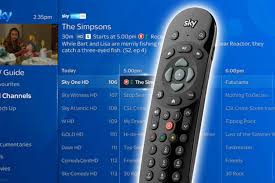
Troubleshooting Your Non-functional Telecomando Sky
Are you tired of dealing with a non-functional telecomando Sky? You’re not alone. Many users face this issue, and it can be frustrating, especially when you’re in the middle of an exciting TV show or sports event.
In this article, we’ll guide you through a step-by-step process to troubleshoot the problem and potentially replace your telecomando Sky if necessary.
Before You Begin: Check The Batteries
A dead battery can cause the telecomando to malfunction. Ensure that the batteries are fully charged or replaced with new ones.
- Check The Battery Level: Verify that the batteries are not completely drained.
- Remove And Recharge/replace The Batteries: If you’re using old batteries, try replacing them with new ones.
Still Not Working? Let’s Dive Deeper
If changing the batteries doesn’t resolve the issue, it might be due to a more complex problem. Here are some possible causes:
- Decoder Issues: The decoder is connected to the telecomando Sky via an HDMI cable. Try disconnecting and reconnecting the HDMI cable.
- Telecomando Sky Hardware Malfunction: In rare cases, the telecomando Sky itself may have developed a hardware issue.
How to Reset Your Decoder
If you suspect that the problem lies with your decoder, follow these steps:
- Disconnect The Power Cord: Unplug the power cord from the back of the decoder.
- Wait For at Least 30 Seconds: Allow the device to cool down completely before proceeding.
- Reconnect The Power Cord: Plug in the power cord and wait for the decoder to boot up normally.
Still Not Working? It’s Time to Consider Replacing Your Telecomando Sky
If none of these troubleshooting steps resolve the issue, it might be time to consider replacing your telecomando Sky.
- Go to The Official Sky Website: Visit the official Sky website and navigate to their support section.
- Click on ‘My Account’ or ‘Help’: Look for the “My Account” or “Help” tab and click on it.
- Select Your Telecomando Sky Model: Choose your specific telecomando Sky model from the list of options.
- Report The Issue: Describe the problem you’re experiencing, including any error messages you’ve seen.
Receiving a New Telecomando Sky
Once you’ve submitted your report, a Sky representative will contact you to discuss the next steps. If your telecomando Sky needs to be replaced, they’ll arrange for a new one to be delivered or made available for collection from a nearby Sky store.
Conclusion
Don’t let a non-functional telecomando Sky ruin your TV viewing experience. By following these troubleshooting steps and potentially replacing your telecomando Sky, you can get back to enjoying your favorite shows and movies without any interruptions.
Frequently Asked Questions (FAQs)
Here are some common questions people have when dealing with a non-functional telecomando Sky:
- Q: What Should I do if my Telecomando Sky is Not Responding?
A: First, try checking the batteries. If that doesn’t work, follow the steps outlined above to troubleshoot the issue. - Q: How do I Reset my Decoder?
A: To reset your decoder, disconnect the power cord, wait for at least 30 seconds, and then reconnect it. - Q: What if I’m Still Having Trouble After Trying All These Steps?
A: If none of the above troubleshooting steps resolve the issue, it may be time to consider replacing your telecomando Sky.


